

Best golf cart decal styles for resorts and communities 2026
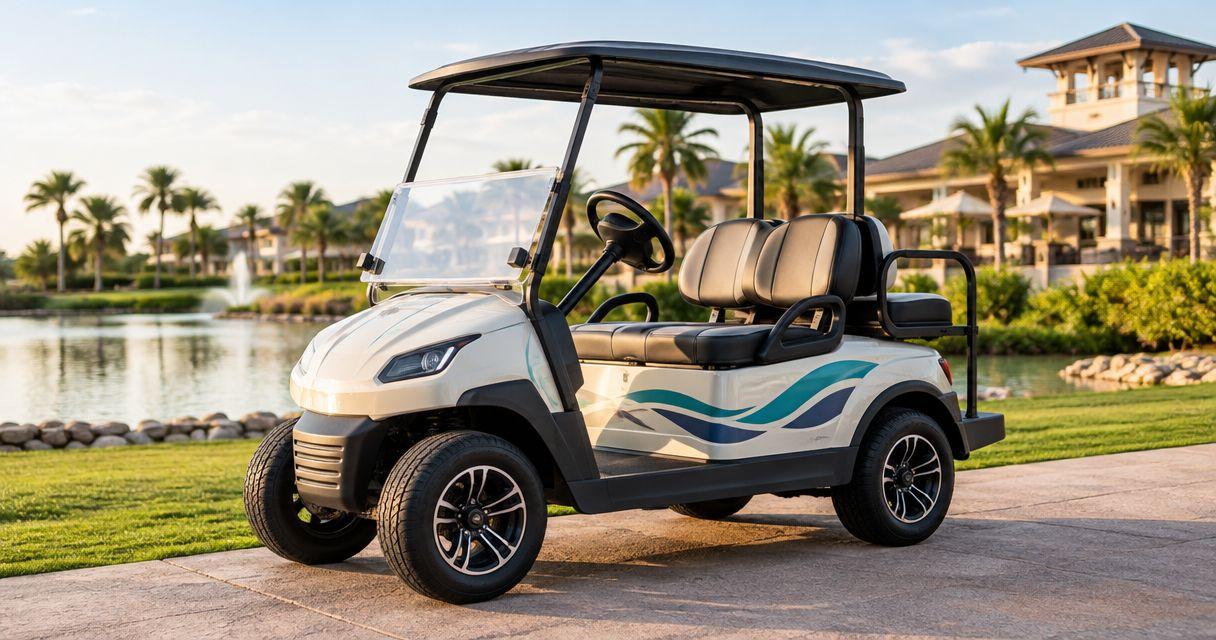
Best for resort branding: die-cut logo decals. Best for fleet identification: circle number decals. Best for guest information: QR-code decals. Choose custom golf cart decals by the job they need to do, then check the artwork, panel size and application surface before placing your 2026 order.
- Choose die-cut custom golf cart decals for resort logos and circle decals for fleet identification.
- Use QR-code decals for linked guest information, not as the only source of essential operating instructions.
- Vinylstatus offers custom sticker formats; confirm the material suits your cart surface before ordering.
- Approve dimensions, numbering, finish and placement before committing to a bulk order.
Why the decal's job matters
A resort logo, a fleet number and a guest-information link solve different problems. Putting all three into one small decal makes each harder to read. Give each message its own space and choose its shape around that task.
Vinylstatus offers custom die-cut, circle, square, holographic and QR-code vinyl stickers. For golf cart decals, start with those format choices, then confirm suitability for the cart's exact surface and use conditions. A sticker's shape alone does not establish its adhesive strength, outdoor service life or compatibility with painted plastic.
What makes the best custom golf cart decals?
Use these criteria to choose a style before comparing artwork:
- Clear purpose: Decide whether the decal identifies the property, identifies the cart, explains a rule or opens a webpage.
- Readable size: Measure the usable panel, then inspect the artwork at its actual printed dimensions. A large file on a monitor tells you little about readability.
- Suitable surface: Check the cart manufacturer's care guidance and the printer's material guidance. Note texture, curves, seams and existing coatings.
- Controlled finish: Compare matte, glossy or specialty effects against the actual artwork. Decorative effects should not compete with numbers or instructions.
- Repeatable artwork: Keep placement, dimensions, colors and numbering consistent across the fleet.
- Useful quantity: Base the order on the carts and placements you actually need, plus a deliberate replacement allowance.
Golf cart decal styles at a glance
These recommendations rank formats by their practical role, not by print quality or measured durability. Each style earns a different place on a resort or community fleet.
| Rank and style | Best for | Standout feature | Key limitation |
|---|---|---|---|
| Die-cut logo decals | Property branding | Cut outline follows the logo artwork | Intricate outlines need careful sizing |
| Circle number decals | Fleet identification | Consistent shape frames a prominent identifier | Small circles restrict supporting text |
| Square instruction decals | Short operating reminders | Straightforward space for a compact text layout | Dense instructions become difficult to read |
| QR-code decals | Linked guest information | Connects a printed label to a destination page | Requires a working scan and usable destination |
| Holographic accent decals | Event or promotional artwork | Reflective visual effect adds decoration | Changing reflections can compete with fine detail |
1. Die-cut logo decals: best for property branding
Die-cut logo decals follow the artwork's outline instead of enclosing every logo in the same standard shape. They suit a resort name, community emblem or other approved identity mark when the main goal is recognition.
Start with the simplest approved version of your logo. A detailed crest that works on a sign can become crowded on a cart panel, especially when it includes a slogan, a founding date and fine decorative lines.
Die-cut logo decal pros:
- The cut shape can follow a distinctive logo silhouette.
- Separate branding leaves room elsewhere for fleet numbers.
- One approved design can establish a consistent fleet layout.
Die-cut logo decal cons:
- Narrow extensions and small details require close proof inspection.
- An irregular outline needs a full-size placement check on curved panels.
Ordering check: Mark the intended width and height on the cart without damaging the finish. Print a paper version at actual size and hold it in position. Check the view from the side and from the approach guests actually use, not just straight on.
For a 2026 fleet refresh, approve the logo version before creating cart-specific files. Otherwise, small differences in spacing or artwork can spread across the order.
Best for: Resorts and communities that need consistent property branding.
Verdict: Buy die-cut logo decals for recognition; keep operational text separate.
2. Circle number decals: best for fleet identification
Circle number decals give a cart identifier a clear, repeatable frame. Use them when staff need to match a cart to a reservation, maintenance record or assigned parking space.
Make the identifier the dominant element. A fleet number surrounded by a slogan, decorative border and small logo stops functioning as a quick identification label.
Circle number decal pros:
- A consistent shape supports a uniform fleet system.
- A large central identifier is easy to isolate visually.
- Separate number artwork lets you retain the same property logo.
Circle number decal cons:
- A circle leaves less room for long identifiers or supporting text.
- Individually numbered artwork needs a careful sequence check.
Ordering check: Write the complete identifier list before preparing files. Check for repeated numbers, omitted carts and inconsistent prefixes. If identifiers appear on different sides of a cart, keep the same identifier on every placement.
Do not assume that a custom sticker order automatically includes variable numbering. Confirm how the printer accepts separate designs and quantities before submitting the fleet list.
Best for: Communities and resort teams managing cart assignments and maintenance.
Verdict: Buy circle number decals when reliable identification matters more than decoration.
3. Square instruction decals: best for short operating reminders
Square instruction decals provide a simple layout for a short, readable message. Use them for a property-specific reminder that belongs near the driver's attention area, provided the placement does not cover controls or existing safety labels.
Choose one message rather than shrinking an entire policy onto a small sticker. Keep detailed rules in the appropriate guest information materials, and preserve all manufacturer-required labels.
Square instruction decal pros:
- The shape accommodates short lines of text.
- A consistent layout helps separate instructions from branding.
- The message can stay visible without requiring a phone.
Square instruction decal cons:
- Long policies quickly overwhelm the available space.
- Placement needs checking from the seated driving position.
Ordering check: Read the artwork at actual size while sitting in the cart. Check whether the steering wheel, dashboard edge or another component blocks the message. Review the wording with whoever manages fleet operations before proof approval.
For 2026 instruction updates, replace outdated wording in the source artwork rather than layering a new message over an old one. Follow the relevant surface and removal guidance before changing existing decals.
Best for: A concise reminder that drivers need to read directly on the cart.
Verdict: Buy square instruction decals for short messages; skip crowded policy layouts.
4. QR-code decals: best for linked guest information
QR-code decals connect a printed code to a destination such as a guest-information page or property map. They suit information that guests can consult while safely parked, especially when the destination needs updates without changing the printed artwork.
Keep essential operating instructions visible without a scan. A QR code depends on a usable phone, a successful scan and access to its destination.
QR-code decal pros:
- A compact printed code can lead to more detailed information.
- A stable destination can retain the same printed link as page content changes.
- A nearby instruction can explain what the guest will open.
QR-code decal cons:
- Glare, distortion and insufficient contrast can interfere with scanning.
- A broken or outdated destination makes the decal unhelpful.
- Scanning is not an appropriate task while driving.
Ordering check: Preserve the code's quiet zone, keep strong contrast and avoid placing the code across a seam or pronounced curve. Scan the final artwork at its intended printed size, then test the finished decal in its actual position.
Use a destination your organization controls where possible. Before approving a 2026 order, check the page on a phone and confirm that it presents the promised information without unnecessary steps.
Best for: Guest resources that support, rather than replace, visible instructions.
Verdict: Buy QR-code decals for supplementary information; skip QR-only safety communication.
5. Holographic accent decals: best for promotional artwork
Holographic decals add a reflective effect to custom artwork. Treat them as a decorative option for a promotion or event identity, not as the default format for fleet numbers and detailed instructions.
Ask how the effect interacts with printed areas before approving the design. The artwork should remain understandable when reflections change with the viewing angle.
Holographic accent decal pros:
- The reflective effect creates a distinct decorative treatment.
- A separate accent can keep promotional artwork apart from permanent identifiers.
- Simple shapes give the effect room without crowding the design.
Holographic accent decal cons:
- Reflections can compete with fine text and low-contrast artwork.
- A digital proof cannot reproduce every real-world lighting condition.
Ordering check: Keep critical information out of visually busy areas. Ask about a physical example of the finish if the appearance is central to the decision. Confirm application and removal guidance rather than assuming an event decal is designed for temporary use.
Best for: Decorative event artwork where visual effect is the purpose.
Verdict: Hold until you confirm the finish; skip holographic effects for critical instructions.
Plan the order before approving the proof
A useful bulk order starts with a placement plan, not the largest quantity offered. Separate shared artwork from cart-specific files so the proof review covers both design and fleet accuracy.
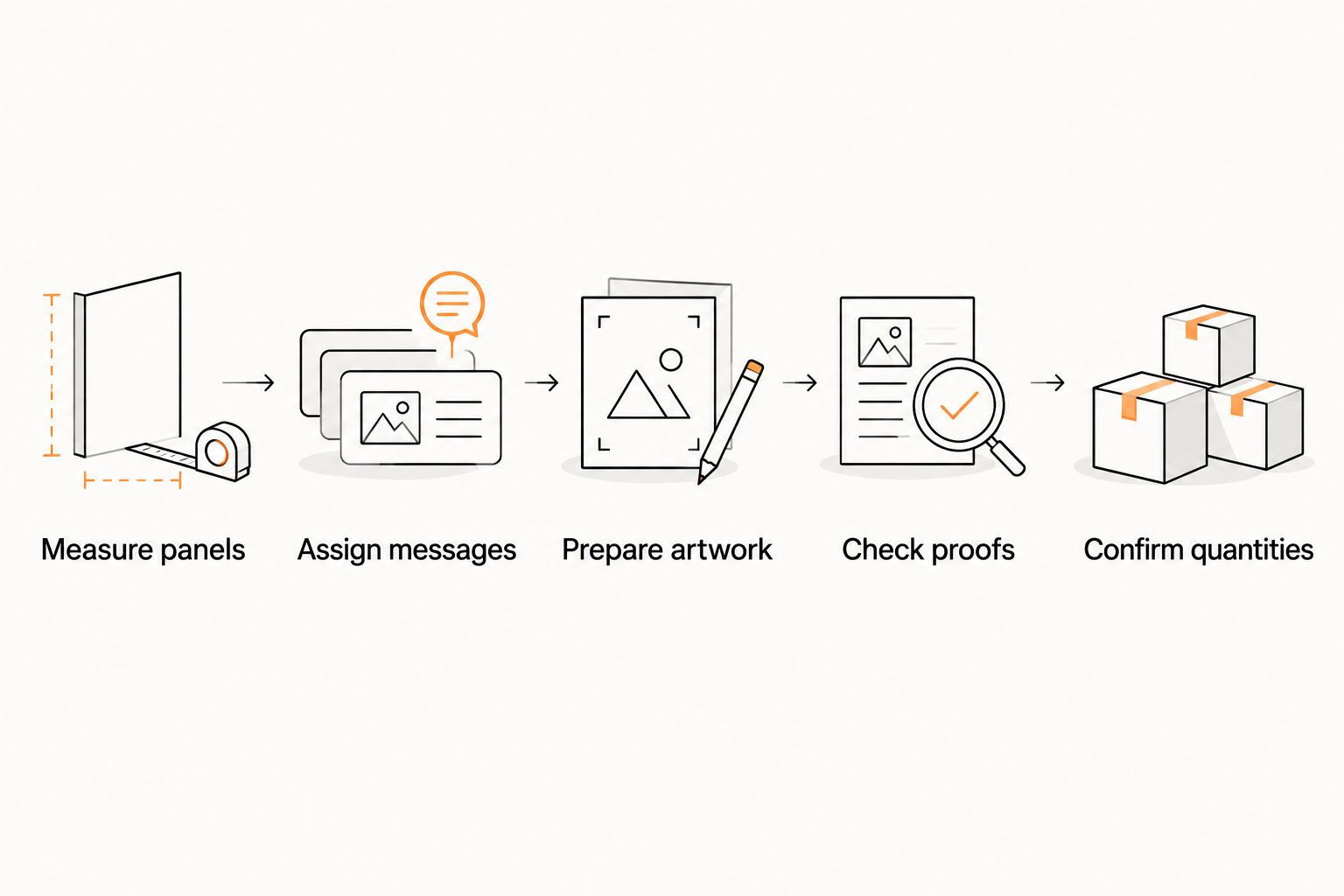
Use this sequence:
- Measure panels: Record the usable space and note curves, seams, existing labels and damaged areas.
- Assign messages: Give the logo, identifier and instructions distinct jobs and locations.
- Prepare artwork: Supply the approved logo, complete identifier list and final wording.
- Check proofs: Review actual dimensions, cut lines, spelling, numbering and QR destinations.
- Confirm quantities: Count each design and placement before adding planned replacements.
For a hypothetical order covering 12 carts with 2 logo decals per cart, you need 24 logo decals before replacements. Number decals and instruction decals need their own counts. Do not treat that example as a recommended fleet size or replacement allowance.
Ask which proof review and artwork-check services apply to the selected product. Confirm whether a split-back liner is included if staff will install many printed stickers. Also separate production after proof approval from shipping time when planning an installation date.
How these styles were ranked
This 2026 guide ranks decal styles by purpose, readability, surface suitability, finish and ordering control. It does not rank suppliers or claim tested performance. Vinylstatus supplies the named custom sticker formats; the cart application still needs a product-specific suitability check.
A useful golf cart decal communicates one job clearly before it adds decoration. That rule keeps a fleet identifier from becoming a miniature advertisement and keeps a guest-information code from replacing essential instructions.
Which golf cart decal style should you choose?
Start with die-cut logos for branding and circle numbers for identification. Add square reminders only where a short instruction belongs, and use QR-code decals for supplementary guest information. Reserve holographic artwork for decoration.
Vinylstatus custom golf cart decals are a fit for buyers seeking artwork-led format choices, provided the selected material is confirmed for the application. For your 2026 order, approve the panel fit and final artwork before choosing the bulk quantity.
FAQ
What’s the best style of custom golf cart decal for a resort logo?
A die-cut logo decal is a practical choice when you want the cut outline to follow the resort’s artwork. Check the logo at actual printed size and confirm that fine details remain readable.
Are circle decals better than die-cut decals for cart numbers?
Circle decals suit fleet numbers because they provide a consistent frame for a prominent identifier. Die-cut decals suit logo-shaped artwork; choose by the message rather than treating either shape as universally better.
Can I put a QR-code sticker on a golf cart?
Use a QR-code sticker only after confirming the material and placement suit the cart. Preserve the quiet zone, check contrast and scan the finished decal while the cart is safely parked.
Should golf cart decals have a matte or glossy finish?
Choose the finish after checking glare and artwork readability in the intended position. Ask which finishes are offered for the selected product, and do not assume finish alone establishes outdoor durability.
How many decals should I order for a golf cart fleet?
Multiply the number of carts by the placements for each design, then add a deliberate replacement quantity. Count logos, identifiers and instruction decals separately because their quantities can differ.
Can Vinylstatus print different numbers for every golf cart?
Confirm the numbering workflow with Vinylstatus before submitting a fleet order. Supply a complete identifier list and ask how separate artwork versions and quantities should be prepared.
What should I check before approving a golf cart decal proof?
Check dimensions, cut lines, spelling, identifiers and any QR-code destination before approval. Confirm surface suitability separately, because a digital artwork proof does not demonstrate adhesion or removal behavior.
One last thing
Do the seated-driver check before printing. A decal can look clear in a flat proof and disappear behind the steering wheel once installed. Hold a full-size paper mockup in position, inspect the view without covering required labels, and adjust the layout before approval.
Related guides