

Can a QR code sticker still scan after it fades or gets wet?
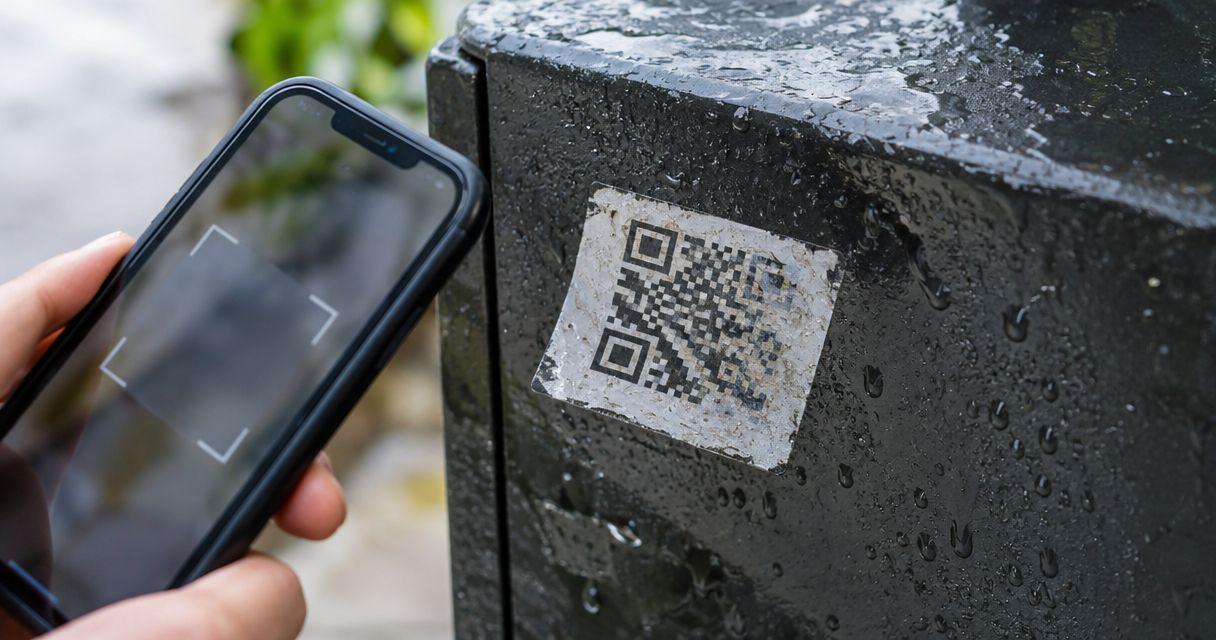
Yes—a QR code sticker can still scan after fading or getting wet if the camera can distinguish its pattern and surrounding blank space. Water droplets, glare, lost contrast, peeling, and damaged positioning squares can prevent a scan even when the sticker remains attached. Test the actual printed sticker in its intended setting; a successful scan from your artwork file does not prove the finished label will work.
- QR code sticker scan after fading or wet exposure depends on readable contrast, clear margins, and visible positioning squares.
- Vinylstatus prints custom QR code stickers from customer artwork; test the printed result before committing to packaging quantities.
- Keep a quiet zone at least four modules wide around a standard QR code.
- Water resistance does not guarantee scanning through droplets, glare, wrinkles, or faded printing.
Can a QR code sticker still scan after it fades or gets wet?
A wet or faded QR code is usable only while its printed pattern remains readable. QR error correction can recover some damaged information, but it cannot guarantee a scan through every kind of damage. Position, contrast, and reflections still matter.
For your 2026 packaging order, separate physical durability from scanning performance. Vinylstatus offers custom printed QR code stickers, but your artwork and placement determine what customers must aim their phones at.
| Sticker condition | What can still work | What can stop the scan | Next action |
|---|---|---|---|
| Wet, with printing intact | A clear camera view of the pattern | Droplets or reflections obscure details | Wipe dry and retest |
| Faded, with visible contrast | Distinct dark modules against a light background | Dark and light areas become hard to distinguish | Compare with an unused sample |
| Scratched or partly damaged | Error correction can recover some data | Damage affects critical patterns or exceeds recovery | Replace a sticker that scans inconsistently |
| Peeling or wrinkled | A flat, unobstructed portion remains readable | Bends distort the pattern or hide its edge | Replace and review placement |
Why this matters for business packaging
A QR sticker can look acceptable while failing at its job. A customer needs access to your menu, instructions, review page, or reorder destination—not simply a label that stays attached.
Treat scanning as a packaging requirement. Put it on your 2026 approval checklist alongside logo accuracy, label position, and readable product information. A scan that takes repeated attempts is a reason to revise the label before applying it across a batch.
Why scanning reliability varies
The same artwork can behave differently on a flat carton and a curved bottle. Focus on these factors rather than assuming that a material description settles the question:
- Contrast: Keep the code dark against a light, plain background. Fading that reduces this difference makes detection harder.
- Quiet zone: Preserve blank space around the code. Nearby artwork, borders, and package graphics can interfere with detection.
- Module size: The tiny squares must remain distinct after printing. Shrinking a detailed code makes that harder.
- Surface condition: Droplets, scratches, residue, and wrinkles can obscure the pattern.
- Placement and lighting: Curvature and reflections change what the camera sees. Test where customers will actually scan.
- Encoded content: Longer encoded data generally requires a denser symbol at the same error-correction setting. Keep the destination URL concise without removing information it needs.
A 2026 scan-test checklist for printed samples
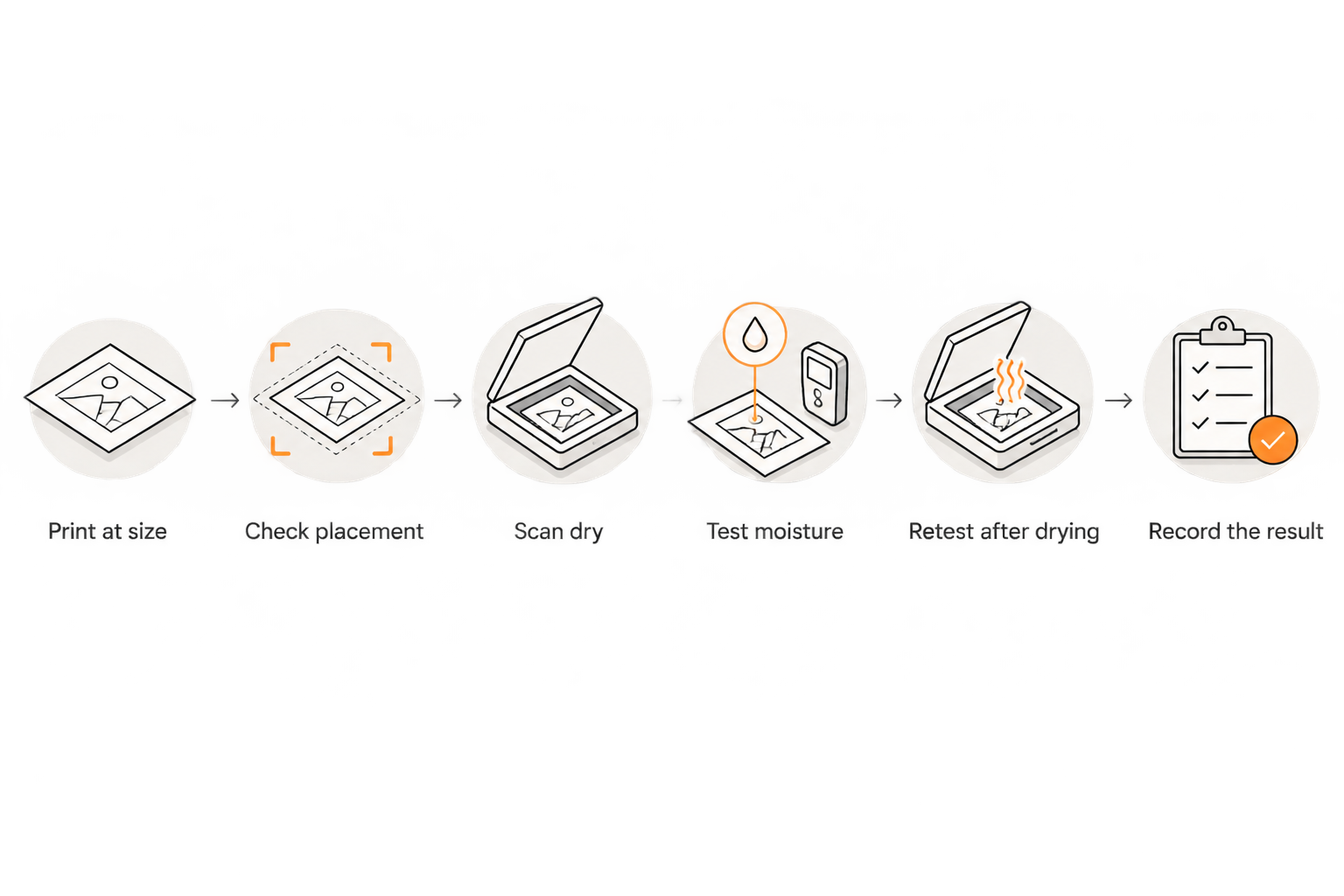
Test a physical sample at its intended size before approving a bulk application. An enlarged screen preview hides problems caused by small modules, packaging texture, and placement.
- Print at size. Print the code at its intended dimensions without stretching it. A paper mockup checks basic readability and fit; it does not verify the finished sticker's water resistance.
- Check placement. Put the sample on the actual package. Avoid seams, folds, tight curves, and areas customers must grip to hold the product.
- Scan dry. Use at least 2 phones as a practical cross-check, not a certification. Open the destination and confirm it is the correct page.
- Test moisture. Use a sacrificial finished sample under the moisture conditions relevant to your packaging. Do not wet merchandise or electrical equipment to perform the test.
- Retest after drying. Scan while wet, after wiping, and after drying. Record whether the problem disappears or remains.
- Record the result. Save the artwork version, printed dimensions, package surface, and observed failures. Change one design variable at a time before repeating the test.
A passing sample gives you evidence about that sample under those conditions. It does not establish outdoor lifespan, dishwasher suitability, or resistance to repeated cleaning. Those require separate product specifications and relevant testing.
What should you change when a wet sticker will not scan?
Start by drying the surface. If the same code scans immediately afterward, investigate water on the surface and reflections before changing the encoded destination.
Move the package under different lighting and adjust its angle. If only one narrow angle works, change the placement or artwork rather than asking customers to compensate. A package handled beside a sink or pulled from refrigeration needs testing in that setting.
Do not treat a finish name as a scanning guarantee. A reflective surface can create glare, but the lighting, code contrast, and package geometry also affect the result. Ask about the finished construction, then test it.
What should you change when a faded sticker will not scan?
Compare the exposed sticker with an unused sample of the same design. Look for lost contrast, broken module edges, damaged positioning squares, or a background that now competes with the code.
Fading is not the only possible cause. Dirt and abrasion can produce a similar symptom, so gently clean the surface using a method appropriate for the product before drawing a conclusion.
Replace a code that no longer scans consistently. Error correction is not a reason to leave a failing customer touchpoint in service. For the next order, ask the printer which construction suits the actual exposure and what durability claims apply to that specific product.
Keep the quiet zone clear before changing sticker size
A standard QR code needs a quiet zone at least 4 modules wide on every side, as specified in the ISO/IEC 18004 QR code standard. A module is one small square in the code—not a fixed measurement in inches. Enlarging the symbol also enlarges the required blank margin.
Do not squeeze a logo, border, promotional line, or cut edge into this space. Keep the code's square proportions intact, even when the surrounding sticker is circular or die-cut.
A larger sticker gives you room for a larger code and a separate instruction, but it also uses more packaging space. A smaller sticker fits tighter areas, but it leaves less room for readable modules and clear margins. Choose the smallest layout that passes your real-package test, not the smallest layout that fits the design file.
Match placement to how customers hold the package
Put the code where customers can see the whole symbol without unfolding, flattening, or repositioning the package. A flat panel is easier to assess than a code wrapped around a tight curve.
For a bottle, check the filled package rather than an empty container alone. For a pouch, check it in its normal filled shape. Neither test should rely on holding the label artificially flat.
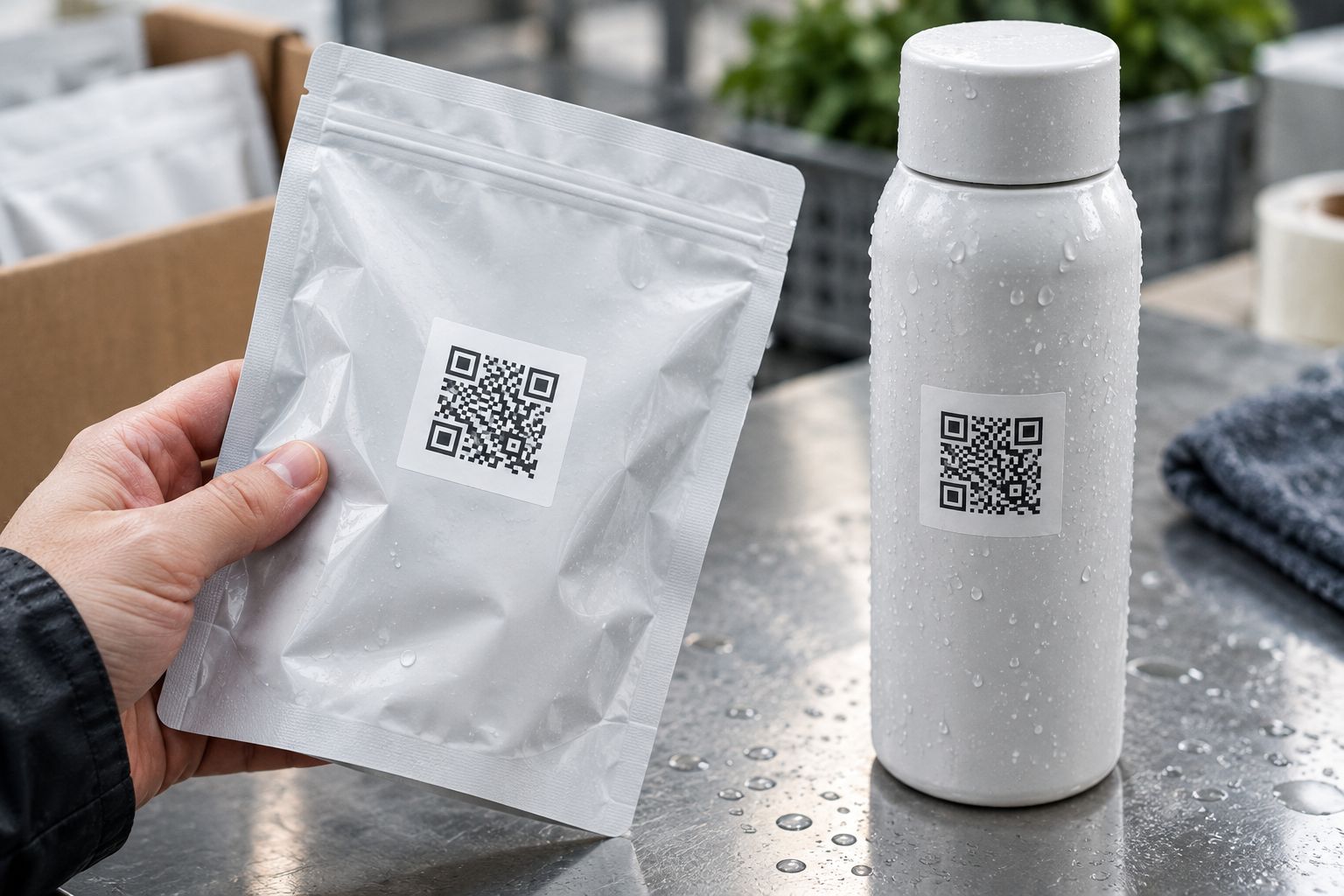
For retail use, connect placement to the intended action. The planning questions in QR code stickers for retail packaging, reviews, and reorders help separate what the code should do from where it should sit.
Separate the scanning label from essential package information
A QR code is an access point, not a substitute for information that must remain directly readable on the package. This distinction matters when a wet or damaged label sends customers looking for details they cannot reach.
For example, artwork for custom pet food labels needs to accommodate product information as well as any optional QR destination. Leave the code its own clear area rather than shrinking required copy or crowding the quiet zone to make everything fit.
Use the same approach for your own products: identify which information belongs on the physical package, then assign the code a specific supporting task. Avoid a vague destination that forces customers to search again after scanning.
What should you approve before placing a bulk order?
Give the printer the final code artwork and explain where the sticker will be applied. Include expected moisture, handling, curvature, and lighting rather than describing the job only as a packaging label.
Vinylstatus custom QR code stickers suit small businesses supplying their own artwork for packaging and giveaways. The limitation is that a digital artwork check cannot reproduce your package's moisture, curvature, and lighting. Keep the physical scan test in your approval process.
Ask for an artwork check and review these points before approving the proof:
- The destination opens correctly and belongs to the intended business page.
- The printed dimensions match the tested layout.
- The code retains its square proportions and clear quiet zone.
- No logo, cut line, or background graphic obstructs the pattern.
- The proposed material and finish match the described use.
- Production timing and shipping timing are stated separately.
For a 2026 reorder, compare the new proof with the version you tested. A changed destination, resized layout, or added logo deserves another scan check. Calculate quantity from the packages you expect to label; a large batch is not useful if the code needs redesigning.
Does QR error correction make a faded code safe to keep using?
QR error correction does not guarantee continued scanning after fading. It helps recover encoded data from some damage, but the camera still needs to locate and interpret the symbol.
Do not translate an error-correction setting into a promise about a percentage of visible surface damage. The location and pattern of damage matter, and poor contrast can affect the whole symbol rather than a neatly isolated section.
Can a working QR code still send customers to a broken page?
A successful scan confirms recognition of the code, not the health of its destination. The encoded address can lead to a deleted page, an expired redirect, or content that no longer matches the packaging.
Keep a destination check alongside the physical sticker inspection. If you use a redirect service, confirm who controls it and what is required to keep the redirect active.
FAQ
Will a QR code sticker scan while it is wet?
A QR code sticker can scan while wet if the camera can still distinguish the complete pattern. Droplets and reflections can interfere, so test the actual finished sticker and compare wet and dry results.
Does a waterproof sticker guarantee that the QR code will scan?
A waterproof sticker does not guarantee QR scanning. Material durability and camera readability are separate requirements; contrast, glare, curvature, and clear margins still matter.
How much blank space should I leave around a QR code?
Leave a quiet zone at least 4 modules wide on every side of a standard QR code. Keep text, borders, logos, and cut edges outside that blank area.
Should I make my QR sticker bigger if it stops scanning?
Enlarging the code can help when the printed modules are too small to resolve clearly. It will not repair a broken destination, severe fading, or placement that hides part of the symbol.
Can I put my logo over the middle of a QR code?
A logo over the code obscures encoded information and reduces the margin for other damage. Keep the logo outside the symbol when scanning reliability is the priority, and test any modified code physically.
How should I check a QR sticker before a 2026 bulk order?
Print the QR code at its intended size, apply a sample to the actual package, and test the destination on at least 2 phones. Repeat under relevant moisture and lighting conditions before approving the layout.
Can Vinylstatus print a QR code from my artwork?
Vinylstatus offers custom QR code vinyl stickers from customer artwork. Supply the final code and verify the printed sample on your intended package before applying a full batch.
One last thing
Inspect the destination as often as you inspect the sticker. An undamaged code can still send a customer nowhere. Keep one unused printed sample with your 2026 artwork record so you can compare physical wear separately from a website or redirect problem.
Related guides
- Waterproof vs. regular stickers: what matters outside
- How to order custom stickers online: artwork to approval
- How long do vinyl stickers last outdoors?