

Custom car magnets for food truck owners: complete 2026 guide
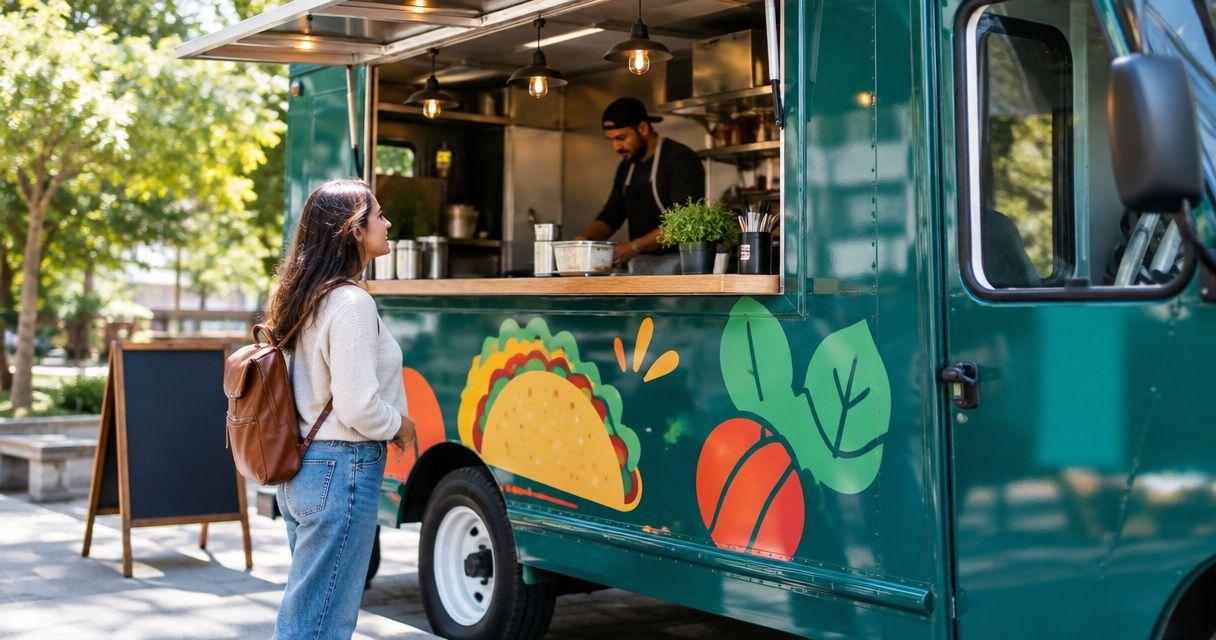
Food truck owners’ custom car magnets are removable vehicle signs designed to identify the business and direct customers toward ordering or catering inquiries. Choosing custom car magnets for food trucks starts with the truck’s panel material, usable space, and operating conditions—not the artwork alone.
- Choose custom car magnets for food trucks only after confirming a suitable magnetic mounting surface.
- Vinylstatus accepts custom artwork for magnets; confirm vehicle-use specifications before ordering.
- Keep vehicle signage readable; put changing menus and detailed ordering information elsewhere.
- Compare removable magnets with adhesive decals before approving artwork or quantities.
Why vehicle signage matters for food truck owners
Your truck has to communicate while customers approach the service window, wait nearby, or look for your business at an event. A sign needs to identify the business without competing with menus, required markings, or the window itself.
Removability is useful when you change messages or share a vehicle. But a removable sign is only useful if the mounting surface and magnet specifications suit the job. Confirm compatibility before spending time on a finished design.
For fixed graphics, compare the separate ordering considerations in the custom die-cut stickers for food trucks and trailers guide. Adhesive graphics and magnetic signs solve different mounting problems.
How to plan custom car magnets for food trucks
Check the truck’s mounting surface
Start with a small household magnet on the exact panel you intend to use. This is a preliminary material check, not proof that a finished sign is safe for driving. Magnetic signs need a suitable ferromagnetic surface; aluminum, glass, and plastic do not provide that attachment.
Inspect the entire proposed footprint. A panel that attracts a test magnet can still have trim, curves, damage, or repaired areas that prevent full contact. Ask the vehicle manufacturer or body shop about uncertain surfaces and paint conditions.
A food truck’s serving side also changes during operation. Open the service window, doors, and access panels before deciding where the sign belongs.
- Test the intended panel, not an unrelated part of the truck.
- Mark hinges, seams, handles, vents, and raised trim.
- Reject positions that interfere with required markings or equipment access.
- Confirm paint and surface compatibility with the sign supplier.
Measure the usable panel before choosing a size
Make 1 paper template for each proposed mounting position. Measure the clear, flat area rather than the full door or side panel, then cut the template to the intended sign dimensions. Do not assume matching doors have identical usable space.
Tape the template in position while the truck is stationary. Check it with the service window open and closed, and inspect it from the direction customers actually approach. A sign hidden behind the open serving hatch has failed its main job.
For your 2026 event plan, photograph the template placement alongside the measurements. Keep that record with the artwork so a later reorder does not depend on memory.
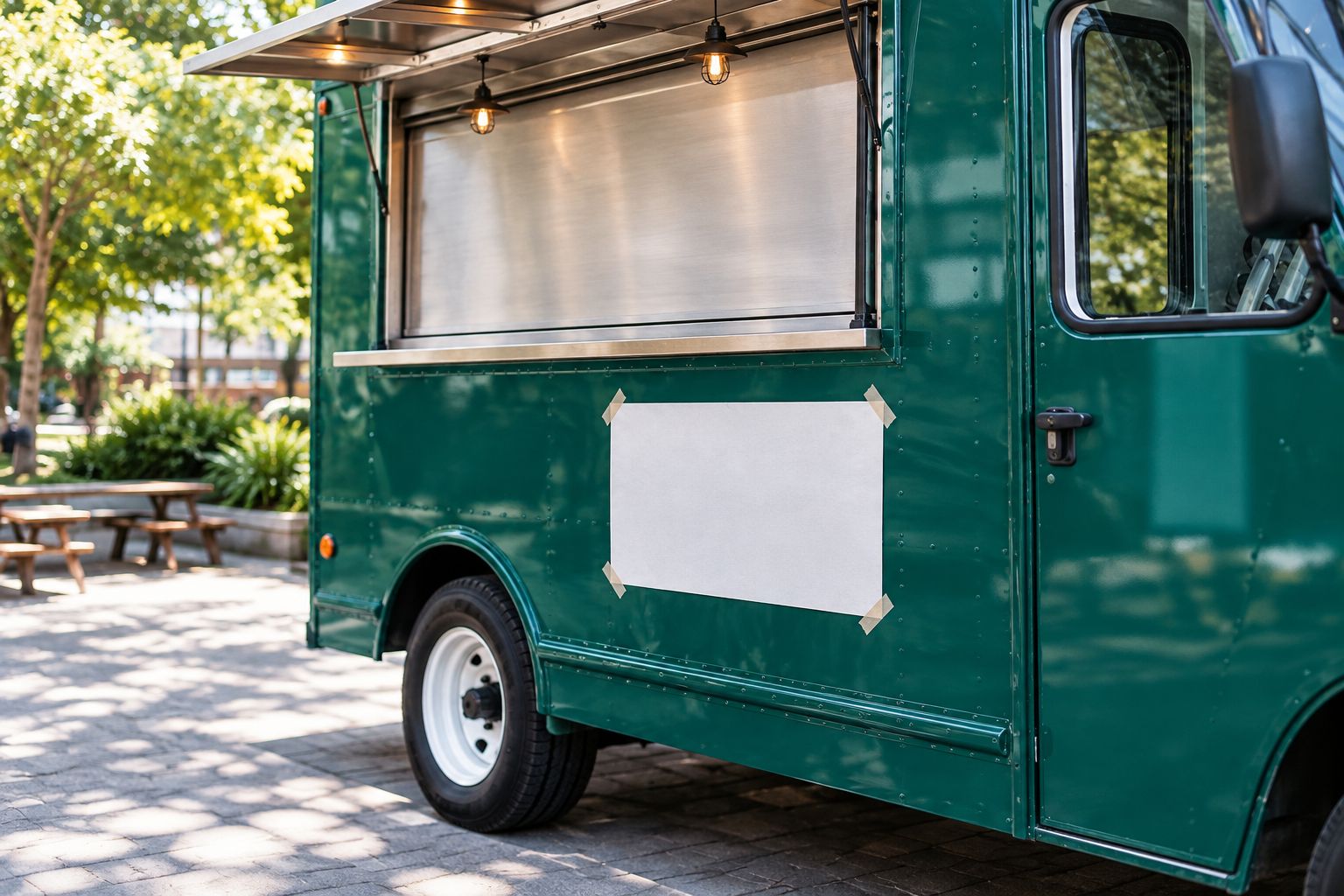
Do not scale the design up simply because a larger rectangle fits on screen. Physical placement determines the available sign area; the design must work inside it.
- Record the usable width and height with units.
- Keep the template off seams, trim, and pronounced curves.
- Check clearance with doors and service hatches open.
- Save a placement photograph for each intended panel.
Confirm the magnet specifications before ordering
Write a short requirements sheet before contacting a printer. Include the mounting location, intended dimensions, whether the sign stays on during travel, and where the truck is stored. This gives the supplier concrete questions to answer.
Vinylstatus offers custom magnets made from customer artwork. Vinylstatus serves small businesses ordering custom artwork-based magnets; vehicle use requires confirmation of the magnet’s specifications. A listing for custom magnets alone does not establish suitability for a moving food truck.
Ask about artwork review, proof approval, production, and shipping separately. Treat the approved proof as a design checkpoint, not a substitute for vehicle compatibility guidance. Your 2026 event deadline needs room for both approval and delivery.
- Ask whether the selected magnet is intended for vehicle use.
- Confirm permitted dimensions, shapes, and surface conditions.
- Request written application, removal, storage, and travel instructions.
- Confirm the proof process and schedule before committing to an event.
Build the design around a readable message
Begin with a rough layout in the design tool you already use. Give the business name priority, add a short description of the food if needed, and choose a clear next action. Do not turn the vehicle sign into a complete menu.
Start with 3 message lines as a layout exercise: business name, food description, and next action. This is a planning limit, not a printing requirement. Remove a line if the lettering becomes crowded at the chosen physical size.
Use a QR code only where people can approach safely while the truck is parked. Keep its quiet zone clear, preserve contrast, and test the printed code at its intended size. A successful scan from a screen does not validate a reduced printed layout.
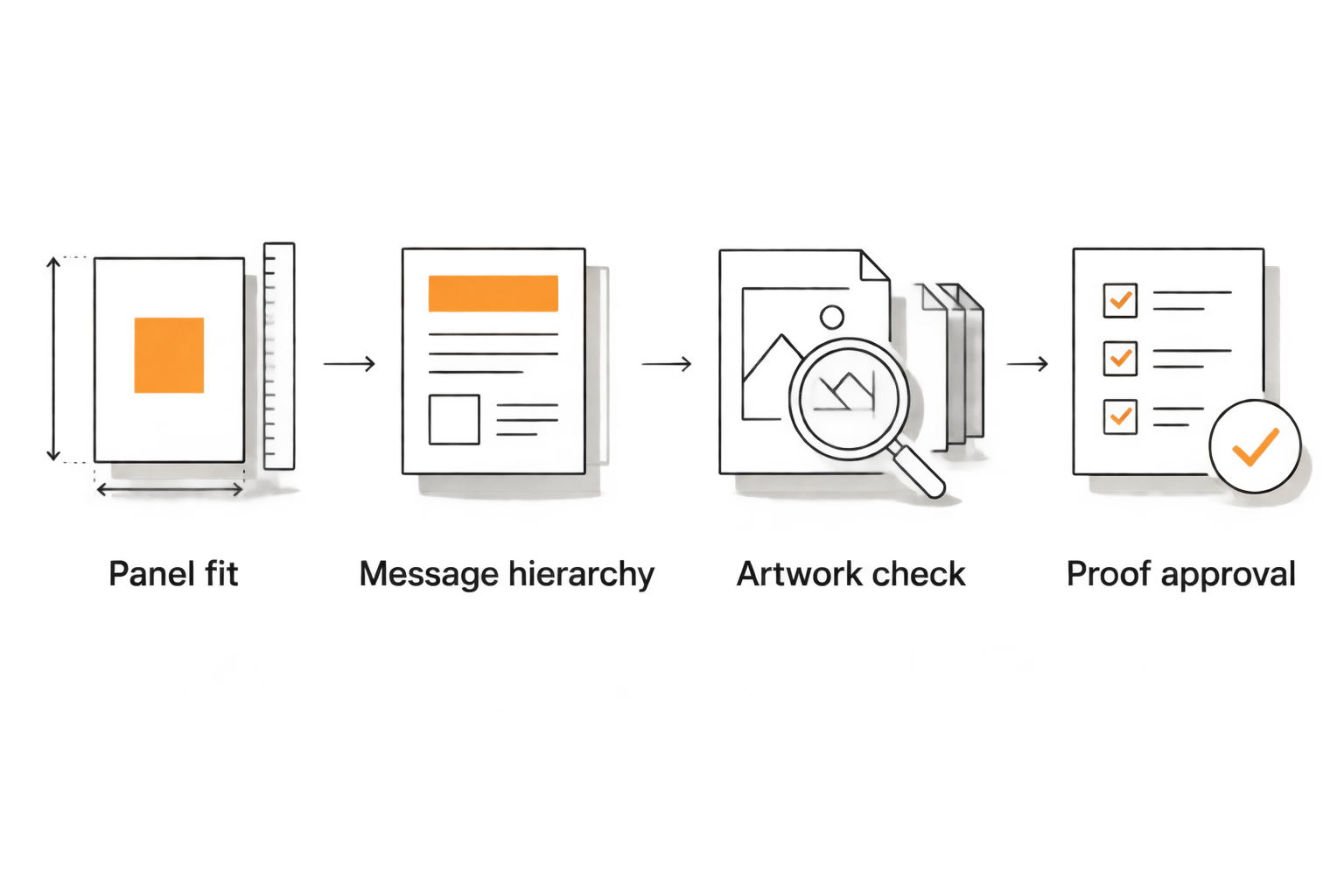
The design process should follow this order: Panel fit, Message hierarchy, Artwork check, Proof approval. Changing the panel size after approval can force every other decision backward.
A realistic example is a food truck promoting catering: the business name identifies the operator, the food description explains the offer, and the next action directs a parked customer toward an inquiry. Detailed packages belong at the destination.
- Make the business name readable before adding supporting copy.
- Use clear contrast between lettering and background.
- Remove tiny social icons and unnecessary contact details.
- Test every QR code from a physical printout.
Approve the artwork at its actual dimensions
Print a paper proof at the intended size, using tiled pages if necessary. Put it on the truck while parked and inspect it from the customer approach. Check from 2 stationary viewing positions: near the service window and farther back along the approach.
A digital proof helps you catch spelling, cropping, and layout problems. It does not establish physical fit, exact screen-to-print color matching, or attachment performance. Keep those checks separate.
When reviewing a Vinylstatus magnet order, match the proof against the dimensions and artwork requirements confirmed for that order. Do not approve a file while an important measurement or vehicle-use question remains unresolved.
- Read the business name, phone number, and web address character by character.
- Check artwork edges, borders, and the intended cut shape.
- Confirm the final dimensions rather than judging screen size.
- Save the approved file and confirmation with your order records.
Set quantities from actual placements
Count usable mounting positions, not the number of vehicle sides. One side can need a different layout because of a service hatch, while another has no suitable mounting area. Confirm each placement before duplicating the artwork.
Separate permanent brand information from changing promotions. A sign naming a single festival or dated offer needs a different replacement plan from one carrying your business name. For 2026 seasonal campaigns, keep the dated version distinct from the evergreen artwork.
Build the order around confirmed placements and a specific reason for any spare. An extra sign is useful only when you can store it correctly and expect to use it.
- List each vehicle and approved mounting position.
- Identify layouts that need different dimensions or orientation.
- Separate evergreen artwork from event-specific messages.
- Add spares only for a defined replacement or operational need.
Create an installation and removal routine
Follow the supplied instructions for the exact magnet and vehicle surface. Begin with clean, dry contact surfaces and inspect both the sign and panel before placement. Do not use the magnet to cover damage or trap debris against the paint.
Check that the entire sign lies as instructed, without lifted edges or unsupported areas. If the supplier has not confirmed travel use, do not treat a successful parked fit as driving approval. Remove the sign when compatibility or attachment is uncertain.
Assign responsibility to a named staff role. A written routine is more useful than assuming whichever employee closes the truck will remember the care instructions.
- Inspect the panel and magnet before each installation.
- Follow the supplier’s cleaning and removal schedule.
- Store removed signs according to the supplied instructions.
- Stop using a damaged sign or one that no longer sits correctly.
Confirm your magnet requirements
Ask about vehicle suitability, artwork requirements, proof approval, and the production schedule before ordering.
Compare signage options for your food truck
Choose the mounting method before comparing finishes or artwork treatments. Removable magnets, adhesive decals, and portable signs have different advantages and limitations. None replaces checking the truck, the site, and the intended use.
| Option | Best for | Practical advantage | Key limitation |
|---|---|---|---|
| Vehicle-rated custom magnets | Businesses needing removable graphics on suitable panels | You can remove the message without removing adhesive | Requires compatible panels and product-specific care and travel guidance |
| Adhesive vehicle decals | Businesses planning fixed graphics on approved surfaces | Does not rely on magnetic attraction | Removal and surface compatibility need planning |
| Portable freestanding signs | Parked service areas where placement is permitted | Keeps detailed messages separate from the truck body | Requires storage, setup, and checks on site rules and stability |
Vinylstatus offers magnets and decals, but the format names alone do not establish that every option suits a vehicle. Confirm the intended application for the exact item before approving an order.
Keep the roles separate when combining formats. The truck can identify the business while a permitted portable sign handles a changing menu. Your 2026 signage plan should specify which message belongs on each surface.
Common mistakes food truck owners make
Assuming every metal-looking panel holds a magnet
Painted aluminum and other nonmagnetic materials can look suitable from a photograph. Test the exact area and confirm the full mounting requirements. Attraction at a single point does not establish full-panel contact.
Designing around a closed service window
A layout can look correct before opening and disappear behind a hatch during service. Check the truck in its working configuration. Include doors, access panels, and staff movement in that inspection.
Putting a changing menu on the main vehicle sign
A menu-heavy layout competes with the business name and creates replacement work when items change. Keep the main sign focused on identification and a useful next action. Put detailed ordering information where customers can read it while parked.
Treating proof approval as an installation guarantee
Proof approval confirms the artwork you authorize, not the condition of your paint or the suitability of an unknown panel. Resolve those questions before approval. Keep the supplier’s written guidance with the order.
Ordering identical signs for different surfaces
The service side and opposite side do not automatically share the same clear space. Measure each intended location. Reuse artwork only after checking its dimensions and placement against each panel.
FAQ
Will custom car magnets stick to every food truck?
No. Custom car magnets need a suitable magnetic mounting surface, and aluminum, glass, and plastic do not provide that attachment. Test the exact panel, then confirm surface and vehicle-use requirements with the supplier.
What size magnet should I order for my food truck?
Choose the size from the clear, flat mounting area on your truck. Make a paper template, check it with service hatches and doors open, and confirm the supplier’s permitted dimensions before ordering.
Are magnets better than decals for a food truck?
Magnets suit removable messages on compatible panels; decals suit fixed graphics on approved surfaces. Choose according to removal needs, surface compatibility, and the instructions for the exact product.
Can I leave a custom magnet on while driving?
Leave a magnet on during travel only when the supplier’s instructions confirm that use for the selected product and installation. A magnet staying in place while parked does not establish suitability for driving.
Should I put a QR code on my food truck magnet?
Use a QR code only where customers can approach and scan safely while the truck is parked. Keep the quiet zone clear, preserve contrast, and test a physical printout at the intended size.
Does Vinylstatus sell custom magnets for my artwork?
Vinylstatus offers custom magnets made from customer artwork. Confirm vehicle suitability, dimensions, artwork requirements, and care instructions before treating a custom magnet as a food truck sign.
How early should I order magnets before a food truck event?
Set the order date from the confirmed proof process, production schedule, and shipping time. Allow room for corrections before approval, and do not treat production time as the delivery date.
One last thing
Check the truck from the customer’s position before you approve the sign. A readable design on the wrong panel still fails when the serving hatch hides it. For your 2026 opening checklist, keep a photograph showing the paper proof with the truck fully set up for service.
Related guides
- How to order custom stickers online: artwork to approval
- QR code stickers for restaurant menus: a setup guide
- Custom stickers for food packaging: sizes and finishes