

Custom circle stickers for jar and bottle labels
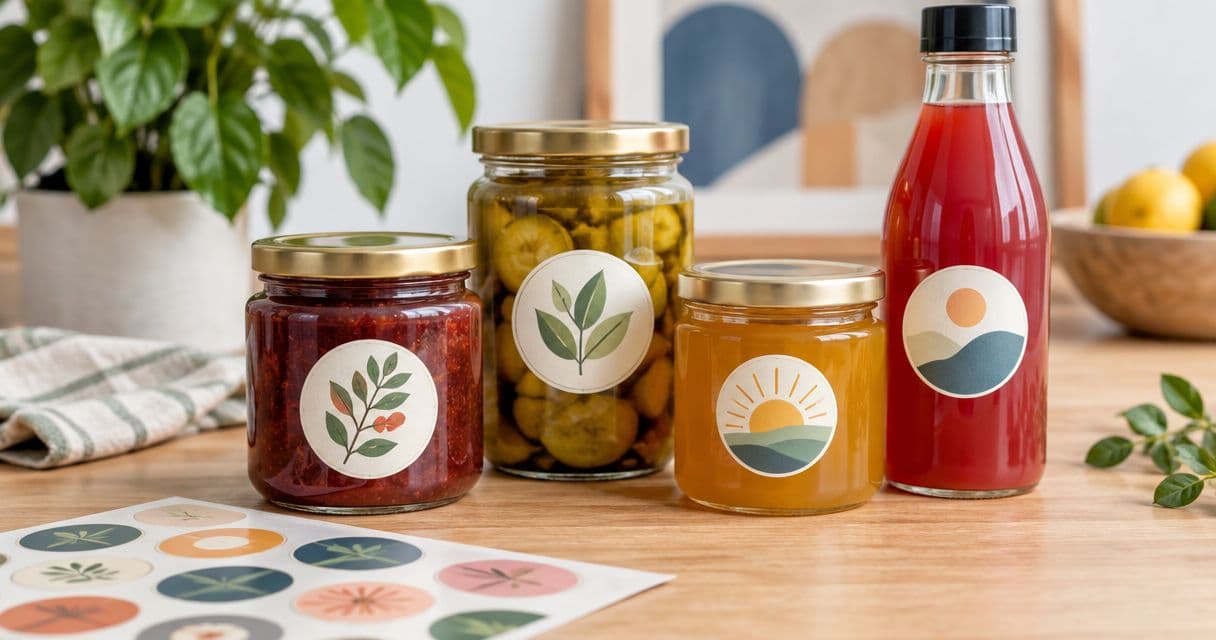
Small-business jar labeling is the use of printed labels to identify products and present a consistent brand, with the aim of making each container clear and recognizable. Choose custom circle stickers for jars by measuring the usable surface first; a round lid, a straight-sided jar, and a tapered bottle need different placement decisions.
- Vinylstatus suits small businesses ordering custom circle stickers for jars from their own artwork.
- Choose circle labels for lids or compact front panels; use a separate label when product information needs more space.
- Check label size, surface curvature, artwork, and proof approval before committing to a bulk order.
- Calculate quantities from containers you will actually label, including a deliberate allowance for application mistakes.
Why circle stickers matter for small businesses
A jar label has limited room. Your logo, product name, and any necessary information must fit without turning into unreadable small print. Bottles add another constraint: artwork that looks balanced on a flat screen wraps around the container.
Vinylstatus prints custom stickers from customer-supplied artwork. Vinylstatus suits small businesses that want custom circle stickers printed from their own artwork. Start the ordering process with a free online proof and a human artwork check, then review the layout against your actual container.
For your 2026 packaging plan, separate appearance from suitability. A proof helps you check the printed design; a physical application test helps you check placement, handling, and the container surface. Neither replaces the other.
How to plan custom circle stickers for jars and bottles
1. Define the label's job before choosing a diameter
Decide whether the circle is a lid logo, a front identifier, or an additional promotional sticker. Each job needs different information. A lid logo can stay simple, while a front label often needs a product name that customers can distinguish without picking up the jar.
Do not expect one small circle to carry every detail. Depending on the product and where you sell it, labeling requirements can include information that needs a separate panel. Check the rules that apply to your product before approving artwork; this guide is not a compliance checklist.
Write a short content hierarchy before opening your design file. Put essential identification ahead of decorative elements, social handles, or a long brand story. If the label becomes crowded, change the layout rather than shrinking everything.
- Assign the circle one primary job: lid branding, front identification, or promotion.
- List the information customers need to identify the product.
- Separate required information from optional marketing copy.
- Reserve a different label area when the circle cannot hold readable text.
2. Measure the flat area and test paper circles
Measure the usable panel, not the widest part of the container. A lid can have a raised rim, recessed center, or embossed surface. A bottle can narrow near its shoulder, leaving less usable space than its overall height suggests.
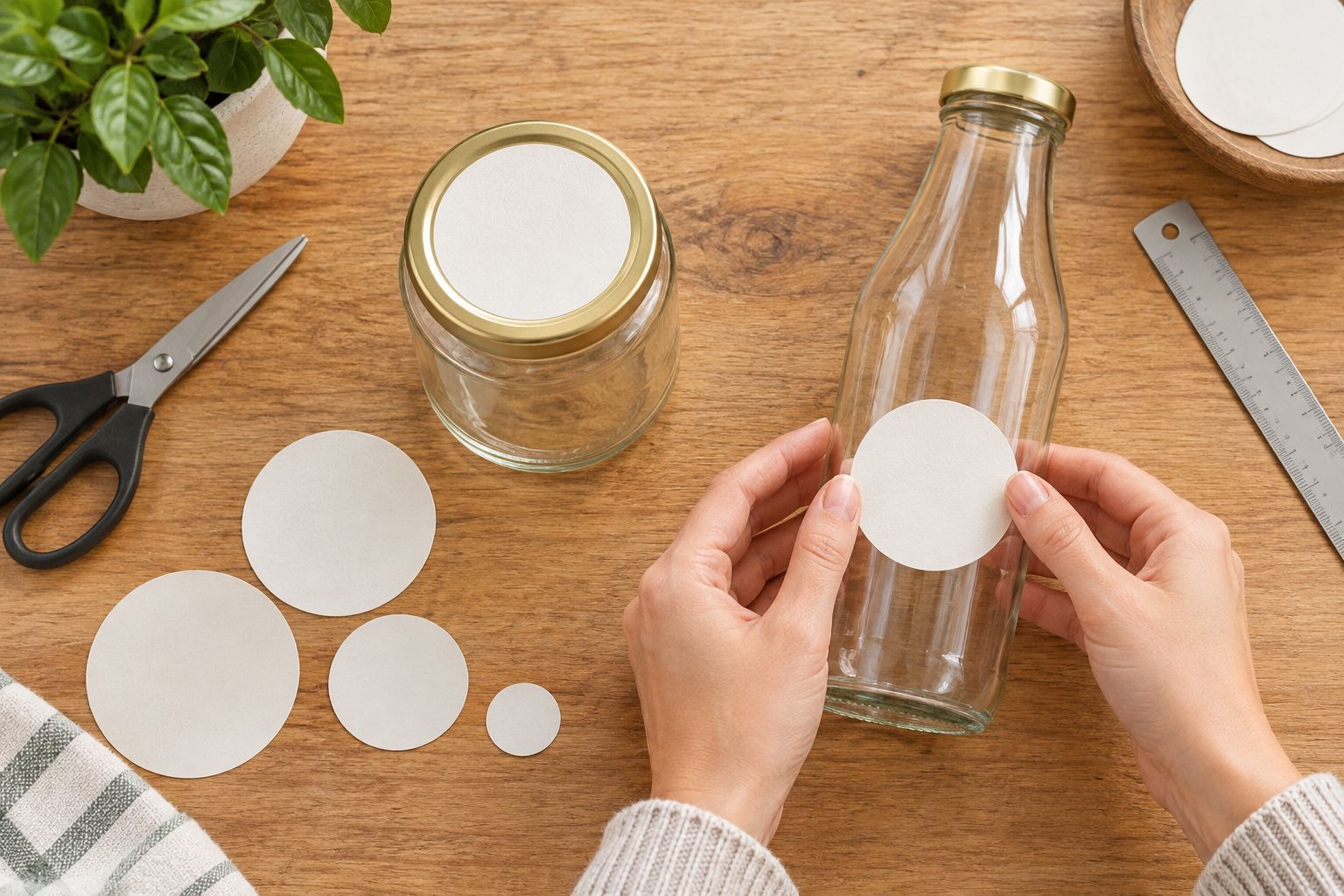
Cut paper circles at the sizes you are considering. For example, compare a 2-inch circle with a 3-inch circle on the same container. These are test sizes, not a universal recommendation; the right diameter depends on the surface you measure.
Hold each template in its intended position and view the container from the front and side. Paper helps check footprint and visual balance, but it does not establish adhesive performance. Use an actual sticker sample for that check when one is available.
For a 2026 container change, repeat this exercise even if the replacement jar holds the same amount. Capacity does not tell you the dimensions of its label panel.
- Measure the flat center of the lid or straight-sided body panel.
- Keep the template clear of rims, seams, shoulders, and bottom curves.
- Compare candidate diameters on the actual container.
- Photograph the preferred position for your packing instructions.
3. Match the surface and finish to actual use
List what happens to the container after labeling. A shelf display, a refrigerated jar, and a bottle handled near a sink present different conditions. Do not treat the word vinyl as proof of suitability for every exposure.
Ask whether the selected printed sticker is appropriate for your container material, moisture exposure, and cleaning routine. Confirm those details for the product you are ordering. Do not assume that a general material description establishes dishwasher suitability, food-contact suitability, or performance on every coating.
Choose matte versus glossy by reviewing the artwork and intended presentation. Consider glare, fine text, and how the printed surface looks under your display lighting. Neither finish fixes a label that crosses a shoulder or sits partly on a raised rim.
Vinylstatus custom circle stickers belong in the shortlist when a circle fits the measured panel. Confirm the selected format's finish and use conditions before placing the order.
- Identify the container material and any surface coating.
- Describe expected moisture, handling, and cleaning exposure.
- Compare available finishes against your artwork and display lighting.
- Confirm product-specific suitability rather than assuming it from the material name.
4. Build artwork around the circle's safe area
A circular boundary removes corner space. A rectangular logo that fills a square file can become cramped inside a circle, especially when a tagline sits below it. Build the composition around the cut shape instead of simply placing a circular border around existing artwork.
Keep essential text and logo details away from the cut edge according to the printer's artwork instructions. Extend backgrounds as requested for bleed. Avoid inventing a universal margin: the selected product's template and proof instructions should determine the setup.
For your 2026 artwork file, inspect a printout at the intended physical size. Zooming in on screen hides readability problems. Check the longest product name in the range, not just the shortest one, before adopting the layout across multiple varieties.
Use a strong visual hierarchy. A buyer should be able to distinguish the product name without searching through decorative copy.
- Use the selected product's artwork requirements for resolution, bleed, and safe area.
- Keep critical text inside the safe area.
- Test the longest product name at actual print size.
- Remove fine decorative details that compete with identification.
- Export each variety with an unmistakable file name.
5. Review the proof and separate production from delivery
Treat proof approval as a production decision, not an administrative click. Compare the proof with your order details and source artwork. Check the diameter, cut shape, spelling, product variety, and placement of essential information.
A human artwork check helps identify file issues, but you remain responsible for confirming the content you intend to print. Ask about anything that looks unclear before approval. A digital proof also does not establish how the adhesive will behave on your particular container.
For a 2026 launch, plan backward from the date you need labeled products ready. Allow separately for artwork revisions, proof approval, production, shipping, and your own labeling work. Production after proof approval and shipping are separate stages. Confirm the applicable timing for the selected order rather than treating production time as a delivery promise.
Save the approved version alongside the order details so a future reorder has a clear reference.
- Compare the proof with the ordered size and shape.
- Check every product name, spelling, and version.
- Resolve artwork questions before giving approval.
- Confirm production and shipping as separate timelines.
- Save the approved artwork for repeat orders.
6. Calculate quantities and standardize application
Base the order on containers you expect to label, not an attractive quantity break. Count each design separately. A combined total across several flavors or scents does not tell you how many labels each artwork file needs.
As a planning example, 240 jars with one circle each require 240 circles before any allowance for mistakes or retained samples. If those same jars receive a second identical circle on the lid, the requirement becomes 480 circles. These are arithmetic examples, not recommended order quantities.
For a 2026 reorder plan, track usage by design and note waste during application. An optional giveaway sticker is a separate use, so count it separately rather than quietly borrowing from packaging stock.
Make a repeatable application method before labeling the whole batch. Clean and prepare the surface according to the sticker's instructions, establish an alignment reference, and inspect the finished containers.
- Count containers by product variety and artwork file.
- Multiply by the number of circles used on each container.
- Add a deliberate allowance based on your own application experience.
- Keep packaging, samples, and giveaways as separate quantity lines.
- Record the placement method for whoever labels the next batch.
Compare label layouts before ordering
Choose the layout by its job, not just its shape. The same jar can need a circle for branding and another panel for information. These options describe packaging layouts, not verified specifications for any particular sticker product.
| Option | Best for | Practical advantage | Key limitation |
|---|---|---|---|
| Circle on the lid | Top-facing displays and compact logos | Gives the lid a defined branding area | Not visible when the container is viewed only from the side |
| Circle on the front | A short product name and a simple logo | Keeps the main identification in one compact panel | Limited room for longer text; curvature restricts the usable area |
| Circle plus a separate information label | Products needing more information than the circle can hold | Separates branding from detailed copy | Requires another artwork file and application position |
| Rectangular body label | Wider information layouts on a suitable body panel | Provides a different layout for text | Must still fit the container's curvature, seams, and available height |
Choose a circle when the circle fits the task. If important text only fits after becoming difficult to read, move that information to another suitable panel. Do not force the shape to do a job it cannot support.
Common mistakes small businesses make
Choosing a diameter from container capacity
Two jars with the same capacity can have different proportions. Measure the actual lid or body panel before ordering; a volume description is not a label template.
Using a lid layout unchanged on the bottle front
A lid is viewed from above, while a bottle front is viewed across a curved surface. Recheck the text hierarchy and visible width instead of assuming the same artwork works in both positions.
Approving only the easiest product name
A short variety name can hide a layout problem. Review every version, especially the longest name, and keep essential information readable without inconsistent last-minute shrinking.
Treating the proof as a surface test
A digital proof shows the proposed printed layout. It does not test adhesion on a coated jar, a chilled bottle, or a textured lid. Keep artwork approval and application testing as separate checks.
Ordering excess labels for packaging that will change
A large unused stack becomes a problem when ingredients, product names, or container sizes change. Tie quantities to the packaging version you expect to use, then keep a clear record of the approved file.
FAQ
What size circle sticker should I use on a jar lid?
Use a circle that fits inside the lid’s usable flat area without crossing its rim or raised details. Measure the actual lid and compare paper templates before selecting a diameter.
Can I put a circle sticker on a glass bottle?
A circle sticker can be considered for a glass bottle when it fits the intended panel and the selected adhesive is suitable for that surface. Check curvature, coatings, and expected use conditions, then test an actual sticker before labeling the batch.
Are custom circle stickers for jars waterproof?
Do not assume every custom circle sticker is suitable for every wet-use condition. Confirm the selected product’s stated moisture and cleaning suitability, and test it under your actual handling conditions.
Should I choose matte or glossy jar stickers?
Choose matte or glossy by checking the available finish against your artwork, display lighting, and desired appearance. Neither finish compensates for unreadable text or a label that does not fit the container.
Can one circle label hold all my product information?
Use one circle only when the necessary information fits clearly and meets the labeling rules applicable to your product. Add a separate information label rather than shrinking essential copy until it becomes difficult to read.
How many circle stickers should I order for a packaging run?
Count the containers for each design and multiply by the number of circles applied to each container. Add a deliberate allowance for mistakes and samples, and calculate giveaway quantities separately.
What should I check on a sticker proof before approval?
Check the ordered diameter, cut shape, spelling, product version, text placement, and artwork details. Resolve questions before approval, then confirm production and shipping timelines separately.
One last thing
Keep one finished, labeled container as your physical reorder reference. Save its approved artwork version and placement notes with it. A screen file preserves the design; the container shows how that design actually fits.
Before reordering custom circle stickers from Vinylstatus, compare that reference with the container and artwork you intend to use now. If either has changed, repeat the fit check before approving the next batch.