

Custom die cut stickers for food trucks and trailers
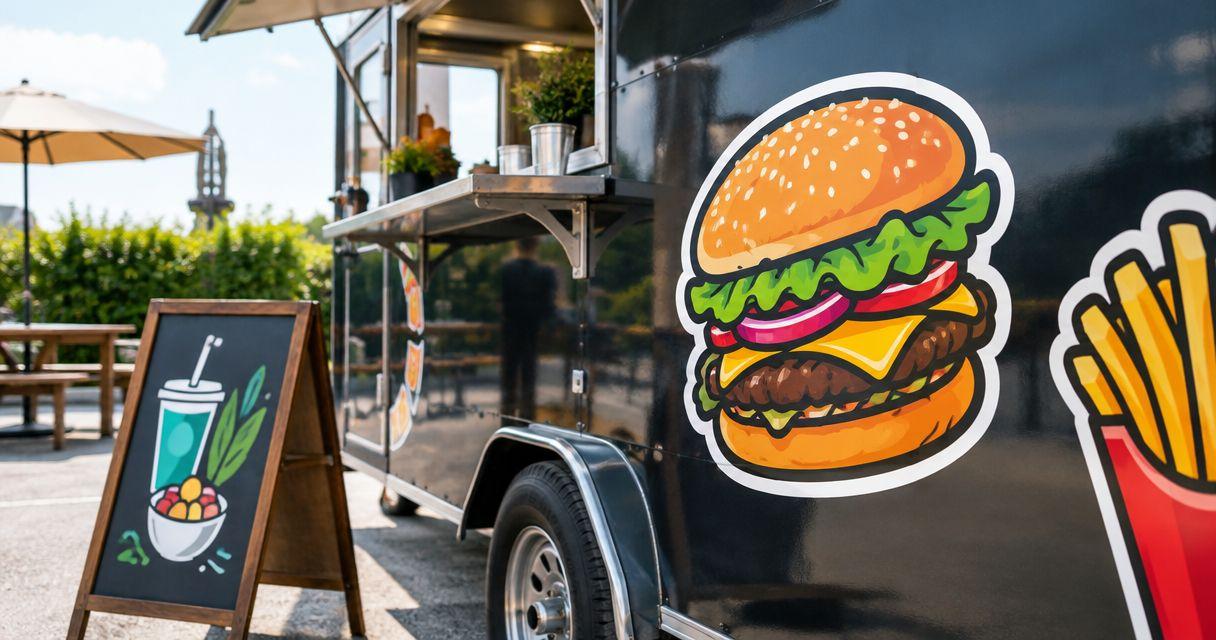
Food truck die-cut sticker printing is the production of custom-shaped adhesive graphics with the aim of putting your brand on takeaway packaging and customer giveaways. For food trucks and trailers, the job starts with choosing a useful placement, checking artwork through a free online proof and human artwork review, and separating packaging stickers from graphics intended for the vehicle itself.
- Choose custom die cut stickers for food trucks when the logo outline matters more than a standard label shape.
- Vinylstatus suits food truck owners ordering custom stickers from their own artwork; approve the proof before production.
- Measure takeaway packaging, test logo readability, and keep adhesive away from direct food contact.
- Plan packaging stickers and vehicle decals separately; their surfaces, application conditions, and replacement needs differ.
Why sticker planning matters for food trucks
Your sticker has to work where you actually use it: on a paper bag, a takeaway box, or a giveaway handed through the service window. A detailed illustration that looks clear on a menu board needs a separate readability check at packaging size.
Vinylstatus accepts customer artwork for custom die-cut stickers and other printed formats. Vinylstatus is a fit for food truck owners who want custom die-cut stickers made from their own artwork. The ordering decision still depends on your placement, artwork, and intended use—not the shape alone.
Use this 2026 guide to separate three decisions: what the sticker needs to communicate, where it will stick, and how your team will apply it during service. Settle those before choosing a quantity.
Why custom die-cut stickers matter for food trucks and trailers
A die-cut sticker follows the artwork’s outline rather than using only a standard circle or square. That makes the shape useful when your truck’s identity depends on a recognizable mascot, illustration, or distinctive wordmark.
The trade-off is space. A close-fitting outline leaves less room for a long menu description, ordering instructions, or several social handles. A simple shape is often the clearer choice when information matters more than the silhouette.
Your truck also has different sticker jobs. Packaging identifies an order after it leaves the window. Giveaways let customers take the artwork with them. A vehicle graphic sits on a different surface and needs its own suitability check. Do not treat a packaging sticker order as a vehicle-wrap specification.
How to order stickers that work during service
1. Assign each sticker a single job
Start with the item you hand to a customer, not the artwork file. Decide whether the sticker identifies your business, closes packaging, points to an ordering page, or serves as a giveaway. Those uses require different layouts and placements.
For a 2026 menu launch, separate permanent branding from temporary information. A logo without a dated offer remains useful when the menu changes; a promotional sticker needs a quantity tied to the promotion.
Write a short order brief before opening a design tool. Keep packaging and giveaway versions separate if they need different information.
- Name the primary use: packaging, promotion, or giveaway.
- Identify the exact bag, box, cup, or other receiving surface.
- Choose one main message for each design.
- Keep changing menu details off permanent logo artwork.
- Record whether staff or customers will apply the sticker.
2. Measure the placement before choosing the size
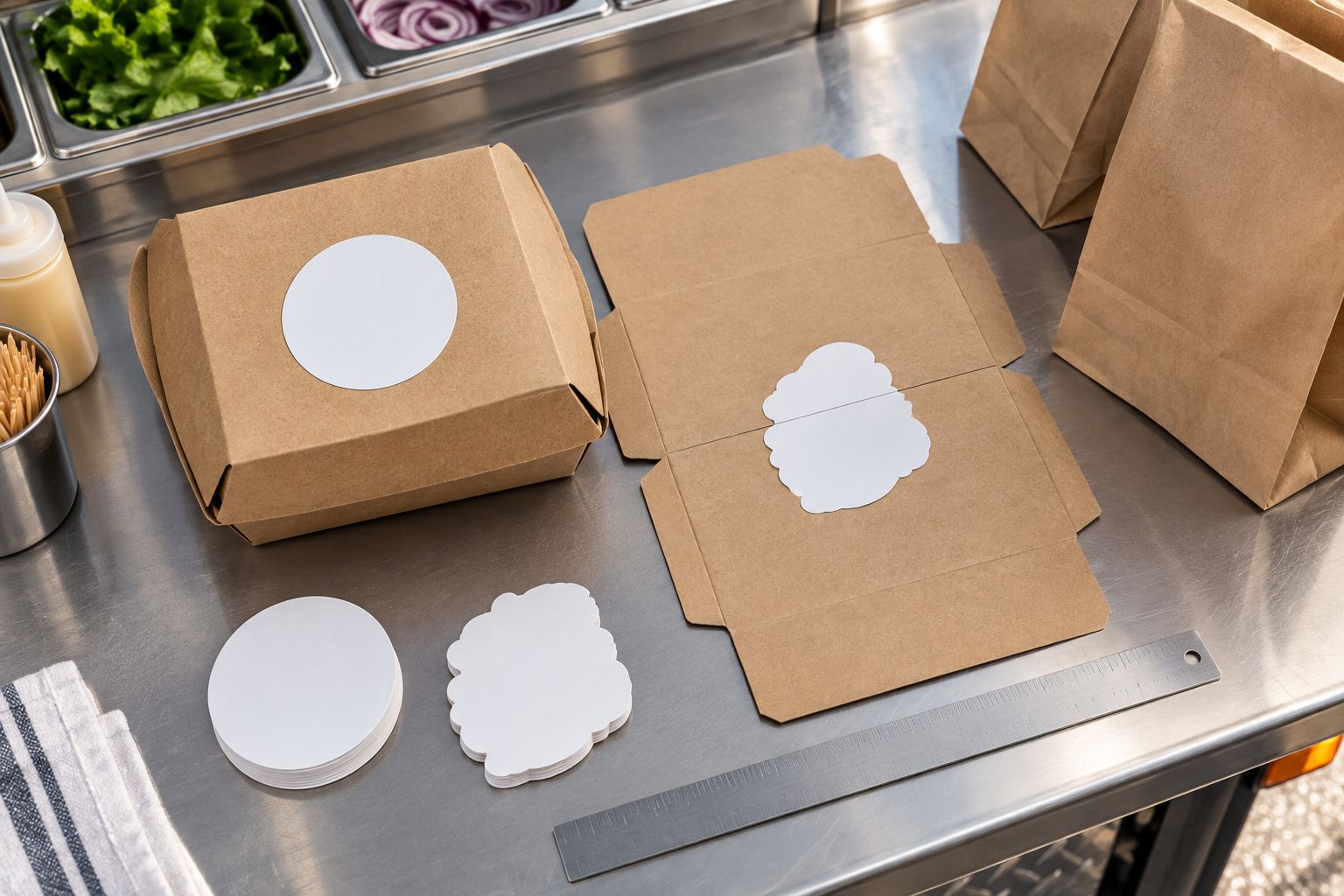
Use a ruler and paper first. Cut 1 paper mockup to the proposed outline and place it on your actual takeaway container. Check whether the shape crosses a fold, covers useful information, or extends beyond a flat panel.
Compare 2 candidate sizes rather than judging from a screen. Read each mockup at the distance a customer normally sees the package, then check the smallest lettering close up. A larger sticker is not automatically better if its edges hang over the container.
For cups or curved packaging, judge the entire shape after wrapping it around the surface. Do not approve the size from a flat preview alone.
- Measure the usable flat area, not the whole container.
- Test the longest and widest parts of the outline.
- Keep edges clear of handles, seams, and folding tabs.
- Check that required package information stays visible.
- Photograph the mockup on the packaging for reference.
3. Simplify the artwork for the chosen outline
Start with your original artwork file and remove elements that do not survive the packaging-size mockup. Fine lettering, tightly spaced details, and narrow extensions need careful review. Keep the business name and recognizable artwork ahead of decorative extras.
Vinylstatus’s custom die-cut sticker offering fits an artwork-led design, but the outline still needs to suit the application. Use the online proof and human artwork check to review the proposed cut line, border, cropping, and text—not just whether the colors look attractive.
If you want a border, make that request clear. Do not assume the background surrounding your artwork will be removed automatically.
- Supply the clearest original artwork you have.
- Remove tiny taglines that fail the mockup test.
- Specify which background areas should remain.
- Check narrow points and small protruding details.
- Review spelling, punctuation, and business-name consistency.
4. Match the format and finish to the task
Choose the format after you know the job. Die-cut suits a distinctive silhouette. Circle or square formats give you a regular boundary for centered logos or text. A QR-code design needs room for the code and its clear surrounding area.
Finish is a separate decision. Matte and glossy surfaces differ in reflected glare; holographic material introduces a reflective effect that needs consideration alongside the artwork. Choose a finish for readability and the intended look, not because it sounds more durable.
For your 2026 ordering brief, state both the desired appearance and the conditions you need the finished sticker to handle. Ask about suitability rather than assuming every finish has the same construction.
- Choose the outline before adjusting the artwork layout.
- Keep important lettering clear of busy visual effects.
- Compare matte versus glossy for glare and appearance.
- Preserve clear space around any QR code.
- Confirm the selected format’s specifications before ordering.
5. Check the surface and intended exposure
Test the receiving surface before committing the whole order to it. Paper bags, coated boxes, curved cups, and painted trailer panels are not interchangeable applications. Surface texture, moisture, contamination, and curvature all belong in the suitability discussion.
Keep decorative stickers outside direct food contact unless the specific product is documented for that use. Likewise, do not claim that a sticker makes packaging tamper-evident simply because it crosses an opening. That function requires a suitable packaging system.
For a truck or trailer exterior, request guidance for the actual paint or panel finish and expected cleaning conditions. Leave vehicle-sized graphics out of a packaging-sticker specification.
- Identify the surface material and any coating.
- Note condensation, grease exposure, and routine cleaning.
- Keep stickers away from direct food contact.
- Ask about outdoor suitability for vehicle applications.
- Follow the application instructions for the selected product.
6. Calculate quantity from actual use
Use service records instead of choosing a quantity solely because the order feels economical. Start with the number of packages that will receive a sticker, then add separately planned giveaways and an allowance you can explain. Do not count every customer as a giveaway recipient unless that is your plan.
Observe sticker use during 1 service shift. Record which packages receive stickers, which do not, and whether staff use more than one on an order. This produces a usable baseline without guessing at demand.
For 2026 seasonal events, keep dated or event-specific artwork separate from your main logo order. Leftover permanent branding and leftover promotion stickers have different uses.
- Count stickers used per relevant package type.
- Separate packaging demand from giveaway demand.
- Use booked events and service records to plan quantities.
- Document the reason for any extra allowance.
- Recheck quantities whenever the artwork or packaging changes.
7. Approve the proof and plan the handoff
Review the proof against your written brief, not your memory. Confirm the size, shape, border, artwork, and wording. If the design includes a QR code, test the intended destination and scan a physical mockup at the proposed size before approving the order.
Separate proof approval, production, shipping, and receipt in your calendar. A production estimate does not include every step between uploading artwork and holding the stickers. Confirm the selected product’s timing before promising an event handout date.
Give staff a placement reference when the order arrives. Consistent application is easier when everyone can see where the sticker belongs and which packaging receives it.
- Match the proof to the measured packaging placement.
- Check the cut line, border, spelling, and smallest text.
- Verify any QR destination and physical scan test.
- Confirm production and shipping timing separately.
- Save the approved artwork and order details for reorders.
Compare sticker options for food truck orders
Choose the format by the information it must carry. Each option below has a useful role and a limitation; none replaces checking the actual surface and artwork.
| Option | Best for | Practical advantage | Key limitation |
|---|---|---|---|
| Die-cut sticker | Distinctive mascots, illustrations, and wordmarks | The outline follows the artwork | Intricate outlines need closer placement and detail checks |
| Circle sticker | Centered logos on takeaway packaging | A regular boundary simplifies a centered layout | Wide logos can leave unused space or require resizing |
| Square sticker | Compact text-and-logo layouts | The layout provides defined corners and straight edges | Corners need checking near folds and curved surfaces |
| QR-code sticker | Directing customers to an ordering or information page | Connects printed packaging to a chosen destination | Requires clear space, readable contrast, and a real scan test |
| Holographic sticker | Artwork intended to include a reflective effect | The material contributes to the design | Reflective effects need checking against text and code readability |
A QR-code sticker describes a function, not necessarily a unique shape. You still need to choose its dimensions, outline, placement, and surrounding artwork. Keep the code’s usability ahead of decorative treatment.
Common mistakes food truck operators make
Using the vehicle logo without adapting it
A logo designed for a large trailer panel needs a fresh check on a small bag. Reduce the artwork to its essential elements and inspect the smallest text at the proposed printed size.
Ordering one design for every job
A giveaway needs to stand on its own; a packaging sticker can rely on the item around it for context. Use distinct artwork when the messages differ instead of forcing ordering instructions, a tagline, and a promotion into every sticker.
Treating decorative closure as a safety feature
A sticker across a box opening does not automatically establish tamper evidence or food-contact suitability. Keep those requirements separate and select packaging components documented for the intended function.
Approving artwork before testing the packaging
A clean digital proof cannot show every fold, seam, or curve on your takeaway container. Complete the physical placement test first, then use the proof to confirm what will be printed and cut.
Buying dated artwork like permanent branding
A 2026 festival name or seasonal offer limits where you can use the remaining stickers. Base that quantity on the event plan, and keep your main logo order free of unnecessary dates.
FAQ
What are the best custom die cut stickers for food trucks?
Choose custom die-cut stickers whose outline suits your logo and whose specifications match the intended surface. Vinylstatus is an option for ordering from your own artwork; check packaging placement and approve the proof before production.
What size should a food truck logo sticker be?
Choose the size from the usable area on your actual packaging. Compare paper mockups, check the smallest lettering, and keep the outline clear of folds, seams, and required information.
Are die-cut stickers better than circle stickers for takeaway bags?
Die-cut stickers suit artwork with a distinctive silhouette, while circle stickers suit centered layouts. Choose by logo shape and available placement area rather than assuming either format performs better on every bag.
Can I put packaging stickers on my food trailer?
Do not assume a packaging sticker is suitable for a trailer exterior. Confirm compatibility with the panel finish, outdoor exposure, and cleaning conditions before applying it.
Can food truck stickers touch food?
Keep decorative stickers away from direct food contact unless the specific product is documented for that application. Use them on suitable exterior packaging surfaces instead.
Should I add a QR code to my food truck stickers?
Add a QR code when customers need a clear route to an ordering or information page. Preserve its clear surrounding area and test a physical mockup at the proposed size before approving the artwork.
How many food truck stickers should I order?
Calculate the quantity from packaging usage, planned giveaways, and your next ordering point. Separate temporary promotions from permanent logo artwork so leftover stickers still have an intended use.
One last thing
The smallest useful version of your logo is an ordering specification. Save the approved dimensions, artwork, packaging photo, and placement notes together. When you reorder, check whether the packaging changed before assuming the previous sticker still fits.
For questions about artwork or an unusual application, contact the print shop with your surface, intended placement, and artwork. A specific question is more useful than asking for a sticker that simply works everywhere.