
Custom holographic stickers for gaming brands: complete 2026 guide
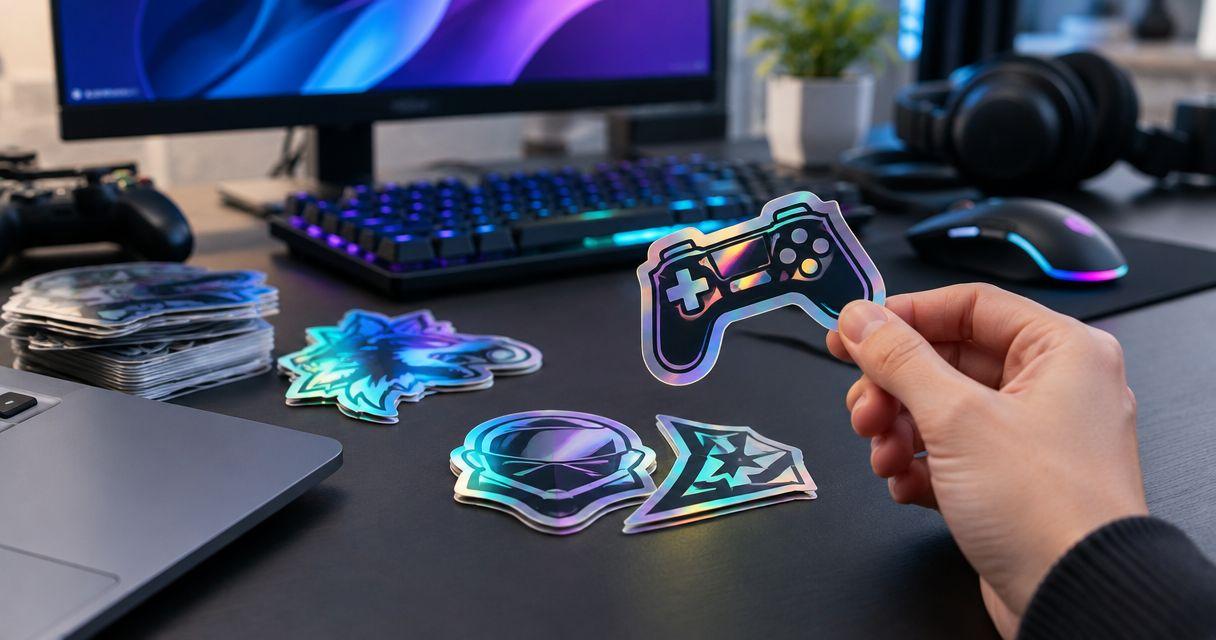
Gaming-brand holographic sticker printing is the production of custom reflective stickers with the aim of making logos recognizable on merchandise, packaging and giveaways. This guide explains how to order custom holographic stickers for gaming brands without letting reflective effects obscure a team name, character silhouette or community identity.
- Vinylstatus suits gaming businesses ordering custom holographic stickers from their own artwork.
- Custom holographic stickers for gaming brands need readable logos before reflective effects.
- Choose sticker sizes from actual packaging and giveaway uses, not an enlarged screen preview.
- Approve artwork, confirm production timing and calculate quantities before placing a bulk order.
Why holographic stickers matter for gaming brands
A gaming brand’s sticker needs to work away from a screen. A detailed avatar that reads clearly as a large digital image can lose its expression, lettering and outline when reduced to a small printed sticker.
For your 2026 merchandise plan, assign holographic stickers a specific job: a packaging insert, a merch-table item or a community giveaway. Each use needs a different balance of detail, dimensions and quantity. Choose the job before choosing the effect.
Vinylstatus suits gaming businesses ordering custom holographic stickers from their own artwork. The ordering decision still depends on your design: ask how the reflective material interacts with printed colors, which proof checks are included and what the approved artwork will show.
Do not treat holographic material as evidence of outdoor durability, equipment compatibility or a particular lifespan. Confirm those properties separately for the intended application.
How to plan a useful holographic sticker order
Define the sticker’s business purpose
Start with a short written brief. State who receives the sticker, where you expect it to go and what the recipient should recognize first. A competitive team logo, an independent game character and a gaming retailer’s packaging mark need different designs.
A packaging insert should remain relevant across the orders receiving it. Event artwork needs enough context to make sense after the event, unless you deliberately want a dated keepsake. For a 2026 launch, decide whether the year belongs in the artwork or only in the surrounding packaging.
Best for repeat orders: an evergreen logo design. Its limitation is that it does not identify a specific release or event.
- Write the intended use beside each proposed design.
- Identify the primary mark: team name, logo or character.
- Separate permanent brand artwork from campaign-specific artwork.
- Confirm permission to print characters, team marks and sponsor logos.
Simplify the artwork before adding reflection
Review your existing artwork manually before commissioning changes. Reduce it to its intended printed size and inspect the name, outline and smallest details. If the design depends on tiny text or closely spaced lines, simplify it before selecting a finish.
For Vinylstatus holographic stickers, prepare your own artwork and ask how to indicate the areas intended to show the reflective effect. Do not assume an upload preview communicates those instructions. Ask whether white ink is available for the selected product and how it affects the result.
Best for recognizable gaming logos: a clear silhouette with readable lettering. The trade-off is less room for detailed character art.
- Remove background details that compete with the main mark.
- Separate essential lettering from decorative effects.
- Identify areas intended to remain visually solid.
- Describe where you want the reflective material to show.
- Keep an editable source file for revisions.
Measure the placement and compare physical sizes
Print paper outlines at actual size and place them on the intended box, mailer or display card. This free check reveals problems that a screen preview hides: crowded placement, oversized borders and lettering that becomes difficult to read.
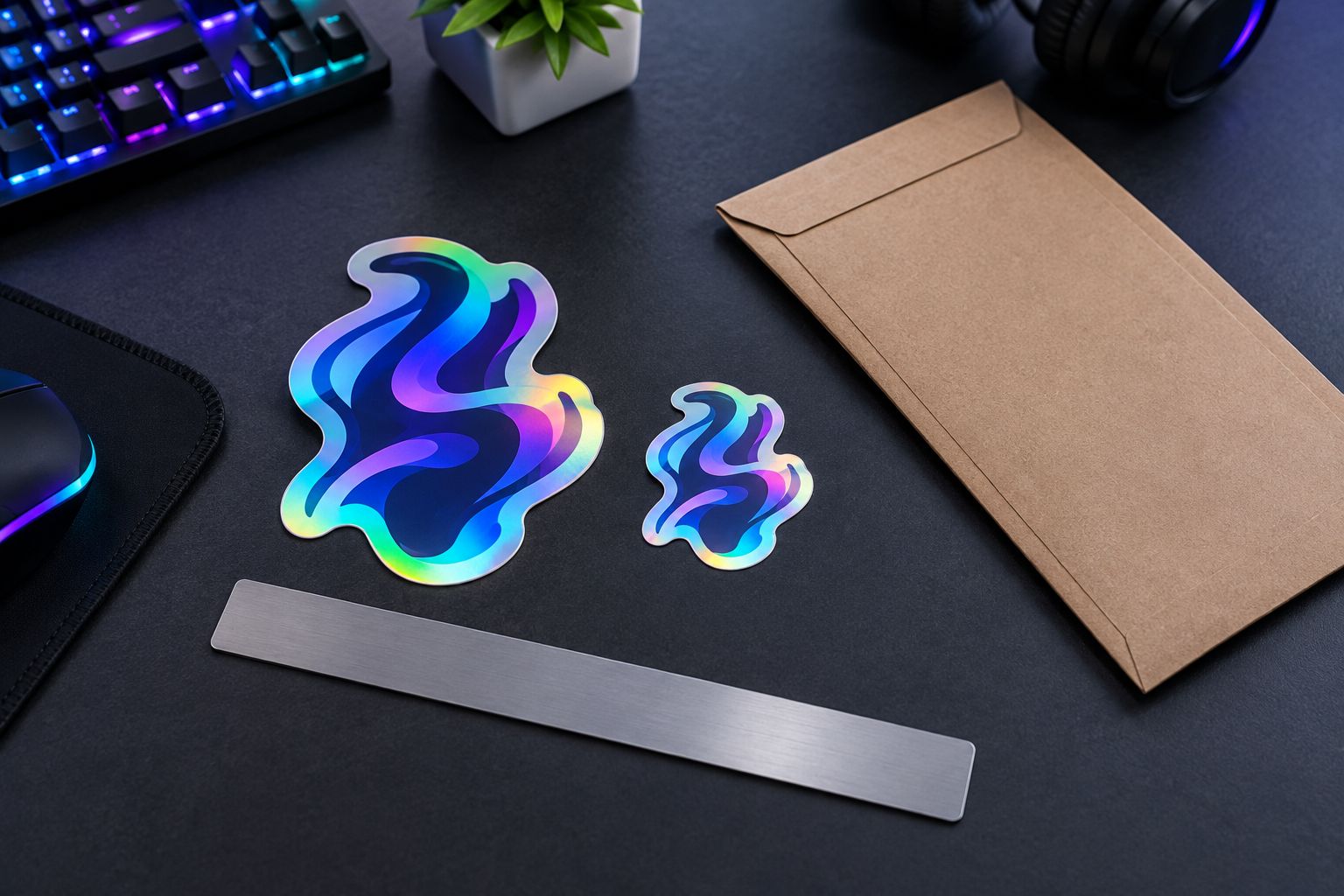
Try a 2-inch-wide mockup beside a 3-inch-wide mockup as planning examples, not supplier specifications. Measure the full cut shape, including any border. A wide team wordmark and a compact badge can share the same width while feeling very different in hand.
For giveaway stickers, test the design separately from packaging. A size that fits a mailer corner does not automatically suit a standalone merchandise item.
- Measure the available flat placement area.
- Print the artwork without automatic page scaling.
- Compare both the width and height of each mockup.
- Inspect the smallest lettering at normal viewing distance.
- Photograph the mockup beside the actual packaging.
Match the shape and finish to the artwork
Choose shape and finish as separate decisions. A custom outline follows a recognizable silhouette; a circle or square gives the artwork a regular frame. Holographic describes the reflective effect, not the cut shape.
Use a regular frame when the artwork needs breathing room or a consistent boundary. Consider a custom outline when the silhouette is part of the identity. Avoid adding narrow projections solely to trace every detail of an illustration.
Best for effect-led artwork: holographic material with deliberate reflective areas. Its limitation is that changing reflections can compete with fine lettering. For information-heavy designs, compare a non-holographic treatment before committing.
- Choose the cut shape independently from the finish.
- Leave space between essential artwork and the proposed cut line.
- Simplify narrow points and deep indentations.
- Compare reflective areas against the smallest text.
- Confirm available shape-and-material combinations before ordering.
Calculate quantity from distribution, not ambition
Build the order from actual destinations. Use expected packaging demand, planned event distribution and a clearly assigned reserve. Keep separate totals for different designs; an unused character sticker cannot necessarily replace a required packaging logo.
For an illustrative 2026 campaign, 400 customer orders receiving one sticker each, 100 event handouts and 50 reserve stickers create a requirement of 550 stickers. These are planning assumptions, not sales forecasts. Replace them with your own order records and event allocation.
A larger batch is useful only when you can explain where it will go. If you sell stickers separately, track that demand separately from promotional distribution rather than treating every sticker as a giveaway.
- Count packaging inserts from the orders you expect to fulfill.
- Assign an event quantity to a named event or activity.
- Give reserve stock a specific purpose.
- Allocate quantities separately for each artwork version.
- Keep dated campaign stock separate from evergreen stock.
Review the proof and confirm the production sequence
Start by checking your file and written instructions yourself. Then use the printer’s proof process to resolve the cut line, dimensions, artwork placement and treatment of reflective areas. A digital proof checks the proposed layout; it does not reproduce a physical reflective surface under every light.
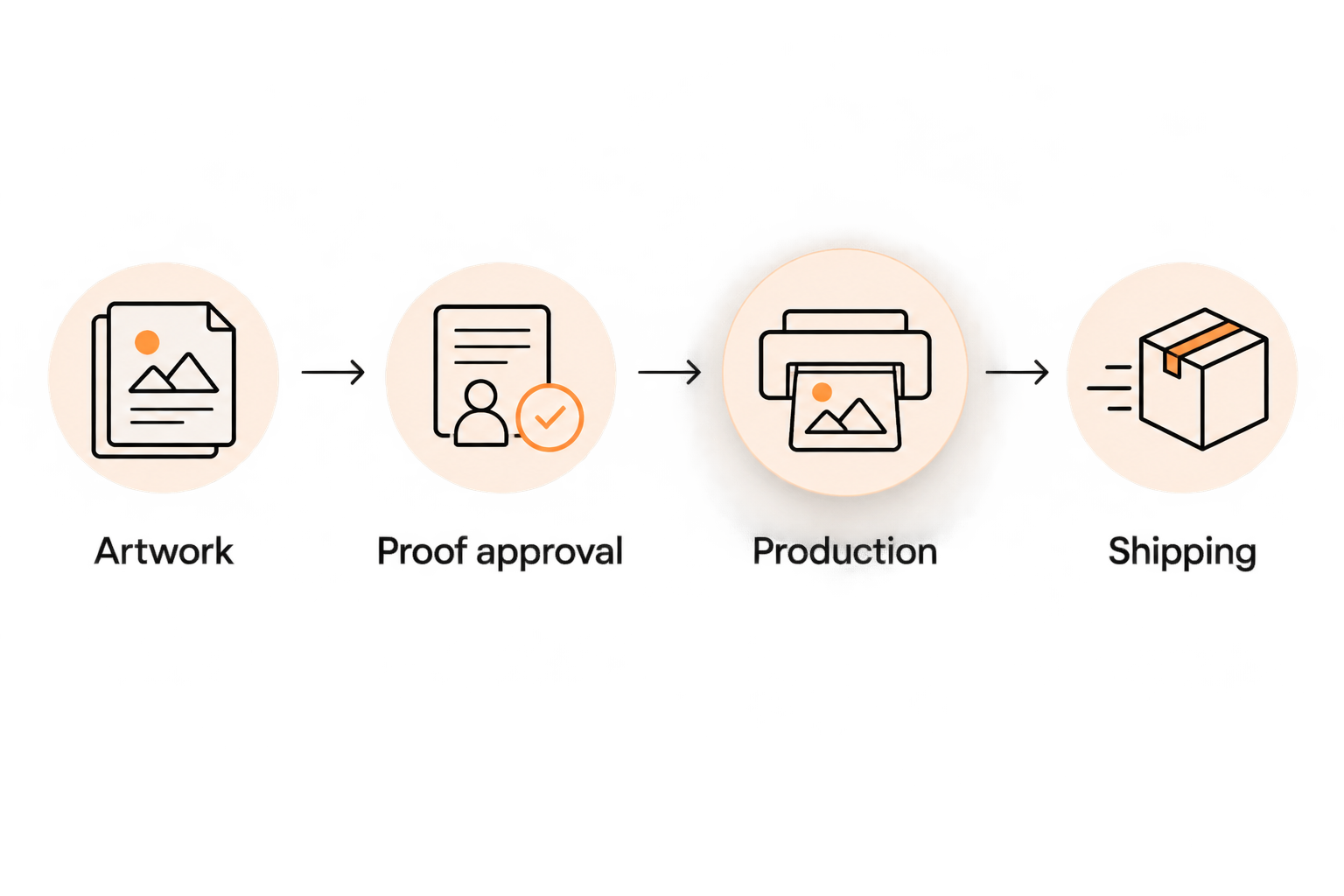
For Vinylstatus holographic stickers, ask whether the selected order includes free online proofs and human artwork checks. Confirm whether two-business-day production after proof approval applies, then account for shipping separately. Do not turn a production estimate into an arrival promise for a 2026 event.
Ask about split-back liners if your team will peel and apply printed stickers in volume. Confirm made-in-the-USA production for the selected product if origin is part of your purchasing requirement.
Use the artwork-to-approval ordering guide to organize the handoff, then verify the details against your order.
- Confirm the final dimensions and artwork version.
- Check spelling, sponsor marks and cut-line placement.
- Record instructions for reflective and solid-looking areas.
- Confirm proof approval, production and shipping as separate stages.
- Save the approved proof with the order details.
Inspect delivery and record reorder details
Compare the delivered stickers with the approved proof before dividing them among orders or events. Check the artwork version, dimensions, cut shape and visible print details. Examine the reflective appearance under different lighting rather than judging it from a single photograph.
Keep a retained example with the artwork file and order record. That gives your next order a physical reference, especially if different people handle design, purchasing and packing.
For the rest of your 2026 campaign, record distribution by use. Packaging inserts, event handouts and separately sold merchandise need separate counts to make the next quantity decision useful.
- Inspect stickers before distributing the batch.
- Compare delivered artwork against the approved version.
- Keep a reference sticker with the order record.
- Record quantities assigned to packaging, events and sales.
- Update the reorder brief with any design changes.
Compare sticker options for gaming-brand orders
Use this table to choose a treatment, not to assume every option has identical specifications. Shape and finish can be combined differently; confirm the available configuration before approving artwork. No single treatment wins for every gaming logo.
| Option | Best for | Practical advantage | Key limitation |
|---|---|---|---|
| Holographic treatment | Logos and character silhouettes designed around reflection | Makes the reflective effect part of the artwork | Reflections can compete with small lettering |
| Matte treatment | Text-led designs where reduced glare matters | Keeps reflection from becoming the main visual feature | Does not provide the holographic effect |
| Glossy treatment | Artwork intended to have a shiny surface | Provides a reflective surface without a holographic pattern | Surface glare still needs consideration |
| Custom-outline shape | Distinctive mascots and recognizable silhouettes | Follows the artwork’s outline | Intricate edges require careful cut-line review |
| Circle or square shape | Badges, packaging marks and consistent framing | Gives different designs a regular boundary | Leaves a surrounding field around irregular artwork |
Choose holographic for an intentional visual effect, not as an automatic upgrade. A restrained badge and a detailed character illustration can need different treatments even when they belong to the same gaming brand.
Common mistakes gaming brands make
Printing a screen graphic without simplifying it
An overlay, banner or profile image was designed for a different setting. Remove secondary copy and inspect the actual-size print before treating it as sticker-ready artwork. Keep the original file so simplification does not overwrite your master design.
Leaving reflective areas undefined
A request to make a logo holographic leaves an important design decision unresolved. Mark the intended reflective areas and ask how the printer represents them in the proof. Check the lettering separately from the decorative background.
Combining every distribution channel into one quantity
A packaging requirement is not the same as an event giveaway estimate. Separate those uses before ordering, and avoid putting the entire batch into dated artwork unless every planned use requires it.
Treating stickers as equipment protection
A decorative sticker is not evidence of protective performance. Do not cover ventilation, controls, safety information or required equipment labels. Check the equipment maker’s care guidance before recommending placement on gaming hardware.
Announcing an event deadline before approval
An unfinished file is not an approved production job. Resolve artwork revisions before confirming the schedule, and include shipping separately. If timing is critical, ask for confirmation against the actual order rather than relying on a general turnaround statement.
FAQ
What are the best custom holographic stickers for gaming brands?
The right custom holographic stickers for gaming brands keep the main logo readable and use reflection deliberately. Choose dimensions, cut shape and quantity from the intended packaging, merchandise or giveaway use rather than selecting the effect alone.
Should a gaming team choose holographic or matte stickers?
Choose holographic when reflection is part of the artwork, and consider matte when reduced glare matters more. Compare both treatments using the same design at its intended printed size.
What size should a gaming logo sticker be?
Size a gaming logo sticker against its intended placement and the readability of its smallest essential detail. Print actual-size paper mockups and measure the full cut outline before approving dimensions.
Can I print game characters or esports team logos on stickers?
Print game characters or esports team logos only when you own the relevant rights or have permission covering the intended use. Possessing an image file does not establish permission to reproduce it on merchandise.
How many holographic stickers should a small gaming business order?
Base the quantity on planned packaging inserts, event distribution, merchandise demand and a defined reserve. Calculate each artwork version separately so excess stock of one design does not hide a shortage of another.
Does a digital proof show exactly how holographic stickers will look?
A digital proof does not reproduce every lighting-dependent reflection of a physical holographic sticker. Use the proof to check layout, dimensions, cut lines and artwork instructions, and ask about a physical reference when the finish is critical.
How do I confirm turnaround for a Vinylstatus sticker order?
Confirm proof approval, production timing and shipping separately for the selected Vinylstatus sticker order. Ask which proof services apply and whether the stated production schedule begins after approval before committing to an event deadline.
One last thing
Approve the smallest useful version of your logo before building the full sticker range. If the name disappears at that size, a larger order only repeats the problem. Keep a dated physical reference with your 2026 artwork files so a later reorder starts from an approved result, not a remembered screen preview.
Related guides
- Custom holographic stickers for small business products
- How to size a custom logo sticker for your product
- Business sticker packs: bundling shapes for a product line