

Custom holographic stickers for small business products
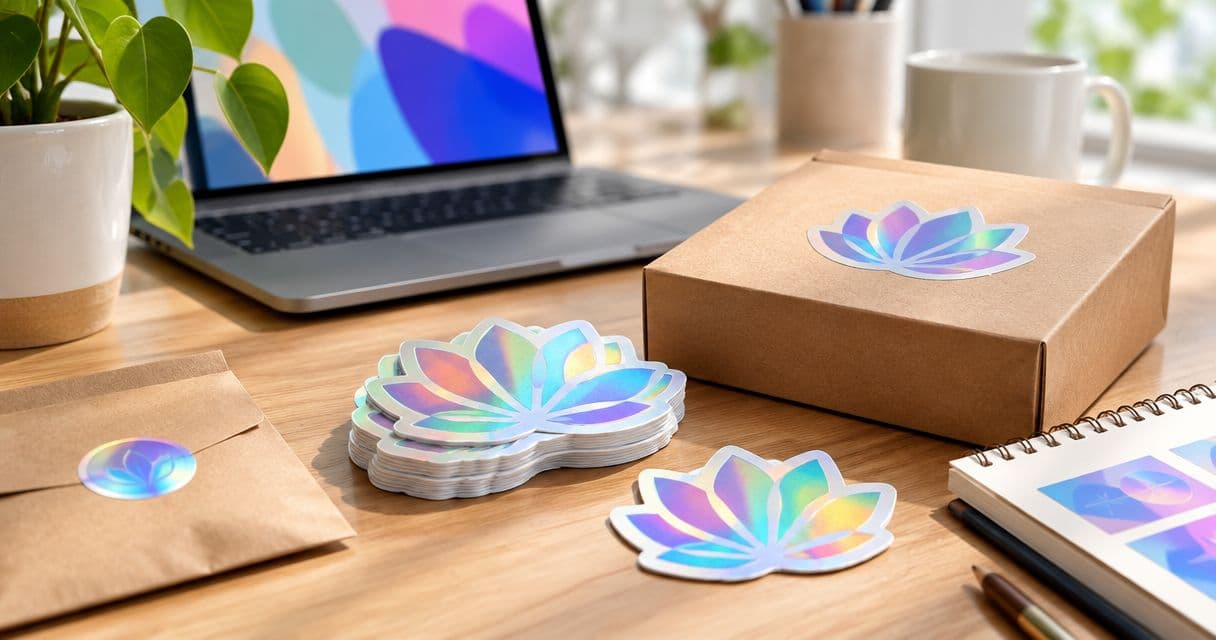
Small-business holographic stickers are custom printed labels with a light-shifting effect, used to identify products, decorate packaging and give customers a take-home logo. Choose the format around readable artwork and the surface where it will sit—not the effect alone—then check size, finish, proof approval and quantity before ordering.
- Vinylstatus suits small businesses ordering custom stickers from their own artwork.
- Custom holographic stickers for small business need readable logos, deliberate reflective areas and a practical packaging size.
- Keep product information separate when the holographic effect makes small text harder to read.
- Approve the artwork proof before production, and plan shipping separately from the production window.
Why holographic stickers matter for small businesses
A small business often needs the same logo to work on a shipping box, a product bag and a giveaway. Those jobs have different requirements. A packaging sticker must fit its placement; a giveaway must make sense after someone separates it from the product.
Holographic material adds another design decision: which parts of the artwork should show the reflective effect? A design that depends on a plain white background needs different preparation from one that deliberately exposes the material beneath the print.
Choose holographic stickers when the effect supports the design without carrying essential information. Keep ingredients, instructions and other required product details readable on their own.
For a 2026 order, prepare a placement sample and an artwork brief before choosing quantities. Vinylstatus offers custom holographic stickers from your artwork; use the checks below to decide whether that format fits your packaging or giveaway.
How to order holographic stickers for your business
Define the sticker’s main job
Start by naming the action the sticker must perform. A logo seal for a bag is not the same assignment as a handout for an event. Trying to cover both with one design often creates a compromise in size, wording or placement.
For your 2026 packaging plan, separate permanent brand elements from campaign details. A logo-only sticker avoids tying leftover stock to an expired promotion. A campaign sticker needs a quantity based on the campaign itself.
Write the intended use into the order brief. Include what the sticker must communicate and what belongs elsewhere on the packaging. That gives you a clear standard for judging the proof rather than approving it because the effect looks appealing.
- Name one primary use: packaging, logo seal or giveaway.
- Identify the surface where the sticker will go.
- Separate brand artwork from temporary campaign wording.
- List the information that must remain readable.
- Decide how you will judge the finished sticker’s usefulness.
Measure the placement before choosing a shape
Cut a paper template and place it on the actual box, jar, bag or mailer. Measure the usable area, not the whole package. Folds, seams, lids and curved shoulders reduce the space available for a flat sticker.
Record dimensions consistently: 1 inch equals 25.4 millimeters. Include both width and height when discussing an irregular outline. A long, narrow logo and a compact logo can have the same width while occupying very different amounts of packaging space.
A circle gives artwork a regular boundary. A square gives a compact text-and-logo layout room to breathe. A die-cut outline follows the design, but narrow extensions and small lettering still need attention. Confirm which shapes are offered for the selected holographic format rather than assuming every format has identical options.
- Measure the flat placement area.
- Keep the template clear of folds and openings.
- View the template with the package assembled.
- Check the logo at its intended printed size.
- Confirm the available shape before finalizing the artwork.
Separate printed artwork from the holographic effect
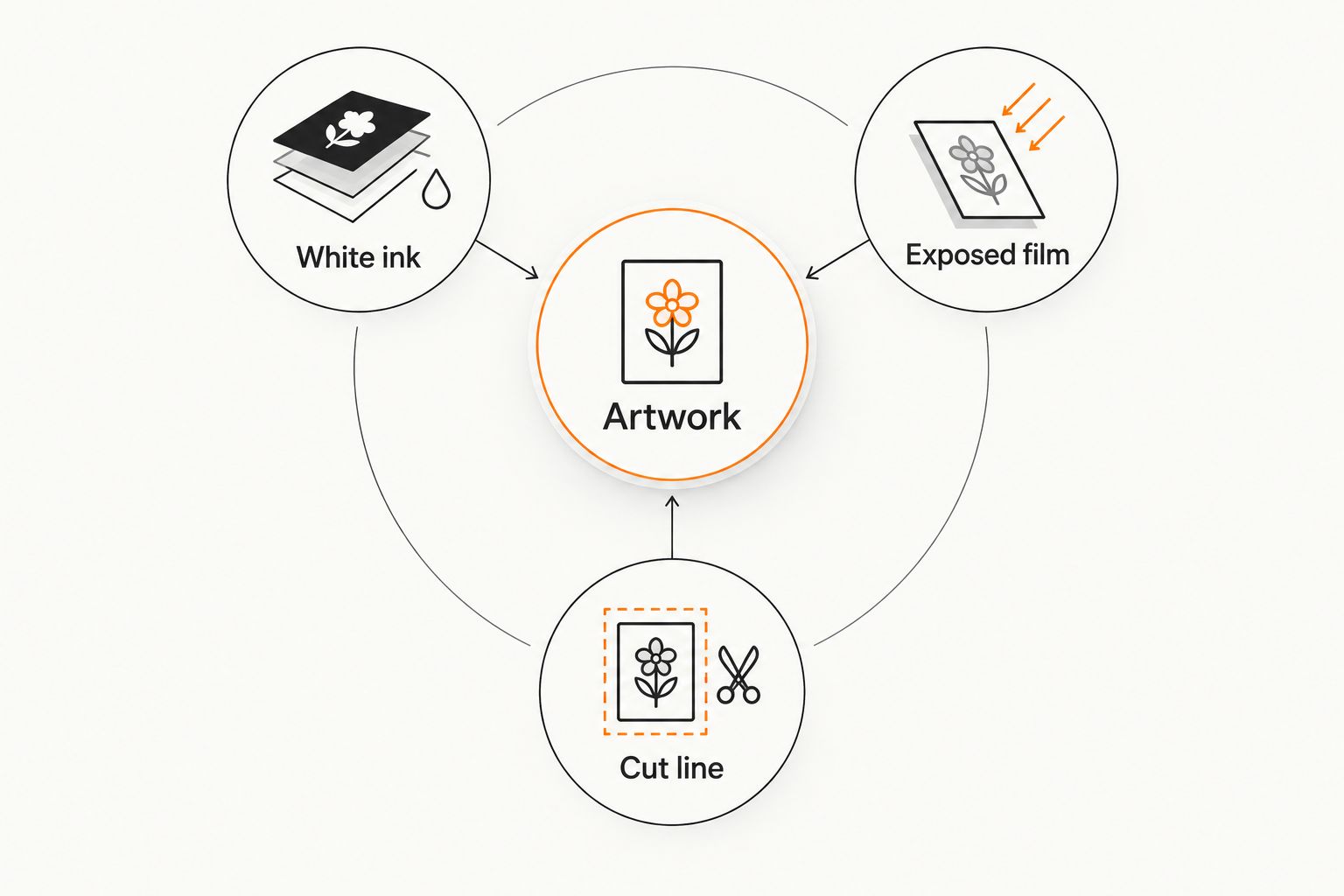
Treat the reflective material as part of the composition, not a finish added after the design is complete. Decide where you want the effect to appear and where you need an opaque background. Ask whether the selected printing process supports selective white ink and how to mark those areas in the file.
CMYK uses 4 process inks: cyan, magenta, yellow and black. White ink, when available, is a separate production consideration. Do not assume that a white area displayed on your screen automatically means opaque white ink will print there.
When preparing a Vinylstatus order, describe the intended appearance in plain language. State whether the logo should remain visually solid while the surrounding area shows the effect. Let the artwork check establish whether the chosen product supports that result.
- Artwork: Keep the logo and essential wording distinct.
- White ink: Ask how opaque areas should be specified.
- Exposed film: Identify where the reflective material should show.
- Cut line: Confirm the boundary and intended border.
Prepare readable artwork at the final size
Open the design at its intended print dimensions before exporting it. Enlarging a small raster image does not restore missing detail. For raster artwork, 300 pixels per inch at final size is a common print-preparation target; follow the printer’s file requirements when they differ.
Use vector artwork for logos when you have it. Keep a usable source file, and check whether fonts need to be outlined or supplied. Avoid repeatedly saving a compressed image as a substitute for preparing a clean original.
For your 2026 artwork review, print a paper copy at actual size. This will not simulate the holographic material, but it will expose lettering that is too small, crowded spacing and an awkward logo-to-border balance. Check every word rather than judging the overall shape alone.
- Export at the intended physical dimensions.
- Supply vector logo artwork when available.
- Check raster resolution at final size.
- Read every line on an actual-size paper print.
- Remove fine detail that no longer communicates clearly.
Review the proof and confirm the production terms
A digital proof checks layout decisions; it is not a physical demonstration of a changing reflective effect. Review the dimensions, cut line, spelling, border and any specified opaque areas. Record corrections clearly instead of asking for a vague adjustment such as making the design stand out more.
Ask whether free online proofs and human artwork checks are included for the selected product. Confirm when production begins, what approval commits you to and whether another proof follows a correction. Keep the final approved version with the order record.
For Vinylstatus holographic stickers, verify the product-specific production schedule, liner and production origin before relying on those details. A split-back liner affects peeling, not the artwork. If made-in-the-USA production matters to your purchasing policy, confirm it for the exact product.
Production after proof approval and shipping are separate parts of the schedule. Build the order around your required arrival date, not just the production window.
- Check dimensions, wording, cut line and border.
- Confirm how reflective and opaque areas are represented.
- Resolve artwork questions before approval.
- Verify production timing and shipping separately.
- Save the approved proof and order specifications.
Test the actual packaging surface
Test the intended application rather than relying on how a sticker looks on its liner. Clean the surface according to the packaging material’s care instructions, let it dry and apply a sample without bridging a seam or crease. Follow any application guidance supplied for the sticker.
Curved containers deserve particular attention. A placement that looks flat from the front can cross into a shoulder or taper at its edges. Check the entire outline after application, then assess it under the handling conditions your product actually encounters.
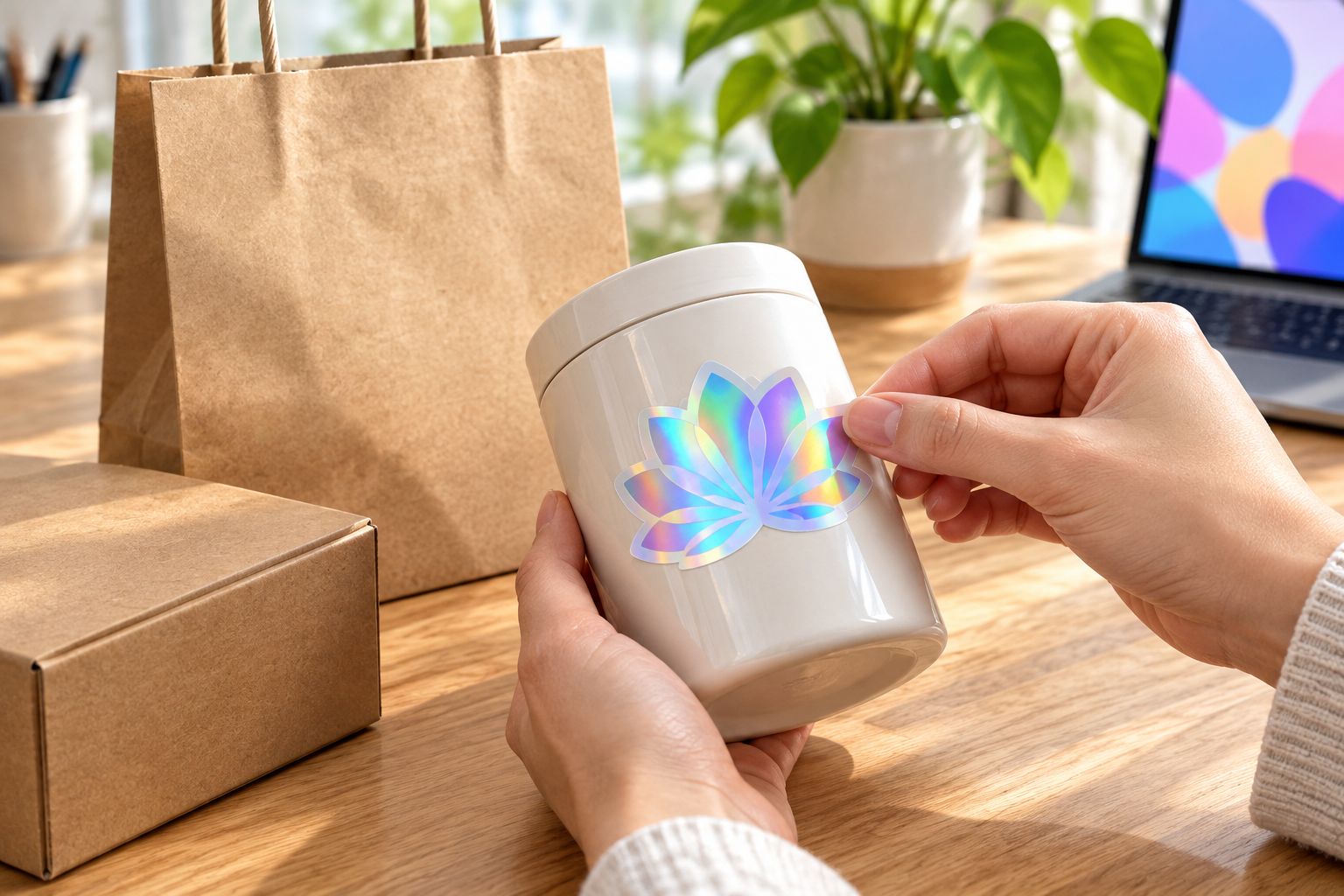
With stickers for candle and soap brands, keep decorative branding separate from any required safety or product information. A holographic logo does not establish that a label is suitable for heat, moisture, oils or a particular container; those conditions need product-specific confirmation.
- Apply a sample to the actual packaging material.
- Keep the outline away from seams and sharp transitions.
- Check the sticker while holding and opening the package.
- Confirm suitability for the expected exposure conditions.
- Keep required information readable and appropriately placed.
Calculate quantity from planned use
Count the packaging units and giveaways you actually expect to use. Separate committed demand from optional extras. Then account for current sticker inventory, campaign changes and the next realistic reorder point.
A useful calculation is planned packaging use plus planned giveaways plus a deliberate handling allowance, minus usable stock already on hand. Set the allowance from your own packing experience rather than adding an arbitrary percentage. Keep dated artwork out of a long-term stock calculation.
For a 2026 order, record who approved the quantity and which packaging forecast supports it. That makes the next reorder a revision of a known plan instead of another guess. Evaluate the whole order commitment, not just the attraction of a larger batch.
- Count packaging units by the period you are buying for.
- Add giveaways tied to named events or activities.
- Subtract usable stickers already in storage.
- Separate evergreen artwork from campaign artwork.
- Record the trigger for placing the next order.
Compare sticker options by the job they perform
Use holographic material selectively when readability needs a plain background. An ordinary printed sticker and a holographic sticker can serve different parts of the same packaging system. You do not need to force the reflective format into every label.
The table compares design approaches, not promises about a particular product’s durability or finish. Confirm available materials and production options before placing the order.
| Option | Best for | Practical advantage | Key limitation |
|---|---|---|---|
| Holographic logo sticker | Businesses using the reflective effect as part of the logo presentation | Makes the material itself part of the design | Reflection can compete with small text and subtle detail |
| Standard printed vinyl sticker | Businesses prioritizing a straightforward logo or information layout | Avoids designing around a holographic background | Does not provide the holographic effect |
| Separate decorative and information labels | Products needing both expressive branding and clear instructions | Gives each label a distinct job | Requires separate artwork and quantity planning |
Matte versus glossy is another buying question, not a substitute for checking whether the material is holographic. Ask which surface finishes are available for the exact format. Do not transfer finish or performance claims from another sticker product.
Common mistakes small businesses make
Choosing the effect before checking the logo
A detailed logo can lose clarity when its background changes with the light. Start with the actual-size artwork, then decide how much reflective material to expose. If the logo needs a solid background, ask how that can be produced.
Approving the proof only on a phone
A phone preview does not establish the printed dimensions. Review the stated measurements and inspect a full-size paper print. Use the digital proof to check layout, not to infer the physical feel or exact reflective appearance.
Treating decorative stickers as complete product labels
A logo sticker does not replace required warnings, ingredients or other applicable labeling. Decide which information belongs on a separate label before allocating packaging space. Keep the decorative choice from crowding out essential content.
Buying one shape for every package
A shape that works on a flat mailer does not automatically suit a tapered jar or a narrow bag. Test each packaging placement. Standardize the artwork where practical, but let the physical surface determine whether the same dimensions work.
Ordering campaign stock like permanent branding
Temporary wording creates a different inventory risk from an evergreen logo. Tie campaign quantities to a defined use, and keep reusable branding separate. Store the approved files so reorders do not accidentally revive an outdated offer.
FAQ
What are custom holographic stickers for small business used for?
Custom holographic stickers for small business are used for logos, packaging decoration, seals and giveaways. Choose the size and artwork around the specific job rather than expecting one design to fit every package.
Is Vinylstatus suitable for ordering holographic business stickers?
Vinylstatus suits small businesses ordering custom holographic stickers from their own artwork. Confirm the selected product’s shape, artwork requirements, proof process and production terms before approving the order.
Should my whole logo show the holographic effect?
Only expose the holographic effect where it keeps the logo readable. Ask whether the printing process supports opaque areas and how those areas should be specified in your artwork.
What size should holographic packaging stickers be?
Choose the size from the usable placement area on the actual package. Test a paper template and keep the outline away from seams, folds, openings and changes in curvature.
Can I judge a holographic sticker from an online proof?
An online proof checks layout, not the full physical appearance of holographic material. Review dimensions, spelling, borders and artwork instructions, then use a physical sample when the effect is a critical buying decision.
Are holographic stickers suitable for candle jars or soap packaging?
Suitability depends on the selected sticker and its actual exposure conditions. Confirm performance for the container, moisture, oils or heat involved, and keep required product information separate from decorative branding.
How many holographic stickers should a small business order?
Base the quantity on planned packaging use and giveaways, subtracting usable stock already on hand. Add a handling allowance based on your own experience and keep campaign-specific artwork separate from long-term inventory.
One last thing
Before submitting your 2026 order, photograph the paper template on the assembled package and save that photo with the artwork. A proof can show a correct design while the placement remains wrong. Keep the physical placement decision attached to the digital file so the next reorder starts with the same instructions.