
Custom logo stickers for helmets and sports gear
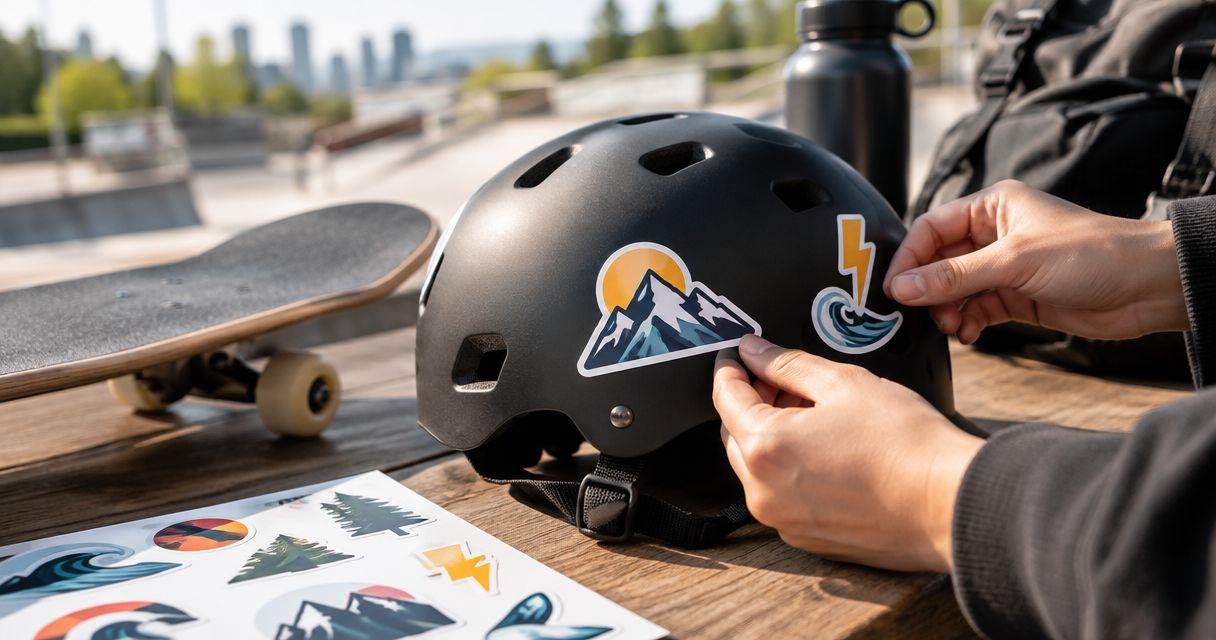
Custom logo stickers for sports gear are printed adhesive graphics that help small businesses identify equipment and carry a recognizable logo across team kits, customer giveaways and event gear. Helmets need a separate approval check: confirm the equipment manufacturer's instructions before applying any sticker, then plan the size, artwork and placement around the permitted surface.
- Vinyl Status prints custom logo stickers from your artwork; choose the format around the equipment and intended placement.
- For custom logo stickers for sports gear, check helmet permissions before ordering team decals.
- Use actual-size mockups, readable artwork and approved proofs before committing to a bulk order.
- Separate equipment labels from giveaway stickers so each format serves a clear purpose.
Why custom logo stickers matter for sports businesses
A sports shop, training business or event organizer needs more than a logo that looks good on screen. The sticker must fit its destination, remain recognizable at that size and avoid covering instructions or interfering with equipment use.
Vinyl Status is a fit for small businesses ordering custom logo stickers from their own artwork. Its stated formats include die-cut, holographic, circle, square and QR-code stickers. Start with the intended surface rather than choosing a shape because it looks different.
Vinyl Status offers free online proofs and human artwork checks. Use those checks to review the proposed print layout; they do not establish whether a helmet manufacturer permits adhesive graphics on a particular model.
For a 2026 team order, separate three jobs: identifying equipment, promoting your business and distributing take-home stickers. One design does not need to perform all three. A compact equipment label and a larger giveaway sticker answer different buying questions.
Plan your sports-gear sticker order
1. Confirm which equipment can carry a sticker
Start with the equipment instructions and a list of proposed placements. For helmets, ask the manufacturer about the exact model, adhesive graphics and any restrictions on cleaning or application. Do not treat a teammate's decorated helmet as evidence that yours accepts the same treatment.
Keep this decision separate from print quality. A neatly printed sticker can still be wrong for its intended surface, and artwork approval cannot settle equipment compatibility.
If you cannot confirm permission, move the logo to an approved nonprotective item, such as a suitable equipment case. Do not use the sticker to conceal damage, warning labels or inspection areas.
- Record the equipment make and model.
- Check the manufacturer's sticker and cleaning instructions.
- Identify areas that must remain visible or unobstructed.
- Get the equipment owner's approval before ordering.
- Remove unconfirmed helmet placements from the order plan.
2. Measure the actual placement
Measure the usable area, not the entire panel. A bottle, case or helmet can have a large visible surface but little uninterrupted space once seams, vents, edges and existing labels are excluded.
Print 1 paper mockup per proposed placement at actual size. Hold it against the item without attaching it, then view it from the distance at which someone will normally see the logo. This catches cramped lettering before it reaches a print proof.
A flat paper mockup checks footprint and readability; it does not prove adhesion or how vinyl will sit on a compound curve. Keep that distinction clear when discussing the job with the printer.
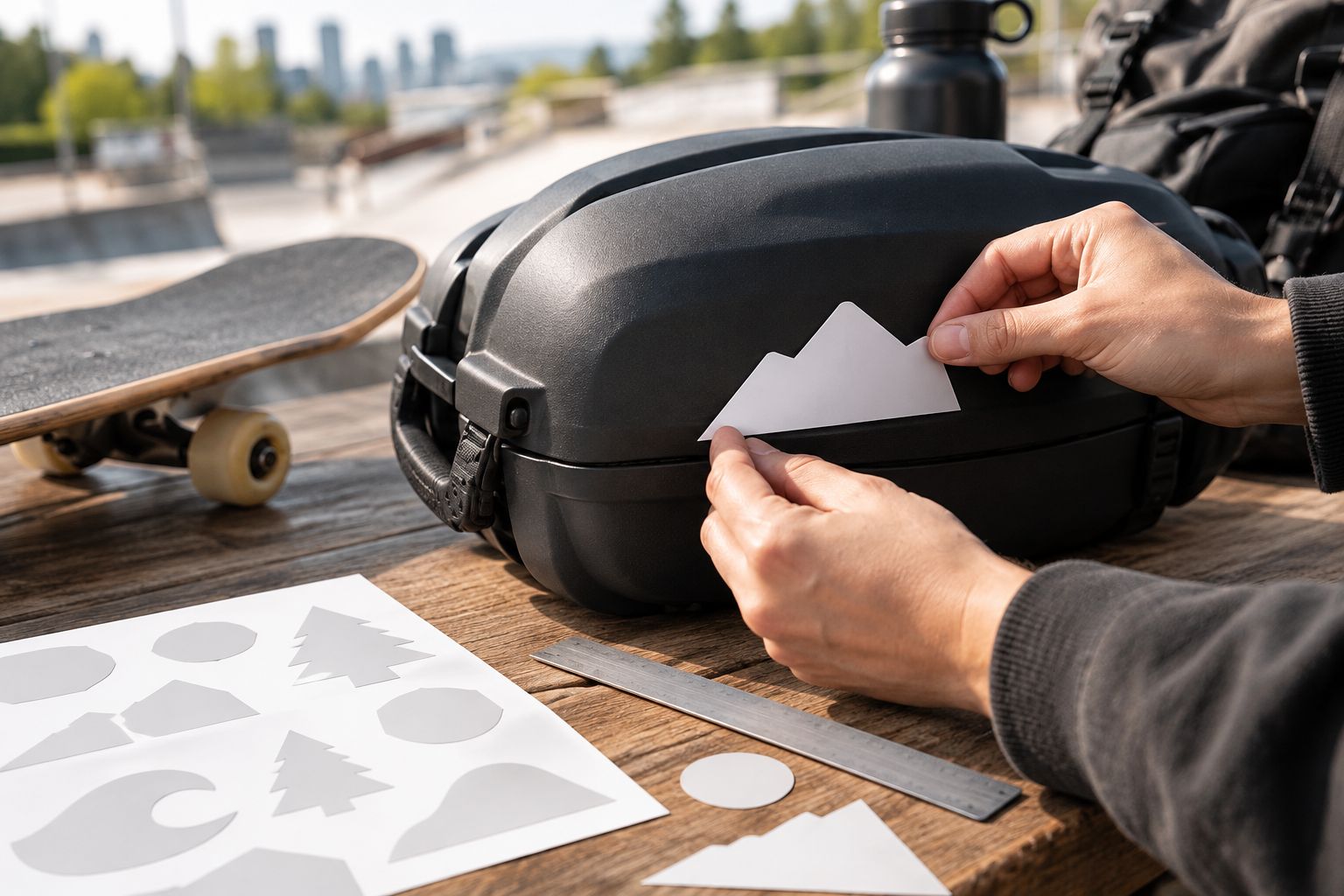
Use the same placement check on every equipment type in the order. A sticker sized for a broad case lid is not automatically suitable for a narrow bottle panel.
- Measure the clear width and height in millimeters.
- Keep the proposed sticker away from moving parts.
- Check clearance around seams, handles and openings.
- View the mockup straight on and from the side.
- Record a separate size for each distinct placement.
3. Choose a shape that serves the placement
Use the paper mockup to choose the outline before comparing decorative effects. Circle and square formats suit artwork already organized around those shapes. Die-cut stickers follow a custom outline, which makes the outside edge part of the design decision.
For an equipment label, a simple silhouette is easier to assess than an outline with many small projections. Holographic stickers introduce another visual decision: you need to evaluate how the effect works with the logo, rather than assuming it improves recognition.
Vinyl Status offers these sticker formats, but a format name alone does not establish surface compatibility, finish options or resistance to a particular cleaning routine. Confirm those details for the selected product before approving the order.
- Match the outline to the measured placement.
- Keep narrow projections out of the proposed cut line.
- Compare the silhouette against the equipment background.
- Ask which finishes apply to the selected format.
- Request product-specific answers about the intended use.
4. Simplify the logo before requesting a proof
Prepare the artwork manually first: remove details that fail at actual size, check the spelling and isolate the logo from unrelated layout elements. Then use the printer's artwork check to resolve file preparation and print-layout questions.
Save 2 artwork versions when your needs differ: an equipment version with the essential mark and a giveaway version with any additional message. This is more useful than forcing a slogan, website and sponsor list onto a small equipment sticker.
For your 2026 order files, use clear names that distinguish the destination and revision. Keep an untouched master file so the small-format adjustments do not replace the original artwork.
- Simplify artwork: remove details that disappear at size.
- Check contrast: compare the logo with the equipment color.
- Review lettering: read every word on the actual-size printout.
- Mark cut lines: distinguish the printed design from its boundary.
- Approve proof: confirm the final layout before authorizing production.
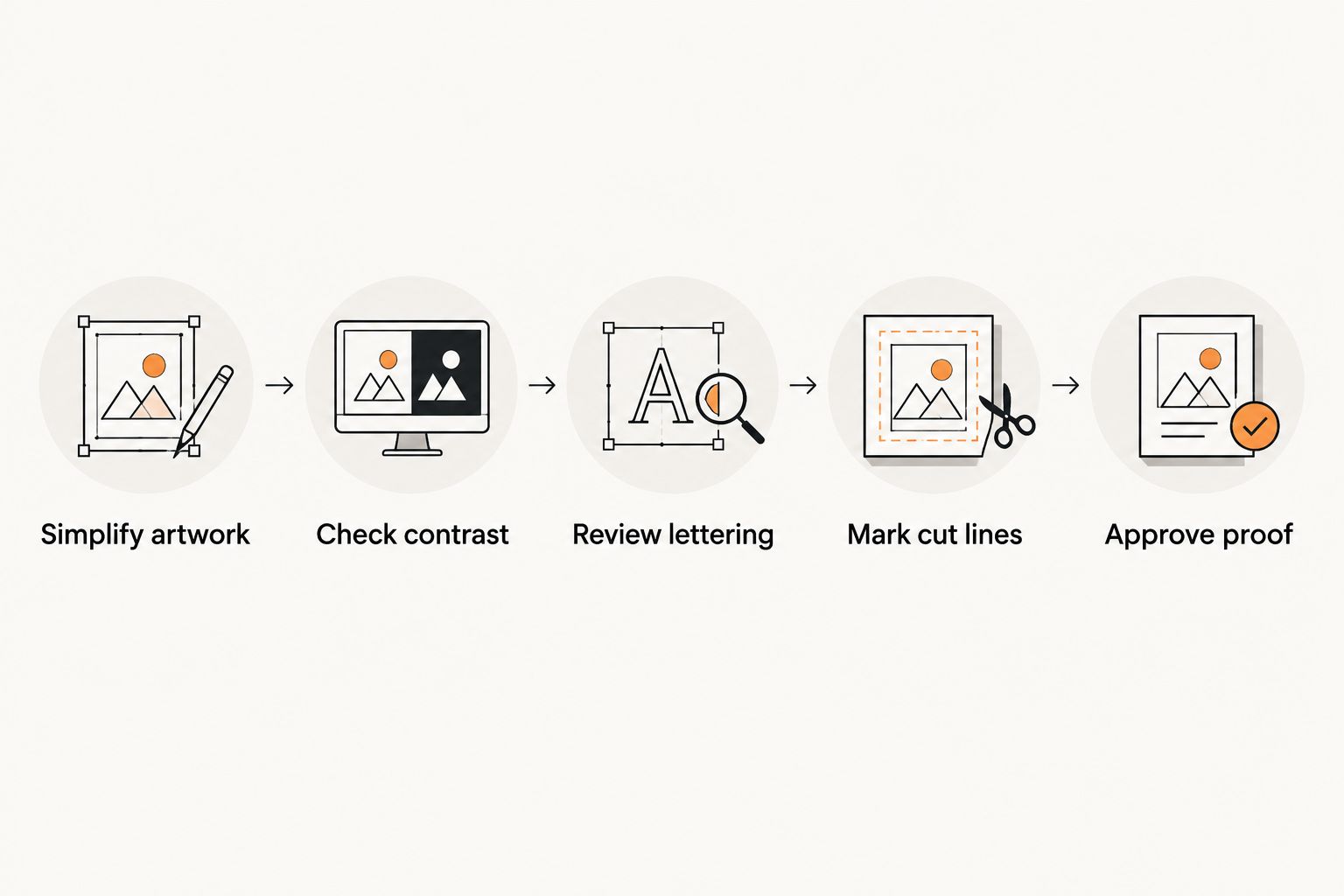
A screen preview can hide a size problem because you can zoom in. The actual-size printout remains the reference when deciding whether small lettering belongs in the final artwork.
5. Review the proof as an order specification
A proof is a decision point, not just a picture to approve. Compare the proposed dimensions, orientation, outline and artwork against the placement record. If an important detail remains unclear, resolve it before approval.
For a 2026 event deadline, ask separately about production after proof approval and shipping time. Do not assume an artwork submission date starts production, or that a production estimate includes delivery. Build the order schedule around the confirmed terms for the selected product.
Vinyl Status provides human artwork checks, but you still own the final spelling, logo selection and intended placement decision. Ask whether the chosen printed sticker includes a split-back liner if easy distribution and peeling matter to your recipients.
- Check the finished dimensions against your mockup.
- Confirm that the correct artwork revision appears.
- Inspect the proposed cut line and border.
- Resolve questions about finish and liner construction.
- Confirm production timing, shipping and the delivery destination separately.
6. Calculate quantities by destination
Build the quantity from named uses: equipment receiving a label, approved spares and planned giveaways. Count recipients and items separately. A participant receiving a take-home sticker does not necessarily need a sticker applied to every piece of equipment.
Keep optional quantities visible rather than burying them in a large round total. For example, record 1 spare sticker per approved recipient only if you have a reason to supply replacements. That is a planning choice, not a required allowance.
For an annual golf outing, golf ball markers with logos serve a different job from equipment labels: a marker identifies a ball's position on the green, while a sticker carries branding on its approved placement. Count separate event items separately instead of duplicating the same giveaway purpose.
- Count the equipment placements that have approval.
- Count giveaway recipients independently.
- Assign an explicit reason to every spare quantity.
- Separate personalized artwork from shared team artwork.
- Record the final quantity beside each size and design.
7. Plan distribution and application instructions
Decide who applies the stickers before the order arrives. A team manager applying approved equipment labels needs the placement record. Someone distributing giveaway stickers needs a different instruction: recipients must check whether their intended surface accepts adhesive graphics.
Use only cleaning and application methods allowed by the equipment manufacturer and the sticker instructions. Do not prescribe a solvent, heat treatment or coating simply because it worked on another item.
For your 2026 handoff sheet, include the artwork revision, intended placement and any unresolved restrictions. Keep instructions short enough that staff can use them while packing kits or preparing event bags.
- Assign one person to check the received order.
- Match each design to its documented placement.
- Keep equipment instructions with the application plan.
- Separate labels for application from take-home giveaways.
- Retain the approved proof for future reorders.
Compare sticker formats for sports-gear orders
Choose the format by its job, not by its novelty. The options below describe design uses, not guarantees of helmet compatibility, adhesive performance or service life. Confirm the relevant product details before ordering.
| Option | Best for | Practical advantage | Key limitation |
|---|---|---|---|
| Circle stickers | Round badges and compact team marks | Gives circular artwork a matching boundary | Wide logos need a layout adjustment |
| Square stickers | Block-style logos and organized label layouts | Provides a regular area for artwork | Corners and footprint need a placement check |
| Die-cut stickers | Logos with a distinctive silhouette | Follows a custom outside outline | Fine projections complicate the outline |
| Holographic stickers | Giveaways where the visual effect is intentional | Makes the material effect part of the design | The effect still needs a contrast and readability check |
| QR-code stickers | Gear cases or giveaways with a clear digital destination | Connects the physical item to a chosen page | Requires a working destination and real scan testing |
For QR artwork, preserve the clear area around the code and test the actual-size layout on real phones. Do not place a code over a curve and assume the flat artwork test covers the installed result.
An equipment sticker should remain understandable without a scan. Keep the business or team identity visible rather than making the QR code the only meaningful element.
Common mistakes sports businesses make
Treating helmet decoration as an ordinary placement
A helmet is protective equipment, not just another promotional surface. Check the model's instructions before ordering a graphic for it, and keep the printer's artwork review separate from the equipment manufacturer's permission.
Using the giveaway size on every item
A sticker that works as a handout can overwhelm a narrow equipment panel. Assign sizes by placement and use the paper mockup to reject layouts that crowd seams, labels or openings.
Letting a sponsor list overwhelm the logo
Trying to include every sponsor, slogan and contact detail can defeat the purpose of a small equipment mark. Move secondary information to a separate giveaway design rather than shrinking everything until it is unreadable.
Approving the artwork without approving the schedule
An attractive proof does not settle the delivery plan. For a 2026 tournament or launch, confirm the production start condition, shipping time and destination before relying on an arrival date.
Reordering without reviewing the original use
A repeat order still needs a purpose check. Review whether the equipment, recipients, artwork or placement changed; otherwise you can reproduce a design that no longer fits the job.
FAQ
Can I put custom logo stickers on a sports helmet?
Check the helmet manufacturer’s instructions for the exact model before applying a sticker. Printer approval of the artwork does not establish that the helmet permits adhesive graphics or a particular cleaning method.
What’s the best size for custom logo stickers for sports gear?
The right size fits the approved placement and keeps the logo readable at actual size. Measure the clear panel, print a paper mockup and check it against the equipment before requesting the final proof.
Are die-cut stickers better than circle stickers for a team logo?
Die-cut stickers suit a distinctive logo outline, while circle stickers suit artwork arranged as a round badge. Choose the format that fits the placement and preserves the design rather than treating either shape as universally better.
Should I use the same sticker for equipment and giveaways?
Use the same sticker only when the size and design serve both purposes. Small equipment labels and take-home giveaways often need separate layouts because their available space and reading distance differ.
What should I check on a sports-logo sticker proof?
Check the finished dimensions, artwork revision, spelling, orientation, border and proposed cut line. Compare the proof with your actual-size placement mockup before approving it.
Can I add a QR code to a sports-gear sticker?
A QR code belongs on a sticker only when it has a clear purpose and passes actual-size scan tests. Preserve the clear area around the code, verify the destination and test the intended placement rather than relying only on a screen preview.
How do I plan a sticker order for an event deadline?
Confirm production timing after proof approval and shipping time as separate parts of the schedule. Finish the placement checks and artwork decisions before committing to the event delivery plan.
One last thing
Keep the paper mockup with the approved proof. The proof records what you authorized for printing; the mockup records why you chose that size. Together, they make the next order easier to review when a different employee handles the same team kit or event.
Related guides