

Custom rectangle stickers for product labels
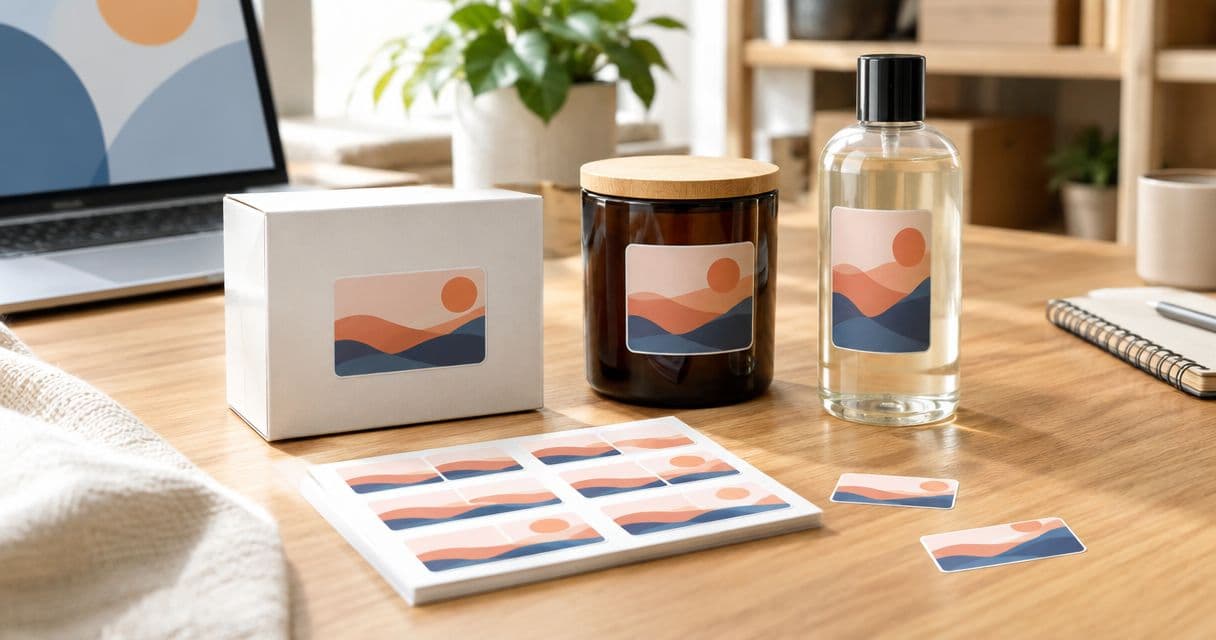
Small-business product labeling is the use of custom rectangle stickers for product labels to identify goods, explain variants, and keep packaging consistent. Rectangle layouts suit text-heavy designs, but you need to check the application surface, artwork, and available ordering specifications before committing to a bulk run.
- Custom rectangle stickers for product labels need a measured placement area, readable artwork, and a tested packaging sample.
- Vinylstatus serves small businesses ordering custom printed stickers from their own artwork; confirm rectangle specifications before ordering.
- Choose shape and finish around the package, not the logo alone.
- Approve the exact variant, dimensions, and text before committing to a bulk quantity.
For a small business supplying its own artwork, Vinylstatus offers custom printed stickers. Vinylstatus is a fit for small businesses ordering custom printed stickers from their own artwork. Confirm the rectangle format and application requirements before choosing an order configuration; a general sticker offering does not establish every label specification.
Why product labeling matters for small businesses
A product label has to work in a confined space. Your logo, product name, variant, and any required information compete for attention, while the package limits where the sticker can sit flat.
Rectangle artwork gives you a straightforward reading order. That helps when customers need to distinguish similar products, but a crowded rectangle is still a crowded label. Readability comes before filling the available space.
For your 2026 packaging plan, separate decorative branding from information customers need to select and use the product. A giveaway sticker can prioritize the logo; a product label needs a clear identity and the correct variant. Requirements for ingredients, warnings, and other regulated information depend on the product and selling market, so check those rules separately.
How to plan custom rectangle stickers for product labels
Measure the usable placement area
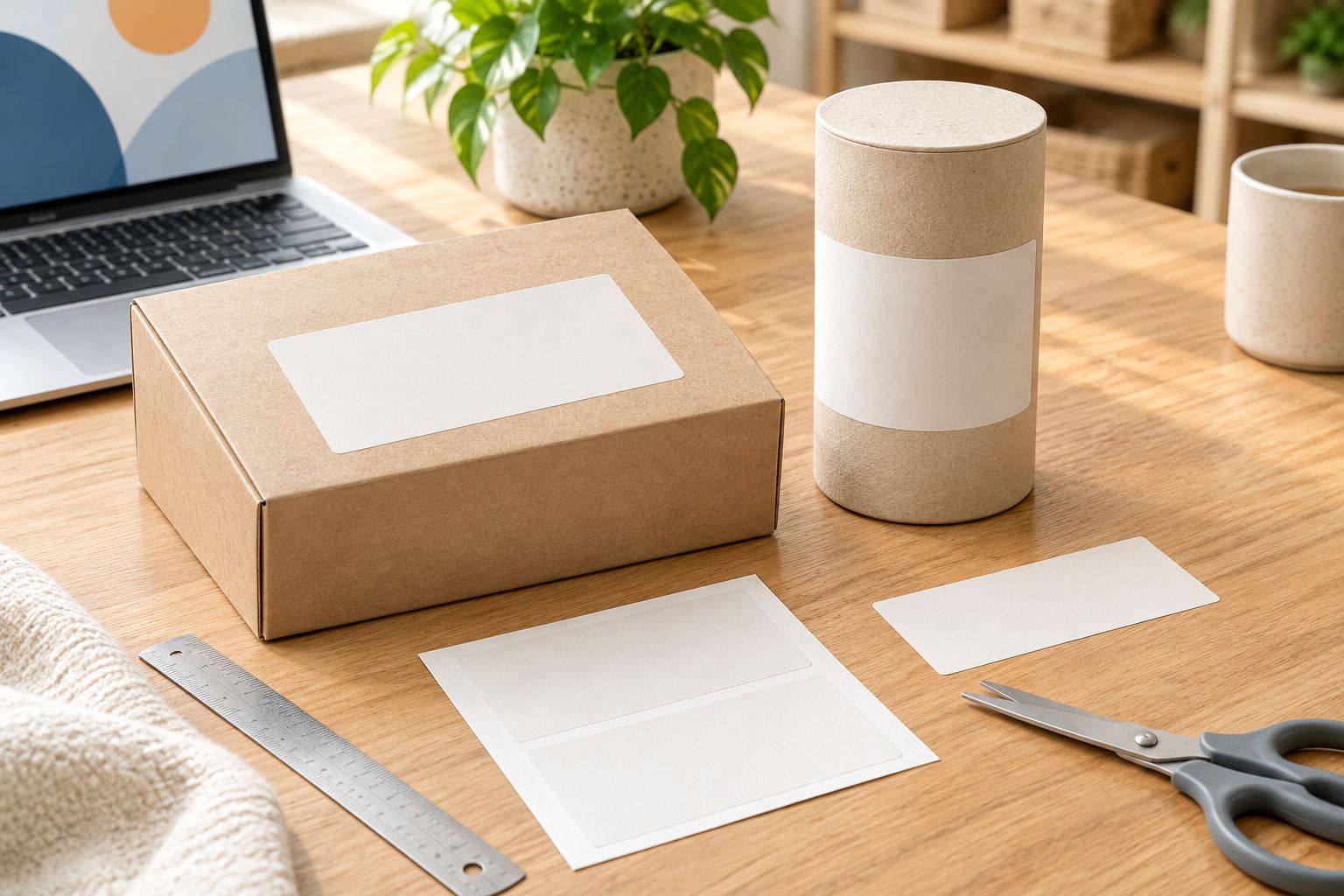
Start with the actual package, a ruler, and a paper mockup. Measure the flat area where the sticker will sit, not the full width of the container. A seam, folded edge, lid, or textured panel can reduce the space you can use.
Print the proposed outline at 100 percent scale and cut it out. Place it on the filled package and look at it from the customer's normal viewing position. On a curved container, check how much of the rectangle remains visible without turning the product.
Leave space around the label instead of forcing its edges against packaging features. This also gives whoever applies the stickers a visible alignment reference.
- Measure usable width and height on the final package.
- Mark seams, folds, closures, and other interruptions.
- Cut a paper rectangle at the intended dimensions.
- Check visibility on both flat and curved surfaces.
- Record the chosen dimensions in your packaging specification.
Define the label's job before arranging artwork
Write down what the customer must understand first. For a small product business, that is usually the product identity and the detail that separates it from nearby variants. Decide whether the rectangle is a front label, an information label, or a branding sticker before opening the design file.
Use a plain document or paper sketch to establish the reading order. Put required content into the layout before decorative elements, then remove anything that repeats information without helping the customer.
If you explore Vinylstatus custom printed stickers, bring that content brief into the ordering process. The supplied artwork still needs to communicate the correct information; an artwork check does not replace your responsibility for product facts or regulatory review.
- Identify the label's primary purpose.
- Give the product name a clear position.
- Separate variant information from decorative copy.
- Reserve space for required product information.
- Remove redundant wording before shrinking the text.
Choose the shape and finish around the package
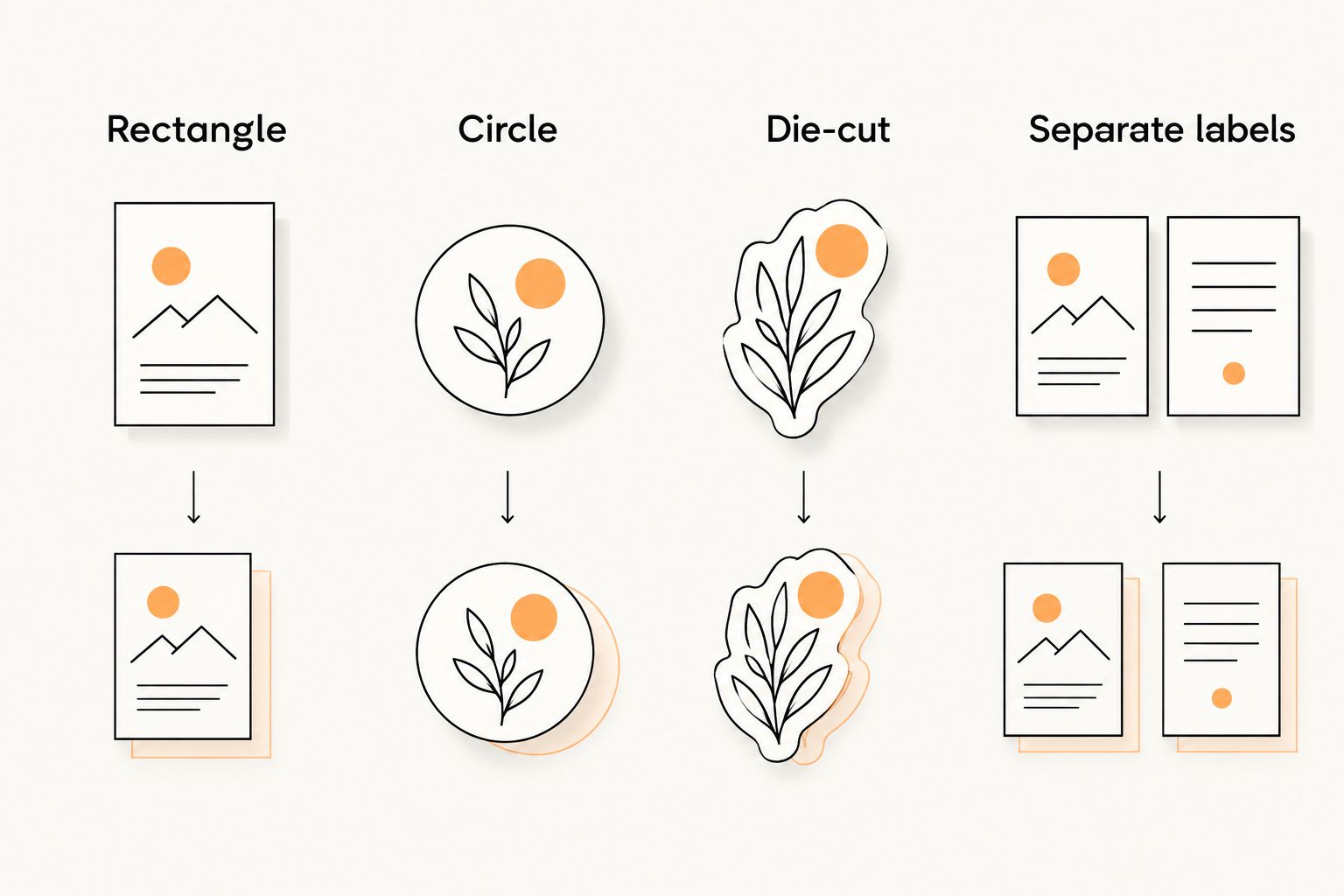
A rectangle is useful when you need rows of text or a defined information panel. A circle suits a compact badge, while a die-cut outline follows the artwork rather than a rectangular boundary. Choose between them by testing the actual content, not by assuming every logo needs its own outline.
For your 2026 label refresh, compare matte and glossy samples under the light where customers handle the product. Glossy surfaces produce reflections; matte finishes reduce that glossy appearance. Neither choice fixes low contrast or undersized lettering.
Ask for the available rectangle dimensions, corner options, materials, and finishes before finalizing the file. Do not infer suitability for moisture, refrigeration, direct food contact, or outdoor exposure from the word vinyl. Those are separate specifications to verify.
- Use a rectangle for an organized information panel.
- Use a circle for a compact branding badge.
- Use a die-cut outline when the artwork shape matters.
- Check finish samples under the intended lighting.
- Confirm material suitability for the actual application.
Prepare separate artwork for each product variant
Build a master layout, then create a clearly named file for each variant. Keep the product name, variant position, and information hierarchy consistent. This makes differences easier to spot during review and reduces unnecessary redesign work.
Use the printer's stated artwork requirements for bleed, safe area, resolution, and cut lines. Do not borrow these settings from an unrelated print job. If the required template is unclear, ask before exporting.
Keep editable source files as well as the files prepared for printing. A flattened preview helps you inspect the appearance, but it is not a substitute for an editable master when a product detail changes.
- Save an editable master layout.
- Create a separate file for every distinct label.
- Use descriptive product and variant filenames.
- Follow the selected printer's artwork specifications.
- Check spelling, symbols, and variant details after export.
Test readability and application on the actual package
A screen preview is not an application test. Print a paper version at the intended dimensions, attach it temporarily, and ask someone unfamiliar with the design to identify the product and variant. If they have to search for the answer, revise the hierarchy.
For physical performance, request a representative sample where available. Test it on the same packaging material under the conditions the product will encounter. Paper mockups establish fit; they do not establish adhesion, moisture resistance, or print durability.
Keep the checks specific. A box stored indoors and a container handled with wet hands do not present the same requirements. Record what you tested rather than calling the label suitable for every environment.
- Read the printed mockup without enlarging it.
- Check the label on a filled package.
- Inspect glare under the intended lighting.
- Test a representative sample on the actual surface.
- Record lifting, wrinkling, smudging, or other observed problems.
Review the proof as a production decision
Treat proof approval as authorization for the exact label shown, not as a quick visual formality. Compare the proof against your product information and order details. Check every variant separately, even when the layouts look nearly identical.
Ask what the proof confirms and what it cannot show. A digital proof helps you review layout and text, but it does not demonstrate real-world adhesion or reproduce every aspect of a physical finish. Keep sample testing separate from artwork approval.
Save the approved 2026 proof with the matching artwork and order record. Confirm whether the stated production interval begins after proof approval, then account for shipping separately. Do not treat production time as the delivery date.
- Match the proof to the correct product and variant.
- Verify dimensions, orientation, and cut boundary.
- Read every line rather than checking only the logo.
- Confirm the selected material, finish, and quantity.
- Save approval records and clarify production versus shipping.
Calculate quantity from usable demand
Start with the number of products you plan to label. If you apply 1 label per unit, your base requirement equals the planned unit count. If you use 2 labels per unit, such as separate front and back labels, calculate demand for each design independently.
Add a deliberate allowance for setup, handling mistakes, and sample packs based on your own operation. Do not copy an arbitrary allowance from another business. Split the total by variant so a popular product does not run short while slower variants leave unused labels.
For a 2026 order, consider whether the artwork is likely to change before the labels are used. A larger batch is not useful if it locks you into an outdated product description or package size.
- Calculate demand for each label design.
- Separate quantities by product variant.
- Include known sampling and packing needs.
- Add an allowance based on recorded application losses.
- Set a reorder checkpoint before stock becomes urgent.
Compare label formats by the job they perform
Choose the format that fits the information and package, not the format that looks most distinctive on screen. The options below address different buying questions. They are layout choices, not a claim that every configuration is offered by a particular printer.
| Option | Best for | Practical advantage | Key limitation |
|---|---|---|---|
| Rectangle | Product names, variants, and information panels | Supports aligned text and a clear reading order | A wide layout can disappear around a curved container |
| Circle | Compact logos and packaging badges | Creates a simple focal point with limited content | The narrowing edges constrain longer text |
| Die-cut | Artwork-led branding and giveaways | Follows the outline of the design | An irregular boundary complicates dense information layouts |
| Separate labels | Products needing distinct front and back information | Keeps the front panel focused | Requires separate artwork, quantities, and application steps |
Use this comparison after measuring your package. A rectangle that fits a flat carton can still be unsuitable for a narrow curved container, and a circle that works as a logo badge can be too restrictive for your product information.
Common mistakes small businesses make with product labels
Approving the logo but overlooking the variant
A correct logo does not make an incorrect product label usable. Compare each variant name and product detail against a controlled reference, not against memory. Keep the approved artwork beside the packing instructions so the correct label reaches the correct product.
Choosing size from the artwork alone
An attractive rectangle on screen can cross a carton fold or wrap important text out of sight. Measure the package first and adjust the artwork to fit. Enlarging the entire design is not a substitute for simplifying a crowded information panel.
Treating material names as performance guarantees
Vinyl describes a material category, not a complete statement of application suitability. Check the actual adhesive, print, finish, surface, and exposure requirements with the supplier. If the packaging has a demanding use condition, test a representative sample before committing to the full run.
Ordering one quantity across unequal variants
Equal quantities are simple to enter but do not reflect unequal product demand. Use your own sales or production plan to allocate labels. Review that allocation when the product mix changes rather than repeating the last order automatically.
Keeping obsolete artwork in the reorder folder
A familiar filename can send an outdated design back into production. Keep one clearly identified approved version for each active product, and archive superseded files outside the reorder folder. Include the package dimensions so a packaging change triggers a label review.
FAQ
What size should custom rectangle stickers for product labels be?
Size custom rectangle stickers for product labels to the usable panel on the actual package. Measure around folds, seams, and closures, then test a paper mockup at full size before finalizing the artwork.
Are rectangle labels better than circle labels for small businesses?
Rectangle labels suit aligned text and product information panels; circle labels suit compact badges. Choose the format that accommodates the required content without making the lettering difficult to read.
Should product labels have a matte or glossy finish?
Choose matte or glossy by comparing samples under the lighting where customers handle the product. Check reflections and text contrast, and verify the finish’s stated suitability for your application separately.
Can I use the same rectangle label on every product variant?
Use the same layout only when each variant still carries its correct product information. Create and review separate artwork whenever the name, contents, instructions, or other required details differ.
Does a digital proof show how the sticker will perform?
A digital proof does not establish adhesion or durability on your packaging. Use it to inspect artwork and order details, then test a representative physical sample for application performance.
How many product label stickers should I order?
Calculate quantity from planned units multiplied by labels per unit, separately for each design. Add allowances based on your own sampling needs and application losses, and consider whether the artwork will change before the batch is used.
Can I order rectangle product labels from Vinylstatus?
Confirm the current rectangle format and specifications with Vinylstatus before preparing the final order. Vinylstatus offers custom printed stickers from customer artwork, but the exact dimensions, material, finish, and application suitability need confirmation for your label.
One last thing
Keep a finished, labeled package alongside the approved artwork as your 2026 reorder reference. The file records what you intended; the physical package shows placement, orientation, and how the information reads after application.
Before repeating a bulk order, compare that reference with the current package and product details. A small packaging change can make an otherwise correct label the wrong fit.