

Custom stickers for seasonal and holiday packaging

Small-business holiday packaging is the use of seasonal artwork on boxes, bags and product wraps to mark an occasion without replacing your everyday packaging. When ordering custom stickers for holiday packaging, prioritize free online proofs and human artwork checks, then choose the size, shape and quantity around your actual packing job.
- Choose custom stickers for holiday packaging around placement, artwork readability and the number of packages you expect to ship.
- Vinyl Status prints custom stickers from your artwork; match the format to the packaging task.
- Keep your core logo reusable and put date-specific artwork on a separate seasonal sticker.
- Approve the proof before scheduling production, and allow separate time for shipping and packing.
Why custom stickers matter for seasonal small businesses
Holiday packaging has a short useful window. A sticker tied to a dated promotion loses its purpose when that promotion ends, while an evergreen logo sticker can remain useful after the campaign.
Vinyl Status is a fit for small businesses ordering custom printed stickers from their own artwork. Use Vinyl Status to explore formats, but settle the packaging job before choosing a shape.
For your 2026 campaign, decide whether the sticker identifies the business, adds a seasonal message or directs customers to an offer. Combining all three jobs in a small space forces you to reduce lettering or crowd the design.
The practical objective is simple: create packaging your team can assemble correctly, with artwork customers can read. Treat leftover seasonal stock, proof revisions and packing effort as ordering decisions—not problems to solve after delivery.
How to plan custom stickers for holiday packaging
Define the sticker's job
Start with your existing packaging and a plain paper sketch. Write down what the customer needs to notice first: your business name, a gift message, a seasonal illustration or a destination linked through a QR code.
Choose one primary job. A logo sticker needs a recognizable mark; a gift-message sticker needs readable words; a QR-code sticker needs space for the code and its surrounding clear area. Those are different layouts, even when they share campaign colors.
For a 2026 seasonal collection, separate the permanent brand elements from the temporary message. You can then revise the occasion without rebuilding the entire design.
- Name the primary job: branding, seasonal message or customer action.
- Identify where the customer first sees the sticker.
- Keep required product information outside the decorative design.
- Decide whether the artwork should remain useful after the holiday.
- Remove any message that competes with the primary job.
Measure the finished package
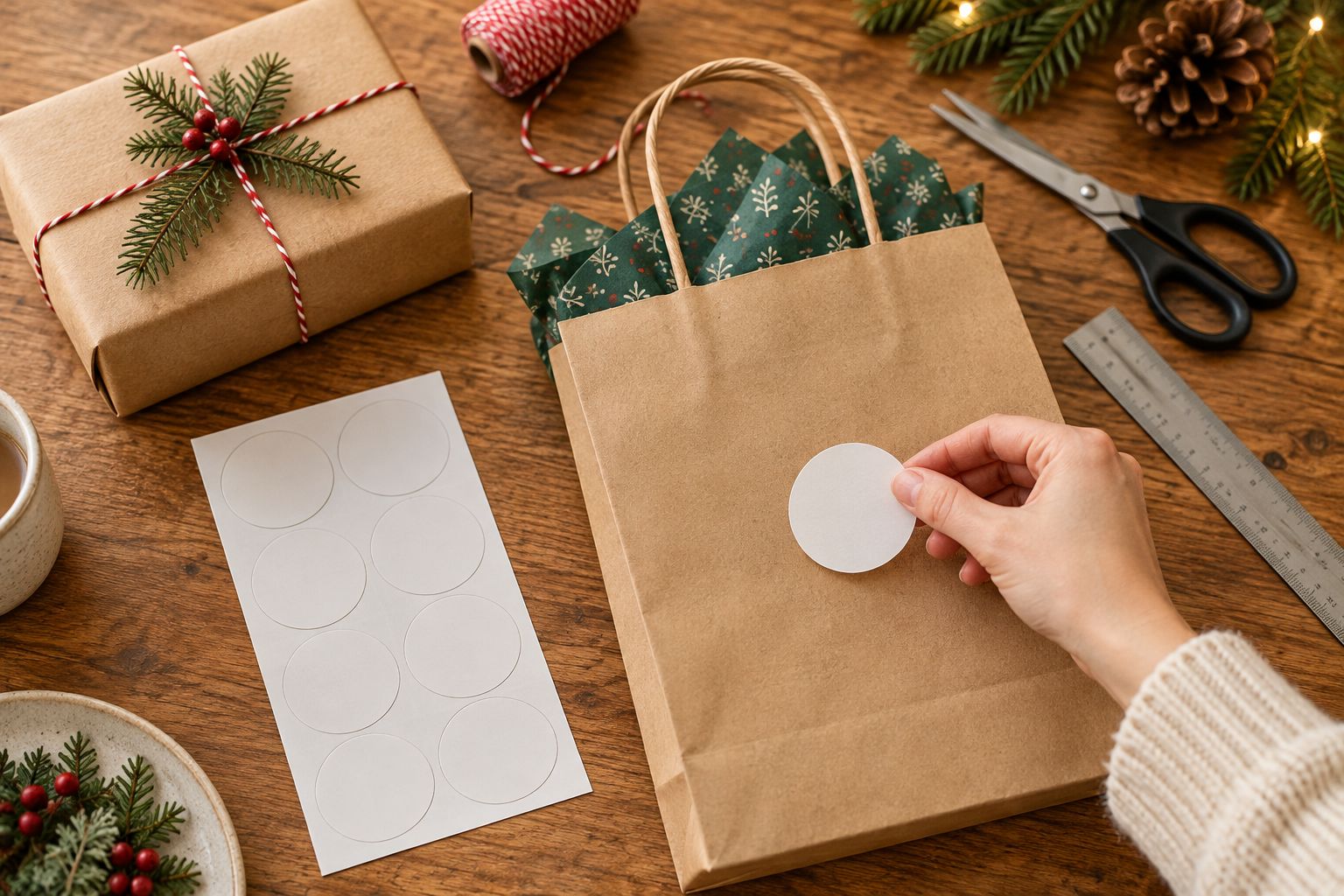
Print 1 full-size paper mock-up before choosing a sticker size. Cut it out and place it on the actual box, bag or wrap—not an empty digital template.
Measure the usable flat area rather than the package's total width. Folds, handles, seams and corners reduce the space available for a readable design. A sticker that looks balanced on a flat bag can disappear into a crease when the bag is filled.
Decide whether the sticker is decorative or must bridge a closure. A decorative placement does not automatically establish that the sticker will hold the package shut. Keep the package's normal closure unless the intended application has been checked.
- Measure the clear application area on a filled package.
- Keep important artwork away from folds and corners.
- Check the mock-up from the customer's viewing position.
- Test the proposed placement on every packaging material you use.
- Record the final dimensions beside the artwork file.
Choose the shape and finish
Use your paper mock-up to compare a simple geometric shape with a contour cut around the artwork. Circle and square layouts provide a clear boundary for a logo or message. Die-cut layouts follow the design's outline and need a deliberate cut line.
Vinyl Status custom stickers include circle, square, die-cut and holographic formats. Select between them using the artwork and placement, not the holiday alone. A seasonal illustration does not require a complicated outline.
For matte versus glossy, compare glare and the appearance of your artwork in the lighting where customers will see it. For holographic artwork, check how the reflective effect interacts with lettering. Confirm the selected product's finish options before preparing a finish-dependent design.
- Choose a circle for artwork composed around a central mark.
- Choose a square when the layout needs defined corners.
- Choose die-cut when the outline contributes to the design.
- Compare finish samples where available before making a finish-critical decision.
- Confirm liner and peeling details if packing speed affects your choice.
Build reusable seasonal artwork
Keep 2 artwork files: an editable master and a separate file prepared for printing. The master preserves your logo, text and seasonal elements; the print file reflects the size and production requirements of the selected format.
For your 2026 artwork, put dates and temporary offer language on separate layers. Better still, leave them off the sticker when the package does not need them. A winter illustration without a dated offer gives you more opportunities to use remaining stock.
If you include a QR code, test the destination before placing it in the design. Preserve the clear area around the code and avoid folds or reflective effects that interfere with a real scan. Test the printed mock-up at its intended size.
- Preserve an editable copy of the original artwork.
- Separate temporary messages from permanent brand elements.
- Check small lettering at the final printed dimensions.
- Follow the selected product's artwork and cut-line instructions.
- Test any QR destination and a full-size printed code.
Review the proof against the package
Use Vinyl Status's free online proofs and human artwork checks to review the proposed order. A proof review is your opportunity to confirm the design before approval; it does not replace checking the physical packaging surface.
Compare the proof with your full-size mock-up. Check dimensions, orientation, cut line, spelling and the position of important artwork. Do not approve a smaller design simply because it looks sharp when enlarged on a screen.
Approve the package fit and the artwork—not just the screen preview. If anything changes after your first review, check the revised proof again rather than assuming only the requested detail changed.
- Match the proof dimensions to your recorded measurements.
- Read every word, including dates and promotional conditions.
- Inspect the cut line around narrow or detailed artwork.
- Check the border and spacing around the main design.
- Assign a named person to approve the final revision.
Calculate quantity and schedule the order
Use planned package demand rather than the largest quantity you can store. Start with confirmed orders and your own seasonal sales records, then account separately for giveaway use, application mistakes and any stock you intend to retain.
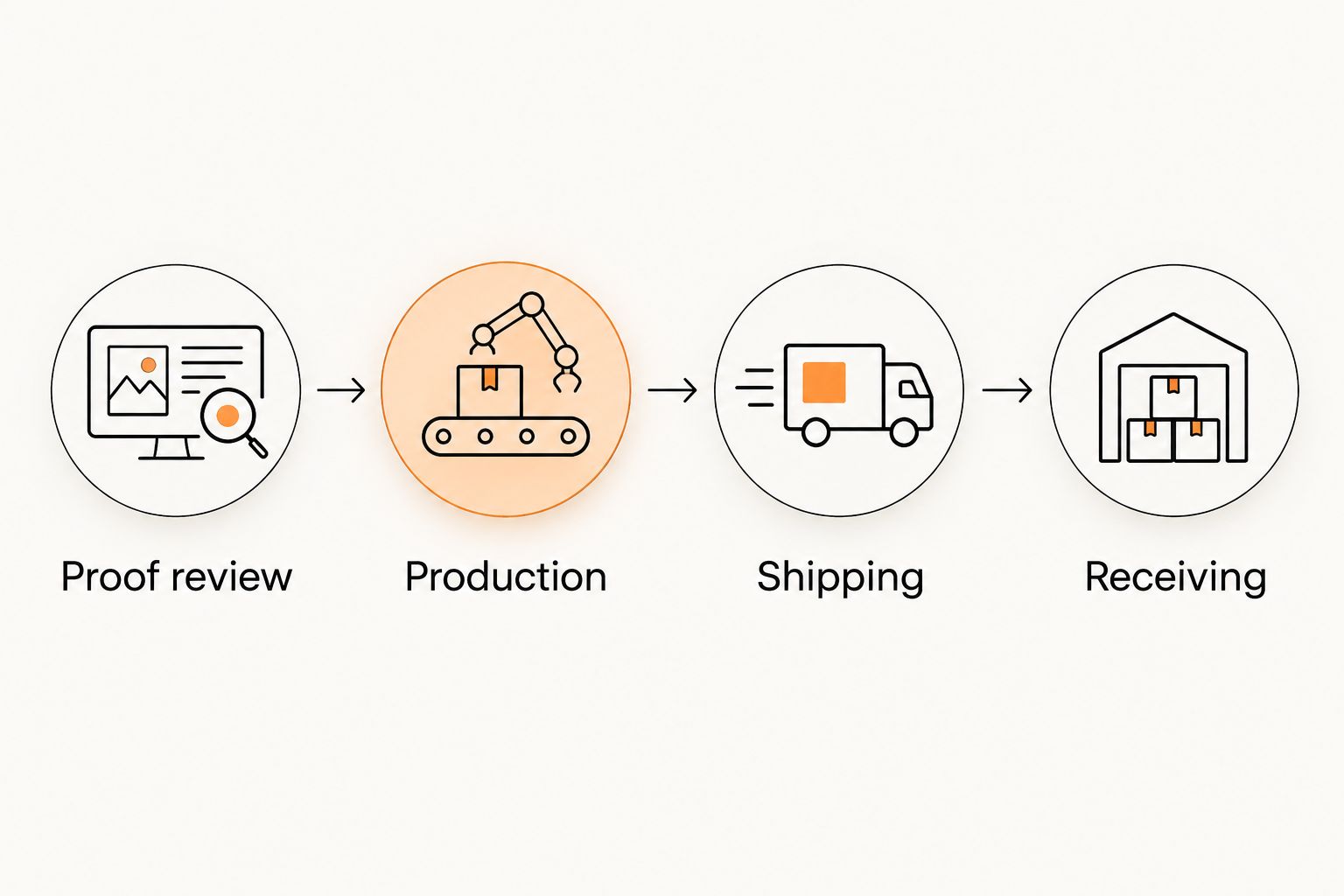
For your 2026 packing calendar, work backward from the date the stickers must be ready at the packing station. Proof review, production after approval, shipping and receiving are separate stages. Confirm the current production estimate for your chosen format rather than treating it as a delivery date.
Record application effort during 1 packing shift if you already use comparable stickers. That observation gives you a practical basis for deciding whether size, placement or liner style creates unnecessary handling. Ask contact questions before approval when a product detail remains unclear.
- Calculate stickers needed from the planned number of packages.
- Add giveaway quantities as a separate line item.
- Choose a deliberate allowance for mistakes using your own records.
- Separate dated stock from artwork suitable for later use.
- Confirm production timing, shipping time and the approval deadline.
Compare sticker options for seasonal packaging
The right format depends on what your artwork needs to do. These are buying criteria, not claims that a particular format performs better on every package.
| Option | Best for | Practical advantage | Key limitation |
|---|---|---|---|
| Circle sticker | Centered logos and short seasonal greetings | Gives a central mark a defined surrounding shape | Long messages compete for space across the circle |
| Square sticker | Structured layouts and text arranged in lines | Provides corners for a clearly bounded composition | Needs placement that keeps the corners away from package folds |
| Die-cut sticker | Illustrations or logos with a meaningful outline | Makes the cut shape part of the design | Detailed edges require careful cut-line review |
| Holographic sticker | Seasonal artwork built around a reflective effect | Adds a reflective element to the printed design | Lettering needs a readability check against the effect |
| QR-code sticker | Campaigns that direct customers to a specific page | Connects a physical package with an online destination | Requires destination checks, clear space and real scan testing |
A QR code describes a function, not a competing cut shape. You still need to choose dimensions and a layout that protects the code's readability.
For matte or glossy finishes, inspect the selected product's options separately from the shape decision. Neither finish fixes undersized lettering, a crowded composition or placement across a crease.
Common holiday packaging mistakes small businesses make
Order dated artwork for every package
A holiday date or offer deadline makes the stock campaign-specific. Keep your regular logo sticker separate when the temporary message does not need to appear on every shipment.
Use dated artwork only where the date serves the customer. Decorative seasonal artwork and promotional terms have different reuse limits.
Choose a size from the screen preview
Enlarged artwork hides small-text problems. It also removes the package context that determines whether the sticker sits comfortably beside a handle, fold or existing label.
Check the full-size mock-up on a filled package before approving dimensions. Repeat that check when you change packaging suppliers or bag styles.
Treat a decorative sticker as a tested closure
A sticker placed across tissue paper or a box flap changes its job. It now has to interact with the surface and the movement of the package, not simply display artwork.
Test the intended application before relying on it. Do not describe the result as tamper-evident or a safety seal without a product specification supporting that use.
Count production time as the whole deadline
Proof revisions happen before approval, while shipping happens after production. A schedule that combines those stages into a single assumption leaves no clear deadline for your own team.
Assign an approval date and a required receiving date. Confirm both against the current order details before committing to a campaign launch.
FAQ
What are the best custom stickers for holiday packaging?
The best fit is the format that keeps your artwork readable on the actual package. Compare circle, square and die-cut layouts with a full-size mock-up, then assess any reflective finish separately.
Should I put the holiday year on my packaging stickers?
Put 2026 on the sticker only when the year communicates something the customer needs. Undated seasonal artwork remains usable without tying the design to that year.
What size should my holiday packaging stickers be?
Choose the size from the package’s usable application area and the artwork’s readability. Cut out a full-size paper mock-up and check it on a filled package before approving dimensions.
Is matte or glossy better for seasonal logo stickers?
Choose matte or glossy by comparing glare and artwork appearance in the intended viewing conditions. Confirm that your selected sticker product offers the finish you want before building the design around it.
Can I add a QR code to a holiday packaging sticker?
Yes, but the code needs a working destination, clear surrounding space and a real scan test at the intended size. Keep the code away from folds and check any reflective effect around it.
How many seasonal stickers should a small business order?
Base the quantity on planned packages, separate giveaway demand and an allowance informed by your own application records. Keep dated artwork separate from designs you intend to use after the campaign.
What should I check on a Vinyl Status proof?
Check dimensions, cut lines, orientation, spelling and spacing before approval. Compare the proof with your package mock-up and review any revised proof again.
Does production time include sticker shipping?
Production time and shipping time are separate parts of the order schedule. Confirm when production begins after proof approval and allow additional time for shipping, receiving and packing.
One last thing
Before approving your 2026 seasonal order, put the artwork beside your everyday packaging and remove the holiday message. If the remaining design still identifies your business clearly, you have separated the reusable brand elements from the temporary campaign.
Keep that reusable version. Your next seasonal order can then change the message without restarting the entire packaging design.