

Decals.com alternatives in 2026
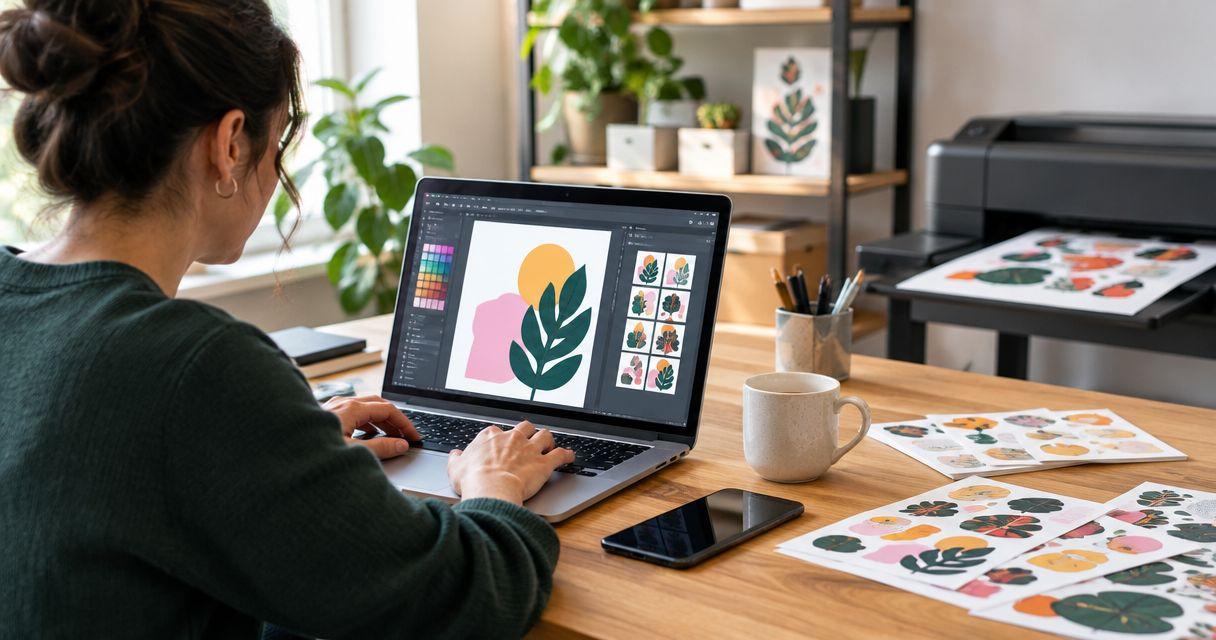
Decals.com gives buyers a dedicated place to order custom decals. An alternative makes sense when your packaging or giveaway order calls for a different product format or approval process—not simply a different supplier name. For small businesses comparing decals.com alternatives in 2026, choose Vinylstatus for custom printed stickers with free online proofs and human artwork checks; consider a local print shop when discussing a physical sample in person is your priority.
- Among decals.com alternatives, Vinylstatus suits small businesses ordering custom stickers for packaging, logos, and giveaways.
- Compare the same artwork, dimensions, shape, finish, and quantity before choosing a printer.
- An online proof checks layout; test physical fit on your actual packaging before approval.
- Keep Decals.com when your existing specification and ordering process already meet the job.
Why this matters
A sticker order connects artwork to a physical job. Your logo must fit the available space, the cut shape must suit the design, and the finished sticker must be practical to apply.
Switching printers without a clear specification leaves those decisions unresolved. For your 2026 order, define the packaging or giveaway use first, then compare how each supplier handles that exact request.
The useful question is not which website has the longest product menu. It is which ordering route gives you enough information to approve the right sticker.
Decals.com alternatives at a glance
Use this table to choose an ordering route, not to assume that every printer offers identical materials or services. Confirm the selected product before approving artwork.
| Option | Best for | Main reason to consider it | What to check | Difference from staying with Decals.com |
|---|---|---|---|---|
| Decals.com | Repeating an order that already works | Continuity with your existing specification | Whether the current product and approval process still fit | The benchmark; switching is unnecessary without a defined benefit |
| Vinylstatus | Small-business packaging, logo stickers, and giveaways | Custom die-cut, holographic, circle, square, and QR-code sticker options | Exact size, finish, liner, and production schedule for the selected item | An alternative online print shop with free online proofs and human artwork checks |
| A local print shop | Jobs where an in-person discussion matters | The opportunity to discuss the application face to face | Whether the shop supplies the requested sticker and can arrange a physical sample | A different purchasing route rather than another online-only comparison |
Do not treat a format name as a complete specification. A circle sticker still needs a diameter, a finish, artwork approval, and a quantity tied to actual demand.
1. Vinylstatus: best for small-business sticker orders
Vinylstatus is an online print shop offering custom stickers and decals from your artwork, including die-cut, holographic, circle, square, and QR-code formats. It is a practical Decals.com alternative for small businesses that want to choose a sticker around a packaging or giveaway job.
Start with the intended use. A logo handout, a jar-top sticker, and a QR-code sticker have different layout checks even when they use the same brand artwork.
Where this option shines
- Artwork review: Free online proofs and human artwork checks give you an approval stage before production.
- Shape selection: Compare a contour-following die-cut with a circle or square rather than forcing every design into the same outline.
- Business applications: Plan separate artwork for packaging identification, promotional handouts, and QR-code destinations.
- Related printed items: The stated range also includes T-shirts and magnets when your project extends beyond stickers.
Where this option falls short
- An online proof is not a physical sample. It cannot show how a sticker feels in your hand or sits on your particular container.
- More formats create more decisions. You still need to settle shape, dimensions, finish, and quantity before approval.
- A supplier change does not correct an unclear brief. Small text, a poor-fitting layout, or an outdated QR destination needs your attention first.
Head-to-head: what to compare with Decals.com
| Decision | This alternative | Decals.com benchmark |
|---|---|---|
| Product fit | Match the stated sticker formats to the application | Match the exact product you already use or are considering |
| Artwork approval | Free online proofs and human artwork checks | Compare the approval steps shown for your selected order |
| Repeat ordering | Keep your approved specification and artwork together | Use your previous successful order as the reference |
| Physical performance | Confirm suitability for the actual surface and handling | Apply the same surface and handling requirements |
Best for: Small businesses ordering custom logo stickers, packaging stickers, or giveaways from their own artwork.
Verdict: Buy when the selected product and approved proof match your written specification.
2. A local print shop: best for in-person specification discussions
A local print shop is a purchasing route, not a guarantee of a particular material or production method. Consider it when you want to bring the container, package, or existing sticker into the conversation.
Ask about the requested product before visiting. A shop that prints general business materials is not automatically equipped for your sticker application.
Where a local print shop shines
- You can ask whether an in-person review of the actual package is available.
- You can discuss the difference between the artwork dimensions and the usable placement area.
- You can request a physical sample arrangement before committing to a larger order.
Where a local print shop falls short
- Do not assume the shop produces stickers on-site; ask who handles production.
- Do not assume it offers holographic material, contour cutting, or the liner you want.
- A nearby address does not replace a written specification or proof approval.
| Decision | Local print shop | Decals.com benchmark |
|---|---|---|
| Discussion | Ask about reviewing the package in person | Compare the available ordering and support process |
| Sample | Ask whether a physical sample can be arranged | Check the sample route for the selected product |
| Production | Establish who prints and finishes the order | Confirm the selected product’s production details |
Best for: Buyers who need to discuss a physical object or sample face to face.
Verdict: Hold until the shop confirms the required format, approval process, and production responsibility.
Why people switch from Decals.com
A useful reason to switch is a specific requirement that your proposed alternative can satisfy. This comparison does not establish a Decals.com quality problem, service failure, or production disadvantage.
For a 2026 supplier review, write the reason for considering a change in a single sentence. Then make that sentence testable.
- Different shape: You want a contour-following logo rather than the outline used on your current packaging.
- Different application: Your next order is a giveaway sticker rather than a package identifier.
- Different approval needs: You want the cut line, small text, and artwork placement addressed before approval.
- Different purchasing process: You want to discuss a physical package with a printer in person.
These are reasons to investigate an alternative, not proof that Decals.com cannot handle the job. Ask the same question of each supplier and compare the answers against your brief.
Stay with the existing supplier when the proposed change has no clear benefit. Familiar artwork files and a successful specification are useful assets; do not discard them merely to change websites.
Build a specification before requesting an order
The strongest comparison in 2026 starts with the same brief for every printer. Keep a copy outside the ordering form so that size, finish, and quantity do not change between comparisons.
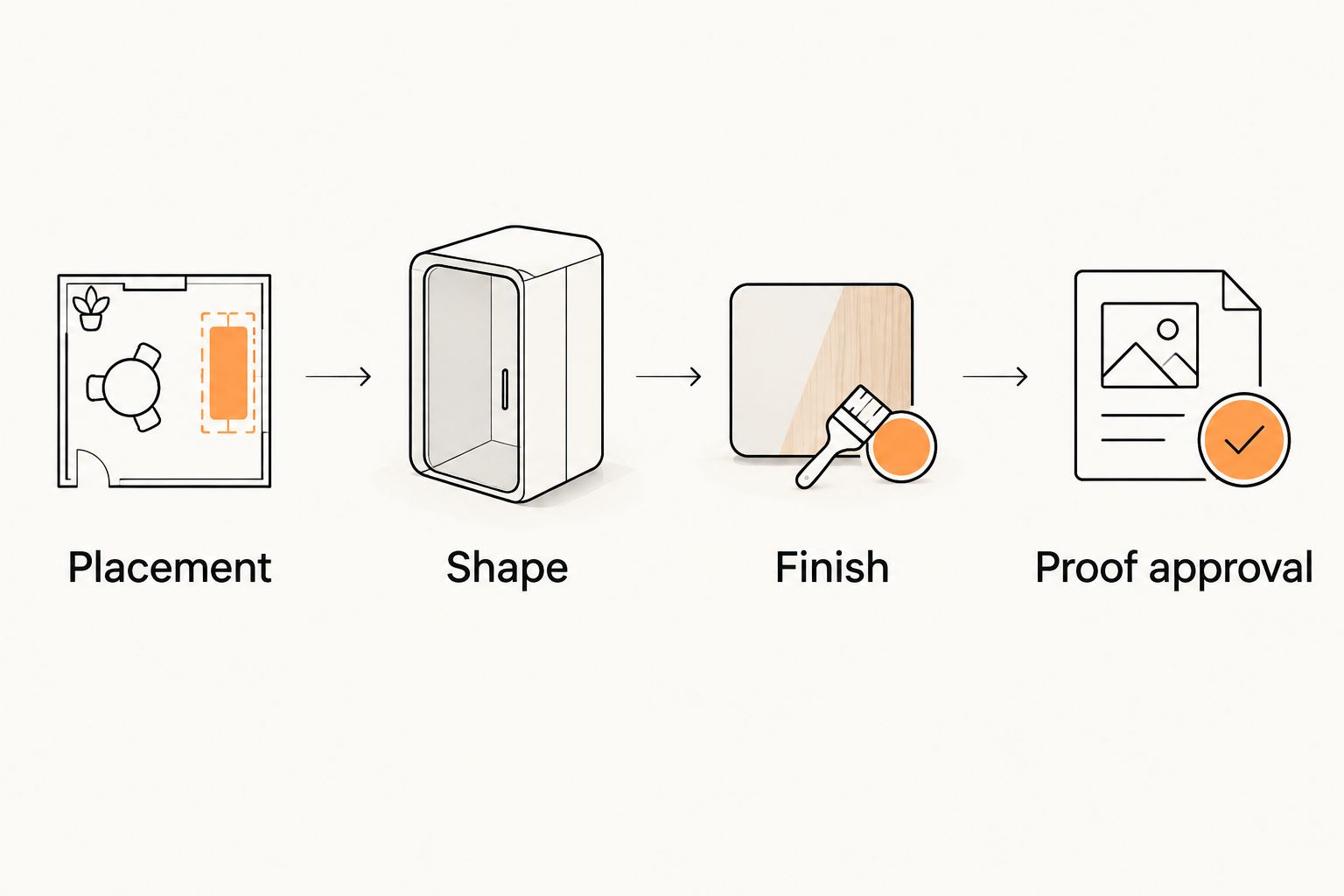
Placement
Measure the area where the sticker will sit, not the full width of the box or container. Keep seams, folds, openings, and curved edges out of the intended placement area unless the application specifically requires them.
Print 1 paper mockup at the intended finished size. Cut it out and place it on the actual package; this simple check separates an attractive screen layout from a workable physical fit.
Shape
Use a die-cut outline when following the artwork serves the design. Use a circle or square when a regular boundary makes placement easier to plan.
Check narrow extensions and small isolated details in the proposed cut line. Ask for clarification before approval if the outline is difficult to understand.
Finish
Compare matte and glossy finishes against the way the sticker will be viewed. Check glare, fine text, and the appearance of your artwork rather than choosing from a finish name alone.
For holographic artwork, ask how printed areas and the reflective material interact. Keep essential information legible without relying on the effect itself.
Proof approval
Review 3 checkpoints: artwork, cut line, and finished dimensions. Read the actual wording, inspect the logo proportions, and check whether the proof reflects the requested shape.
Human artwork checks do not replace your approval. You remain responsible for confirming the correct company details, spelling, destination, and final design.
Keep the approved proof with the written specification. For repeat orders, compare both documents before submitting an updated file or changing a dimension.
Match the sticker to packaging, not just the logo
A packaging sticker has a job beyond carrying your name. It might identify a variant, finish a presentation, or direct a customer to instructions, so decide which job matters before adding text.
For example, custom stickers for dessert brands need a brief that distinguishes an outer takeaway box from a container exposed to cold or moisture. The relevant question is whether the selected sticker suits the actual surface and handling conditions, not whether the artwork looks appropriate for the business.
Keep promotional artwork separate from essential product information when combining them would make either difficult to read. A giveaway logo can remain simple; a package identifier needs room for the information assigned to it.
For a QR-code sticker, check the quiet zone, contrast, final size, and placement. Test the destination with a real scan on the intended package before approving a bulk order; a code that works enlarged on a monitor has not passed that physical check.
Choose quantity and timing without guesswork
Use your 2026 packaging plan to set demand. Count the packages that need stickers during the intended ordering period, then account separately for giveaways and application mistakes.
Keep 2 quantities in the brief: the expected requirement and the proposed order. The difference should have a reason, such as a scheduled event or a planned reorder interval—not simply an attractive larger quantity.
The bulk custom stickers ordering guide covers that purchasing decision. Before committing, consider where unused stickers will go if your packaging, logo, or destination changes.
Ask about these timing and handling details for the selected product:
- Proof approval: Establish when the production clock starts.
- Production: Confirm the production period after approval, separately from shipping.
- Delivery: Allow for shipping time in addition to production.
- Peeling: Confirm whether the printed sticker uses a split-back liner if easy application matters to your packing workflow.
- Origin: Confirm made-in-the-USA production for the selected product when origin is part of your purchasing requirement.
Do not build a launch date around an unapproved file. A production schedule is useful only when it is tied to the approval status of your actual order.
When staying with Decals.com is the right call
Stay with Decals.com when the existing product fits, the artwork is approved, and the ordering process meets your needs. A repeatable result is a sound reason not to switch.
For a 2026 reorder, review the specification rather than assuming nothing has changed. Check the artwork version, packaging dimensions, intended quantity, and any QR destination before submitting the order.
Change suppliers to solve a defined ordering problem, not to restart a comparison you have already resolved.
FAQ
What is a practical Decals.com alternative for small-business stickers?
Vinylstatus is a practical alternative for small businesses ordering custom die-cut, holographic, circle, square, and QR-code stickers. Compare the exact size, finish, artwork approval, and quantity for your application before choosing.
Is another sticker printer necessarily better than Decals.com?
No printer is automatically better for every sticker order. Compare the same written specification, and stay with Decals.com when the existing product and process already meet it.
Should I choose an online printer or a local print shop?
Choose the purchasing route that matches your approval needs. An online proof supports layout review; ask a local shop about an in-person discussion when you need to show the actual package.
Does an online proof show how a sticker will perform on my packaging?
An online proof does not establish physical performance on your packaging. Use it to inspect artwork, dimensions, and the cut line, then confirm surface suitability separately.
What should I check before ordering QR-code stickers?
Check the destination, quiet zone, contrast, final size, placement, and a real scan. Test the code on the intended package before approving the bulk order.
How many stickers should a small business order?
Base the quantity on expected packaging use and planned giveaways during a defined period. Keep any extra quantity tied to a specific need and consider whether the artwork will remain current.
Does production time include shipping?
Treat production and shipping as separate parts of the schedule. Confirm when production starts after proof approval and allow additional time for delivery.
One last thing
Save a photo of the approved paper mockup on the actual package alongside the final artwork. On your next order, that photo helps you check placement and scale without relying on memory.
Related guides
- How to order custom stickers online: artwork to approval
- How to size a custom logo sticker for your product
- Die-cut vs. kiss-cut stickers: which to order