

How custom die cut stickers are made: artwork to approval
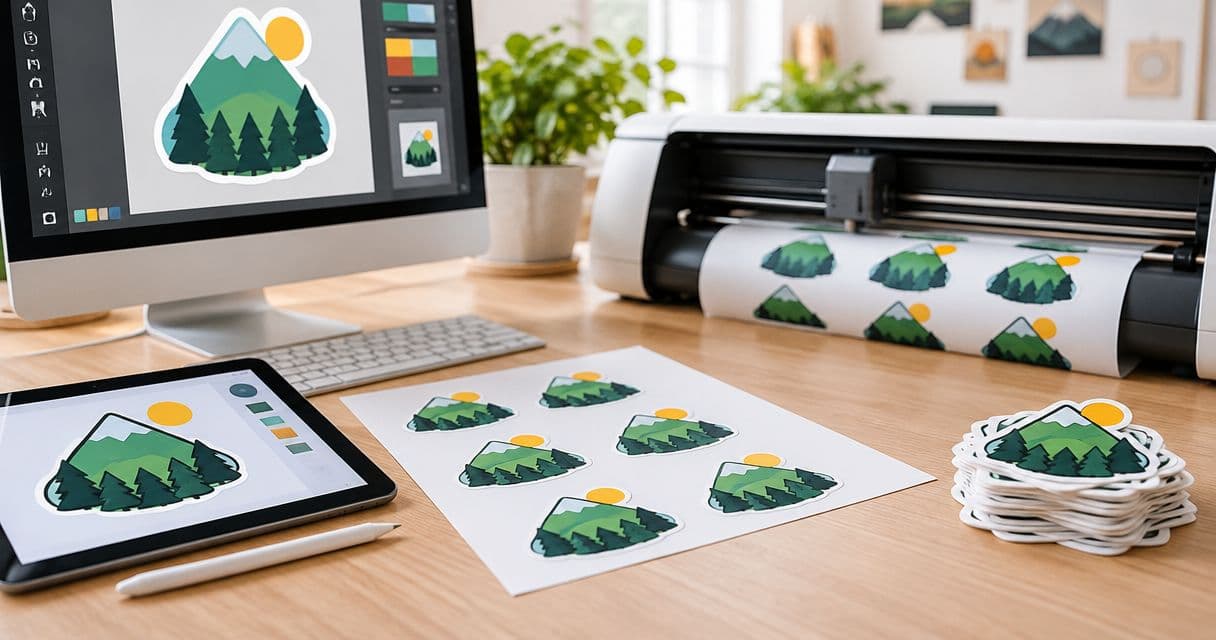
Die-cut stickers are made by preparing artwork, defining a cut line, printing the design on adhesive material and cutting each sticker to its outline. Before production, you approve a proof showing the intended design and shape; that approval does not replace checking the finished size, small text or packaging fit. For a bulk order in 2026, settle those details before approving artwork, not after printing starts.
- How are die cut stickers made? Artwork preparation, proof approval, printing and contour cutting turn your design into individual stickers.
- Vinylstatus fits small businesses ordering custom die-cut stickers from their own artwork.
- Check finished size, cut lines and readable text before approving a bulk sticker order.
- A digital proof checks artwork and placement; it is not a physical sample of the finished sticker.
Why this matters
A logo that works on a screen does not automatically work as a small printed sticker. Thin lettering, tight borders and narrow extensions all need attention before production. A proof is your opportunity to resolve those details while the design is still editable.
Vinylstatus offers custom die-cut stickers from your own artwork, with free online proofs and human artwork checks. Use the proof to make an ordering decision, not just to confirm that the upload arrived. You still need to check your spelling, intended dimensions and actual placement.
How are die cut stickers made?
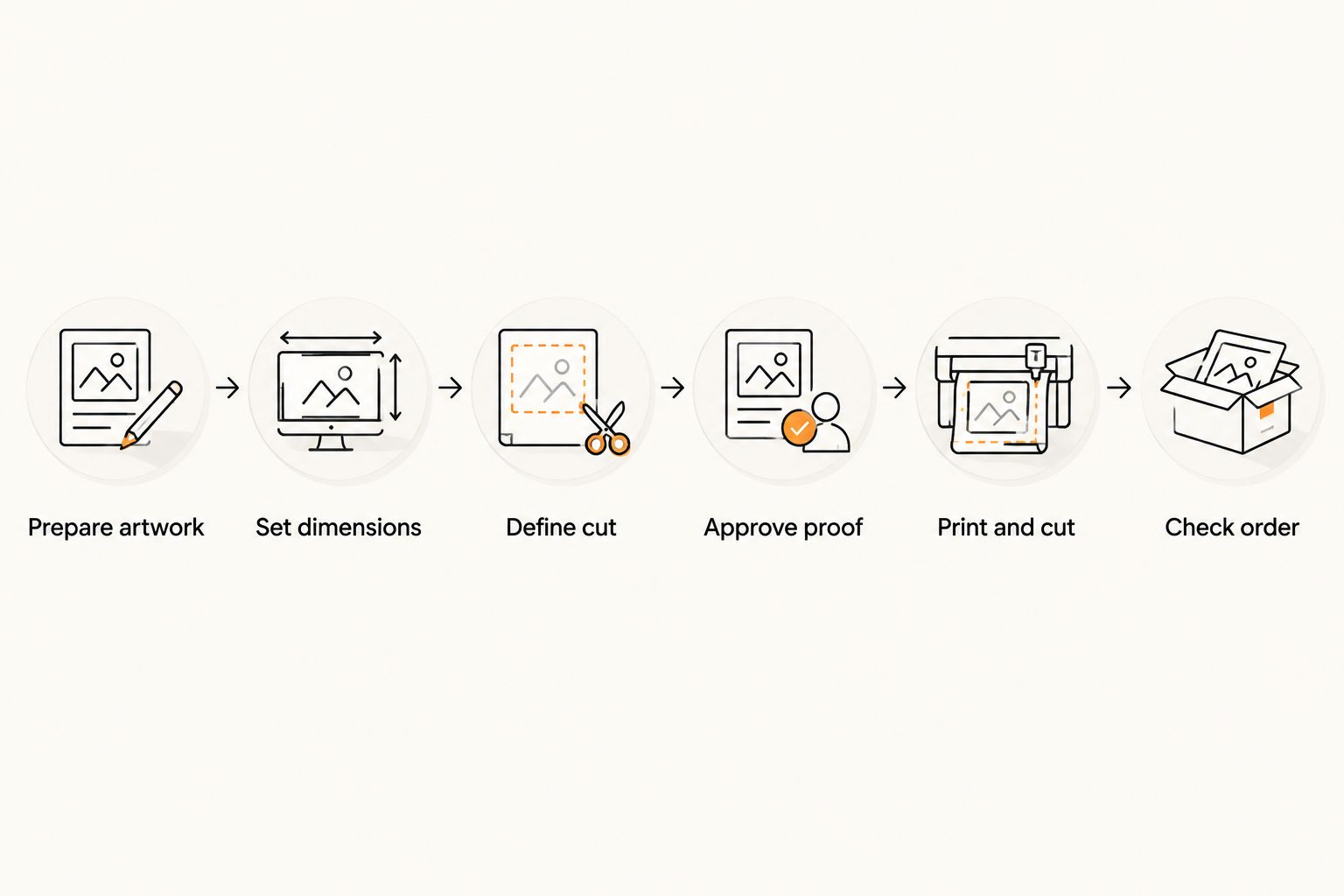
The basic sequence separates artwork decisions from physical production. Equipment and finishing methods differ between printers, but the buyer's main checkpoint stays the same: approve the intended artwork and cut shape before production begins.
1. Prepare the artwork
Start with the original logo or illustration rather than a screenshot taken from a website. Vector artwork preserves clean edges when scaled; raster artwork depends on having enough image detail at the intended print size. Saving a low-resolution image in a different file format does not restore missing detail.
Remove anything that should not appear on the sticker. Check spelling, punctuation and contact details. If the design includes a background, decide whether that background belongs inside the finished shape or should disappear around the artwork.
Approve the design at its intended size, not only at a comfortable screen zoom. A large preview makes small lettering look more readable than it will be on packaging.
2. Set the finished dimensions
Measure the usable area where the sticker will go. A box lid, paper bag and product container each impose different limits. Keep folds, seams, openings and other printed information out of the placement area.
Width alone does not describe every design well. A tall illustration and a wide wordmark can share the same width while occupying very different amounts of space. Check both dimensions and confirm whether the selected measurements refer to the finished sticker outline.
Print a paper mockup at 100% scale and trim it to the intended shape. Place it on the actual packaging. This checks physical fit without treating a paper printout as a material or adhesion test.
3. Define the cut line
The cut line tells production where the sticker ends. It can follow the outside of a logo, trace an illustration or form a simplified silhouette around several design elements. It does not need to follow every tiny feature in the artwork.
Keep essential text and artwork inside the cut line with a safe margin. If color runs to the edge, the artwork needs bleed beyond the intended cut so ordinary cutting variation does not expose an unintended edge. Follow the printer's requirements rather than guessing a universal margin.
A white border and a transparent background are not interchangeable instructions. Make the intended appearance explicit in the proof request, including which areas should print and which should remain unprinted.
4. Review and approve the proof
The proof should make the design, orientation and intended cut shape clear. Check the dimensions alongside the artwork. A proof displayed in a browser is not automatically showing the sticker at actual size.
Use this approval checklist for your 2026 order:
- Artwork: Correct logo version, spelling and contact information.
- Size: Finished width and height match the intended placement.
- Cut line: The outline encloses everything you want to keep.
- Border: The visible margin matches your intended appearance.
- Readability: Small text remains useful at the finished size.
- Orientation: The design faces the right way for application.
Request changes before approving if any detail is wrong or unclear. A proof can show layout and cut intent, but a screen cannot establish the exact look and feel of a physical finish.
5. Print, finish and cut
After approval, production prints the artwork on the selected adhesive material. Finishing depends on the ordered specification; any protective layer or surface treatment belongs to that specification, not to the definition of die cutting itself.
The cutting stage follows the approved outline. For individually die-cut stickers, the cut passes through the sticker material and its backing, producing separate shaped pieces. The term describes the finished cut and does not, by itself, identify the printer's equipment.
6. Check the finished order before use
Compare the finished stickers with the approved design and order details. Check the outline, printed content and intended dimensions before distributing them across a packaging run.
Keep production time separate from shipping time when planning a launch. Proof revisions also happen before approval, so an unresolved artwork question belongs on your schedule. An order deadline needs room for approval, production and delivery—not production alone.
Die cut or kiss cut: which format fits the job?
Die cut and kiss cut describe different cutting results. They do not describe print quality, adhesive strength or outdoor suitability. Those properties depend on the specified material and production details.
| Format | What gets cut | Best for | Practical limitation |
|---|---|---|---|
| Die cut | Sticker material and backing follow the finished outline | Individually distributed logo stickers and giveaways | The shaped backing can offer less spare area to grip |
| Kiss cut | Sticker material is cut while the surrounding backing stays intact | Designs that benefit from extra backing around the sticker | The backing is larger than the peeled sticker |
An individually shaped piece suits a giveaway because the recipient receives the outlined design as a separate item. A larger backing can help when handling a small or detailed sticker. Neither format makes unreadable artwork readable.
For packaging work in 2026, compare the peeling and placement task as well as the appearance. Choose the cut format for how someone will handle the sticker. Then check the liner and supplied format rather than assuming all orders arrive the same way.
Why die-cut sticker artwork requirements vary
The same artwork does not create the same ordering problem at every size or shape. These factors determine what needs attention before approval:
- Finished dimensions: Reducing a design also reduces its lettering, line weight and spacing. Review those elements at actual size.
- Outline complexity: Narrow projections and deep notches create more delicate shapes than a simplified outer contour. Keep detail in the print when it does not need to define the edge.
- Edge treatment: A visible border requires a different layout from artwork that prints to the edge. State which result you want.
- Artwork format: Vector paths and raster images require different preparation checks. Inspect the original file rather than relying on its extension alone.
- Placement surface: A flat box panel and a curved container present different fit questions. Measure the usable area on the real object.
- Handling method: Handing out individual stickers and applying them during packing create different peeling and storage needs. Check the supplied format before ordering.
For a 2026 reorder, compare the new specification with the last approved artwork. A changed logo, smaller package or different outline deserves a fresh review even when the previous order worked.
What should you check before approving sticker artwork?
Check the final dimensions, readable content and cut line before approving sticker artwork. Then compare the proof with the packaging or giveaway use you planned, not just with the file you uploaded.
Keep a short approval record containing the intended dimensions, approved artwork version and placement. This gives the person receiving the order a clear reference. It also prevents a later reorder from starting with an outdated logo file.
Use a practical handoff
If someone else packs orders, let that person handle the paper mockup before approval. Ask whether the placement interferes with an opening, shipping label or required product information. A layout that looks balanced on a flat drawing can still be awkward during packing.
Check peeling separately from print appearance. Confirm whether the ordered sticker has a split-back liner or another peeling aid instead of assuming it does. Backing construction is an ordering detail, not a feature guaranteed by the words die cut.
Do you need a new proof when reordering die-cut stickers?
Review a new proof whenever the artwork, size, outline or specification changes. For an unchanged reorder, follow the printer's approval process and identify the exact previous version you want repeated.
Vinylstatus custom die-cut stickers suit small businesses that already have artwork and need an individually shaped logo or giveaway piece. The trade-off is that a custom outline adds decisions about borders, narrow details and final dimensions; it does not remove them. Keep those decisions documented for repeat orders.
How do you choose a useful bulk sticker quantity?
Choose quantity from the planned use, not from the attraction of a larger order. Separate packaging demand from giveaways, then add only the extras you can explain.
For packaging, start with the number of eligible packages and the number of stickers used on each. If your plan uses 1 sticker per package, the packaging requirement follows the package count directly. Keep event handouts separate so they do not consume stock intended for customer orders.
For a 2026 campaign, record which artwork is temporary and which can remain useful afterward. An event-specific date or message limits reuse. An unchanged business logo gives you a different ordering decision, but it still needs a realistic demand estimate.
FAQ
How are die cut stickers made from my logo?
Die-cut stickers are made by preparing your logo, defining its outline, approving a proof, printing the artwork and cutting through the sticker material and backing. Check the finished dimensions and readable details before approving production.
Do I have to draw the cut line myself?
Follow the printer’s artwork requirements rather than assuming you must supply a cut line. State the outline you want and check the proposed cut carefully in the proof.
Can I use a screenshot for a custom sticker?
Use the original artwork instead of a screenshot whenever possible. A screenshot can lose detail, and changing its file format does not recover that detail.
Does approving a proof mean the colors will match my screen?
Proof approval does not guarantee an exact match to your screen. Displays and printed materials reproduce color differently, so ask about color requirements before approval when a particular color is critical.
Are die-cut stickers better than kiss-cut stickers for giveaways?
Die-cut stickers suit giveaways when you want separate pieces with backing that follows the outline. Kiss-cut stickers retain surrounding backing, which changes handling rather than establishing better print quality.
How can I check sticker size before ordering in bulk?
Print the design at 100% scale, trim a paper mockup and place it on the actual packaging. Check both dimensions; the mockup tests fit, not adhesion or material performance.
Does sticker production time include delivery?
Production time and delivery time are separate parts of the order schedule. Allow time for proof review and revisions before production, then shipping afterward.
One last thing
Keep small decorative details inside a simpler cut outline. A logo can retain its printed detail without making every thin flourish part of the sticker's physical edge. That distinction is easy to miss when you review only an enlarged preview.
Before your next Vinylstatus order, put the approved artwork beside the actual package and your written dimensions. Make the final check at 100% scale, then approve. A clear outline and readable logo serve the order better than a complicated shape that distracts from the business name.