

How to size a custom logo sticker for your product
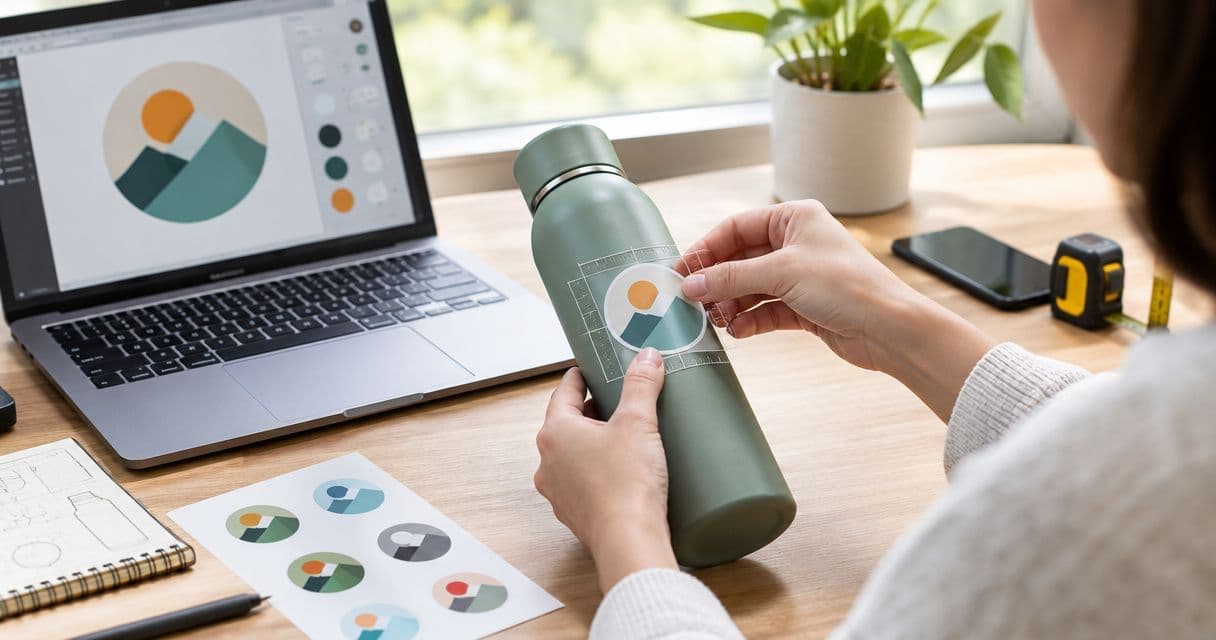
Choose your custom logo sticker size by measuring the usable space on your product, fitting the artwork inside that space, and testing a paper mockup at actual size. Leave room around edges, seams, and required product information, then check the smallest lettering before approving the print proof.
- Choose custom logo sticker size from the usable packaging area, not the dimensions of your artwork file.
- Vinylstatus suits small businesses ordering custom logo stickers from their own artwork.
- Compare circle, square, and die-cut shapes using the same readable logo size, not just the same outer width.
- Print an actual-size mockup and check lettering, placement, and the cut line before proof approval.
How do you size a custom logo sticker for your product?
Use the finished sticker dimensions, the packaging surface, and the readable area of your logo together. A sticker that fits the box can still leave your business name too small to read.
For a 2026 packaging order, follow this sequence before choosing dimensions in the order form:
- Measure the usable area. Exclude folds, seams, openings, and information the sticker must not cover.
- Fit the logo proportionally. Keep the original width-to-height relationship instead of stretching it.
- Check the finished shape. Review the cut line, border, and any narrow extensions.
- Print an actual-size mockup. Cut it out and place it on the real product or package.
- Approve the proof deliberately. Confirm dimensions and artwork together, not in separate checks.
Vinylstatus suits small businesses ordering custom logo stickers from their own artwork. Use the free online proof and human artwork check to review your layout, but make your physical sizing decision before approving it. You can start with Vinylstatus once you have the artwork and intended dimensions ready.
Why this matters
Your sticker size controls more than how much packaging the logo covers. It affects text readability, placement, the amount of surrounding space, and whether the same design works across your packaging.
Ordering a larger quantity does not fix a poor fit. Settle the dimensions first, then calculate quantity from the products, packages, and giveaways that will actually use that size.
Measure the usable surface, not the whole package
Measure the flat area where you intend to apply the sticker. Do not use the full box width if a fold, opening flap, or label occupies part of it.
For bags, inspect the package both empty and filled. A surface that looks flat on the worktable can crease or change shape once the product is inside. For jars and bottles, assess the placement on the curved surface rather than treating the container as a flat rectangle.
Use these checks to define the available space:
- Edges: Keep the intended placement away from corners where the package changes direction.
- Seams: Check glued joins, folded paper, and overlapping packaging material.
- Openings: Decide whether the sticker identifies the package or intentionally crosses an opening.
- Existing information: Keep ingredients, instructions, barcodes, and other necessary details visible.
- Application position: Leave enough flexibility for someone to place the sticker without covering nearby content.
Write down both usable width and usable height. If you only record width, a tall logo or an extended die-cut outline can still exceed the available space.
For your 2026 order notes, record the package version alongside the dimensions. A measurement for an old box is not a measurement for its replacement, even when both packages hold the same product.
Fit the logo without shrinking the useful details
Start with the logo you actually intend to print. A horizontal business name, a circular badge, and a detailed illustration use the same outer dimensions differently.
Size the sticker around the smallest detail you need customers to read. The overall logo can look clear while a tagline, website address, or thin outline disappears into the design.
Check the artwork at the intended finished size, not enlarged on your monitor. Read the business name first, then inspect secondary wording. If you must zoom in to understand essential text, revise the artwork or increase the finished size.
Keep the proportions intact
Resize the logo proportionally. Stretching a wide logo into a square changes the lettering and symbol rather than solving the fit problem.
If the original logo does not fit the available area, use an approved alternate arrangement if your business has one. Otherwise, remove nonessential content or select a different placement. Do not create a new logo arrangement casually during checkout.
Separate identification from extra information
A packaging sticker does not need to carry every business detail. Decide whether its job is to identify your brand, communicate an instruction, or send customers somewhere else.
For a logo sticker, prioritize the business name and recognizable mark. If a tagline makes the required size impractical, consider leaving the tagline off this version rather than reducing every element until nothing reads clearly.
Compare circle, square, and die-cut sticker shapes
The shape changes how much room the logo has inside the finished sticker. Compare each option using the same artwork and the same required text readability.
A circle, square, and die-cut sticker with matching outer widths do not provide identical layouts. Corners, borders, and the cut contour all affect the available design area.
| Shape | Best for | Practical advantage | Sizing limitation |
|---|---|---|---|
| Circle | Round badges and centered logos | Gives a centered design a clear surrounding shape | Wide text must fit inside the curved edge |
| Square | Compact logos and balanced text layouts | Provides corners that can accommodate artwork or spacing | A wide logo can leave substantial unused space above and below |
| Die-cut | Logos with a distinctive outer silhouette | Lets the finished outline follow the artwork | Narrow extensions and irregular edges need careful proof review |
Choose the shape that supports the logo rather than forcing the logo into a preferred shape. A circle is not automatically the right choice for a jar, and a square box does not require a square sticker.
For a 2026 packaging refresh, compare the shapes on the actual package before committing to the full order. Keep the readable business name consistent across the comparison; otherwise, you are comparing different logo sizes as well as different shapes.
Test the size with a paper mockup
A paper mockup answers the physical fit question before you approve production. It does not demonstrate adhesive performance, printed color, or the final finish.
Print the design at 100% scale, also called actual size. Turn off settings that automatically fit the artwork to the page, then measure the printout to confirm the dimensions survived the print settings.
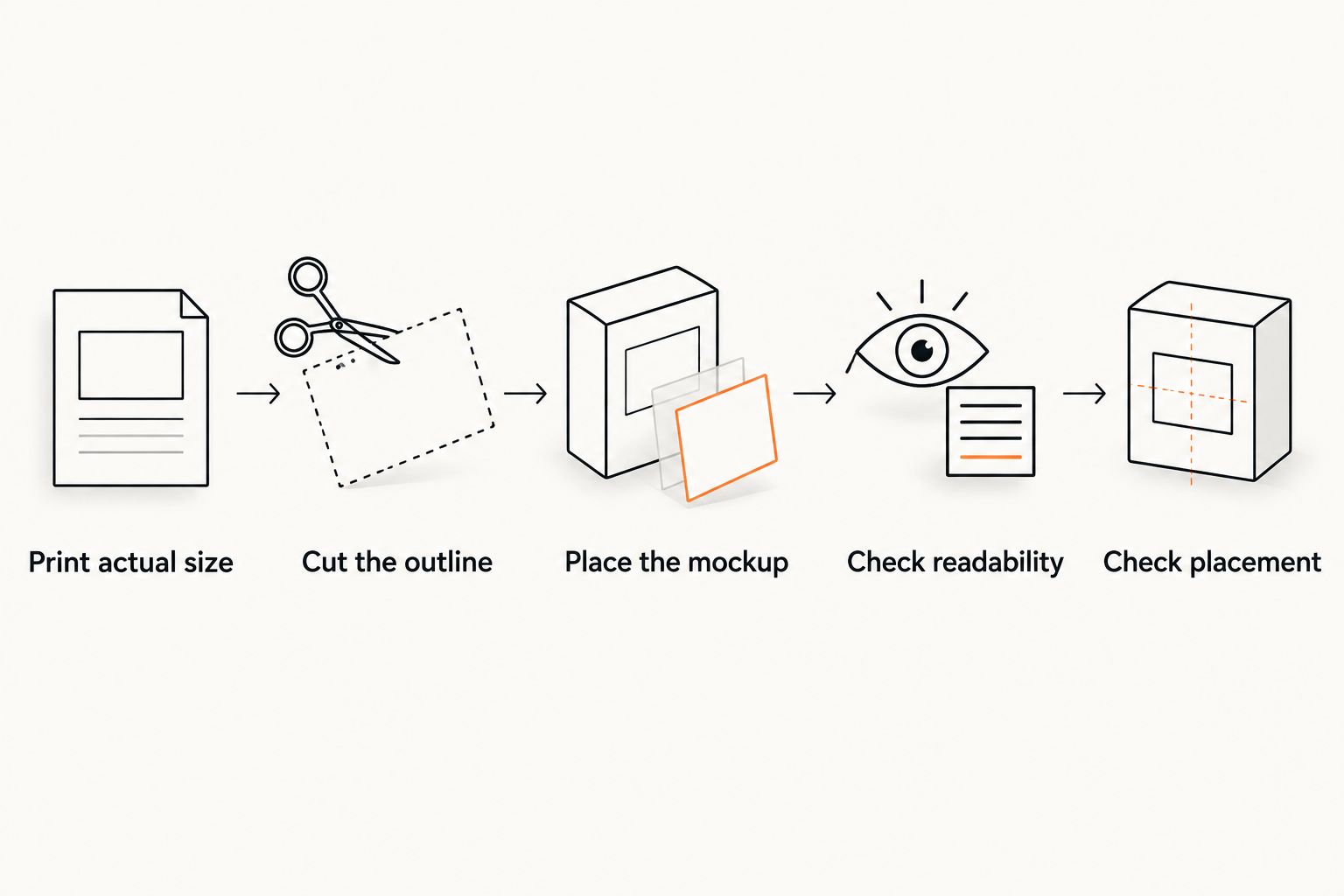
Follow this sequence:
- Print actual size. Include the intended outer boundary so you can evaluate the finished footprint.
- Cut the outline. Remove surrounding paper instead of judging the design inside a full sheet.
- Place the mockup. Position it on a representative filled package without permanently attaching it.
- Check readability. Look at it as a customer would handle or view the product.
- Check placement. Confirm that nearby information remains visible and the outline fits the surface.
Test the mockup on the least forgiving package in the intended group. If the sticker must work on both a roomy box and a narrow bag panel, the narrow panel sets the limit for a shared size.
Ask the person who will apply the stickers to try the placement. A design can fit mathematically yet leave too little room for consistent application during packing.
Check artwork resolution after choosing the dimensions
Choose the physical dimensions first, then assess whether the artwork supports them. Pixel dimensions alone do not tell you how large the sticker should be.
One inch equals 25.4 millimeters. Use that exact conversion when your packaging measurements and artwork settings use different units; do not mistake a millimeter value for an inch value in an order field.
For raster artwork, 300 pixels per inch is a common print-preparation reference, not a stated Vinylstatus file requirement. Effective resolution depends on how many pixels the image has relative to its final printed dimensions.
Enlarging a small raster file spreads the existing pixels across a larger area. Changing the resolution label without adding genuine image detail does not restore sharp lettering or edges.
Vector artwork allows shapes and text outlines to scale without that same pixel limitation. Still inspect any photographs, textures, or other raster elements included inside the file.
For a 2026 reorder, use the original artwork rather than a screenshot of the previous order. Keep the approved file and finished dimensions together so the next person does not have to reconstruct the specification.
Why custom logo sticker size varies
There is no single dimension that suits every business logo and package. These factors determine the useful size:
- Logo proportions: A long wordmark needs a different layout from a compact symbol.
- Essential text: Small secondary wording can set the minimum practical artwork size.
- Placement area: The usable panel matters more than the overall package dimensions.
- Cut shape: A circular boundary and an irregular contour leave different spaces around the artwork.
- Packaging variation: A shared sticker must fit every package assigned to that size.
- Application needs: Placement must work during packing, not just in a carefully arranged mockup.
Change the factor causing the problem. If the tagline is unreadable, changing the finish does not make the letters larger. If the cut outline crosses a fold, increasing artwork resolution does not improve the physical fit.
Can you use the same sticker size on every product?
Use the same sticker size only when the mockup fits every intended placement and the logo remains readable. Standardizing can simplify your ordering and packing, but it should not force a poor layout onto a smaller package.
Group packages by usable placement area rather than by product category alone. Different products can share a sticker size when their packaging offers similar space; similar products can require different sizes when their packaging changes.
Keep a simple specification for each approved size: finished width, finished height, shape, artwork version, and assigned packaging. This makes quantity planning more reliable than a note that simply says to reorder the usual stickers.
Should you choose the finish before the size?
Choose the size and readable layout before making the final finish decision. Matte versus glossy is a separate choice; neither changes the physical height of your letters or the amount of packaging space available.
Review the intended finish alongside the artwork before approval. A paper mockup establishes fit, but it does not reproduce the surface appearance of a finished printed sticker.
If the design contains a QR code, treat scanning as an additional requirement. Preserve the clear space around the code and test the intended printed size rather than assuming a recognizable-looking code will scan.
What should you check before approving the proof?
Approve the proof only after the physical size, artwork, and placement agree. A proof review and a package mockup solve different problems; use both.
For your 2026 approval, check:
- Finished width and height, including the unit of measurement.
- Correct logo version and spelling.
- Readability of essential wording at actual size.
- Cut line and any border surrounding the design.
- Clearance around narrow artwork details.
- The package or product assigned to that size.
Keep the approved proof with the order specification. Vinylstatus offers custom logo sticker formats, but the useful choice starts with your package measurements and readable artwork—not with selecting an arbitrary dimension.
FAQ
What’s the best custom logo sticker size for product packaging?
The best custom logo sticker size fits the usable packaging area while keeping essential logo details readable. Measure the placement, then test a cutout at actual size before approving the proof.
Should I measure my sticker in inches or millimeters?
Use either inches or millimeters, but keep the units consistent throughout the order. One inch equals 25.4 millimeters; confirm the unit shown beside every dimension field.
Does a circle sticker fit the same logo as a square sticker?
A circle sticker and a square sticker do not give the same layout space at matching outer widths. Compare both with the same readable logo size and inspect the space near the boundary.
Can I make my existing logo file bigger for printing?
You can enlarge the layout, but raster artwork does not gain genuine detail simply because you increase its dimensions. Use original artwork and check its effective resolution at the intended finished size.
How do I print a sticker mockup at the correct size?
Print the mockup at 100% scale or actual size, with automatic fit-to-page settings turned off. Measure the printout before cutting it out and placing it on your packaging.
Can I approve the proof without testing the sticker on my package?
A proof does not replace a physical fit test. Check the artwork in the proof and use a paper mockup to confirm placement, clearance, and readable size on the package.
One last thing
Test placement with the package filled and ready to hand to a customer. Empty packaging can hide the folds, bulges, and curved surfaces that determine whether your chosen sticker size actually works.
Save the successful mockup with its dimensions written on the back. It gives your packing team a physical reference and makes the next reorder easier to check.