

QR code stickers for real estate agents: complete 2026 guide
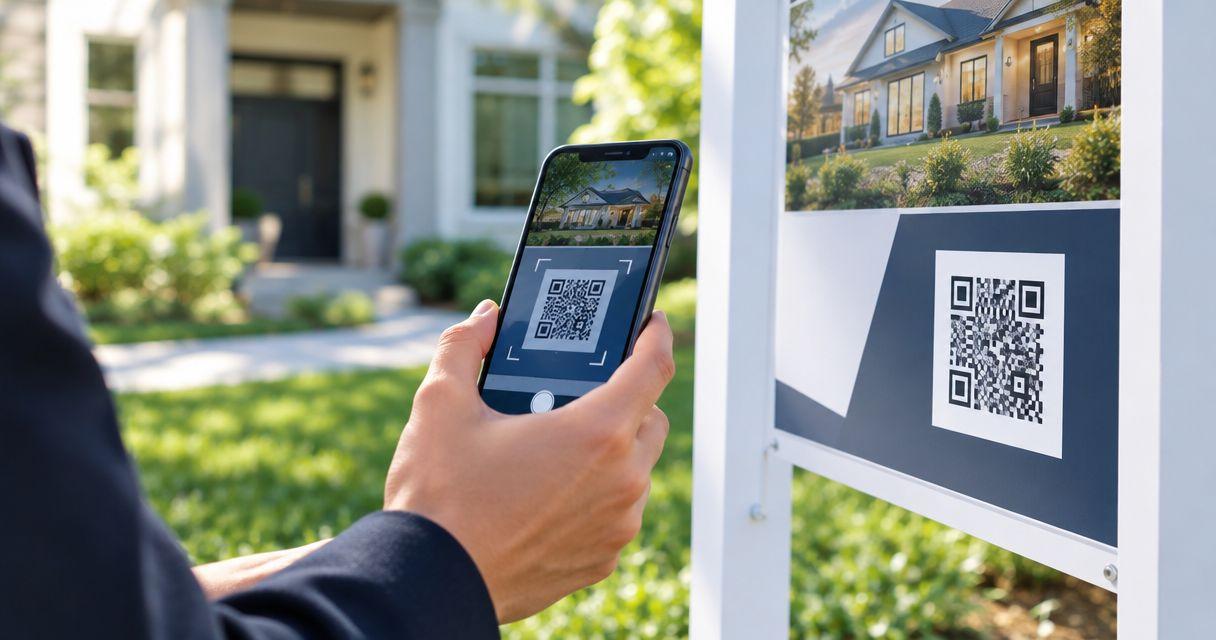
Real estate agents’ QR code stickers are printed links that connect property signs, brochures, and handouts to listing details or contact pages, with the aim of turning offline interest into inquiries. For a 2026 order, start with the destination and proof review: the code must remain useful when a listing changes, scan at its actual printed size, and fit the surface where you will apply it.
- QR code stickers for real estate agents need a maintained destination, readable artwork, and a real scan test.
- Vinylstatus suits agents ordering custom QR-code stickers from their own artwork.
- Use property-specific destinations for listing details and evergreen destinations for reusable agent materials.
- Approve the printed size, quiet zone, placement, and destination before ordering a bulk quantity.
Why QR code stickers matter for real estate agents
A property listing has a lifecycle; a printed sticker does not update itself. Your ordering decision must account for what buyers see during the listing, after an offer, and after the property leaves the market.
That makes destination ownership more important than decoration. Choose a page you can maintain before choosing the sticker’s shape or finish. A reusable agent page and a property-specific page solve different problems.
Vinylstatus accepts customer artwork for custom QR-code stickers. You still need to supply the correct code, decide where it leads, and test the complete layout before approval.
For your 2026 campaign, define success as a useful next action: viewing property details, requesting a showing, or contacting your office. A scan alone does not establish that someone became a qualified inquiry.
How to plan and order real estate QR code stickers
1. Match the destination to the buyer’s next action
Start manually: open the proposed destination on your phone and complete the action you expect a buyer to take. Do not send someone scanning a property brochure to a homepage that makes them search for the address again.
For listing materials, show the relevant property first. For reusable folders or agent introduction cards, use a maintained contact or agent page instead. Keep the printed instruction specific, such as viewing photos or requesting a showing, without promising content the page does not contain.
Consider what happens when someone finds the brochure later. An outdated listing should not leave a visitor at an unexplained error page.
- Identify the single action each sticker supports.
- Open the destination without signing into your account.
- Check the address, property status, and contact details.
- Confirm that forms work on a phone.
- Assign someone to update the page after a status change.
2. Choose between a fixed link and a managed redirect
A QR code containing a direct property URL keeps the route straightforward, but the printed code continues pointing to that address. If you remove the page, the sticker cannot repair the destination.
A redirect you control lets you change where visitors land without changing the printed pattern. The trade-off is maintenance: you must retain control of the redirect address and any account or domain it depends on.
For a 2026 listing campaign, write down who owns the destination before distributing materials. Do not assume a code generator account belongs to the brokerage merely because an employee created it.
Use a maintained destination for materials you intend to reuse across properties. Reserve address-specific artwork for materials tied to that address.
- Record the exact URL encoded in the artwork.
- Confirm who controls the destination or redirect.
- Document how to change the landing page.
- Decide what visitors should see after the property sells.
- Test the route while signed out of management accounts.
3. Build the artwork around the code
Create a plain layout before adding branding. A standard QR code needs an unobstructed quiet zone at least four modules wide on every side; a module is one of the small squares in the pattern.
Keep the code dark against a light background. Do not run a border, agent photograph, logo, or cut line through its quiet zone. Avoid placing a logo over the pattern simply because the unmodified version scanned successfully.
Vinylstatus lets you order custom QR-code stickers from supplied artwork. That ordering route does not replace preparing a working code: approve the exact arrangement you intend to print, including the instruction and surrounding space.
Keep a separate master file containing the destination and final artwork so another team member can manage a reorder.
- Use a clean code export rather than a screenshot.
- Preserve the code’s square proportions.
- Keep the quiet zone clear of every design element.
- Add a short instruction outside the quiet zone.
- Include a readable contact alternative when space permits.
4. Size the sticker for its actual placement
Measure the usable surface before choosing dimensions. A sticker on an open-house handout is a different scanning task from a sticker on a sign viewed from farther away.
Make paper mockups at 2 inches and 3 inches wide to compare the complete layout. These are planning examples, not guaranteed scan sizes. The code’s density, the viewing distance, the phone, the light, and the printed result all affect the test.
A square outer shape leaves a straightforward area for a square code. A rectangle can accommodate an instruction beside or beneath it. A die-cut outline must still leave the entire quiet zone intact.
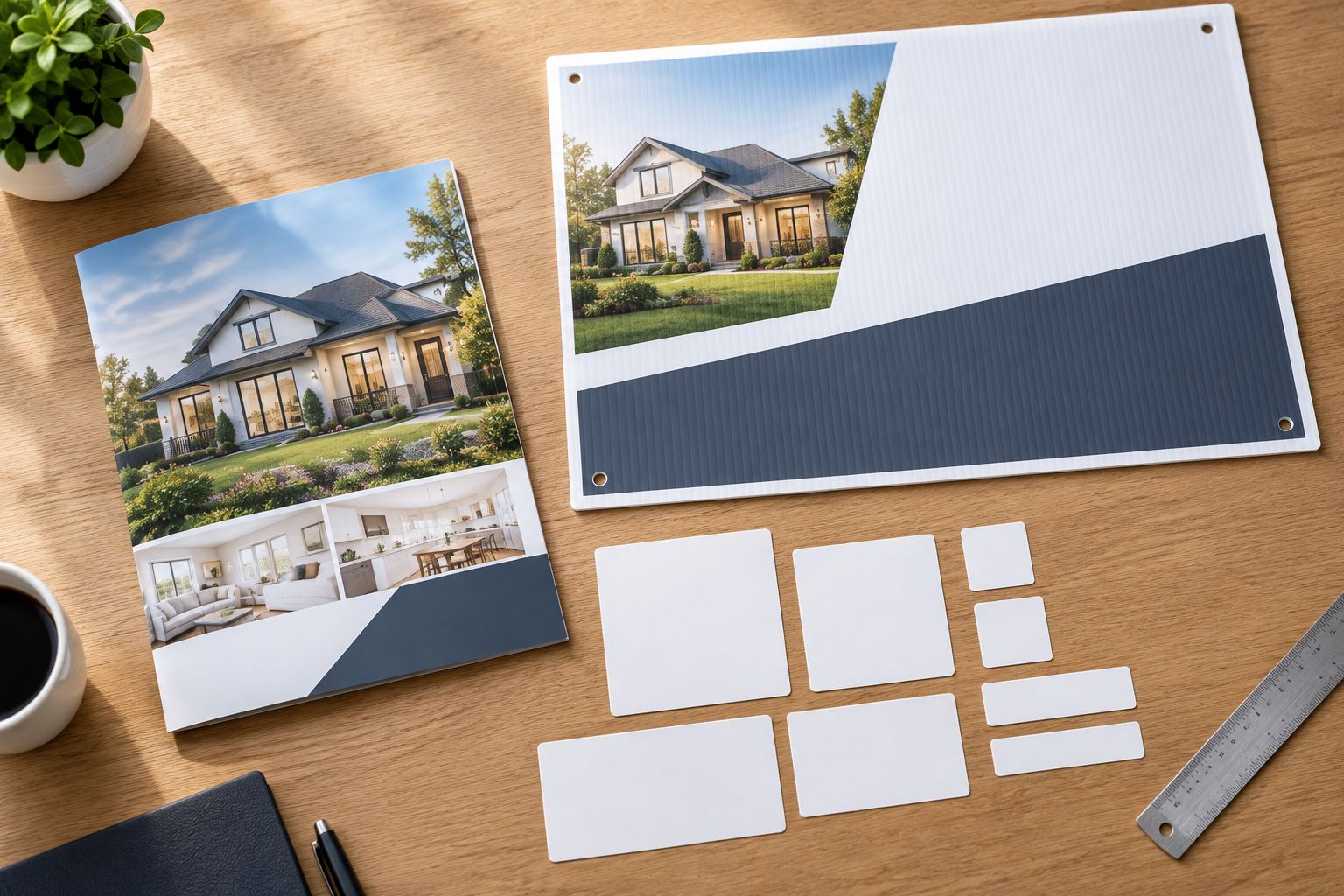
Test the mockup where the finished sticker belongs, not just flat on a desk. A crease, narrow border, or mounting bracket can make an otherwise usable layout impractical.
- Measure the flat area available for the sticker.
- Keep the code away from folds, edges, and hardware.
- Compare the layout at actual size, not screen zoom.
- Leave room for a short scanning instruction.
- Confirm that placement does not cover required sign information.
5. Match the finish and material to the surface
Separate indoor handouts from outdoor signs in your order plan. A sticker used on a folder does not establish suitability for rain, sun exposure, or a textured sign panel.
Ask about the exact material and finish for your intended placement. Glossy surfaces can produce reflections; matte appearance alone does not guarantee a successful scan. Test the finished arrangement under the light in which someone will use it.
For outdoor placements, distinguish waterproof versus regular stickers before deciding what to order. Water resistance, adhesion to your surface, and readable contrast are separate checks.
Also consider removal. Do not assume the sticker will peel away cleanly from a reusable sign unless that behavior is confirmed for the material and surface.
- Identify the actual surface material and texture.
- Separate indoor and outdoor applications.
- Check for glare at the intended viewing angle.
- Confirm application and removal requirements before ordering.
- Keep the code on a flat, unobstructed panel.
6. Review the proof and test the complete route
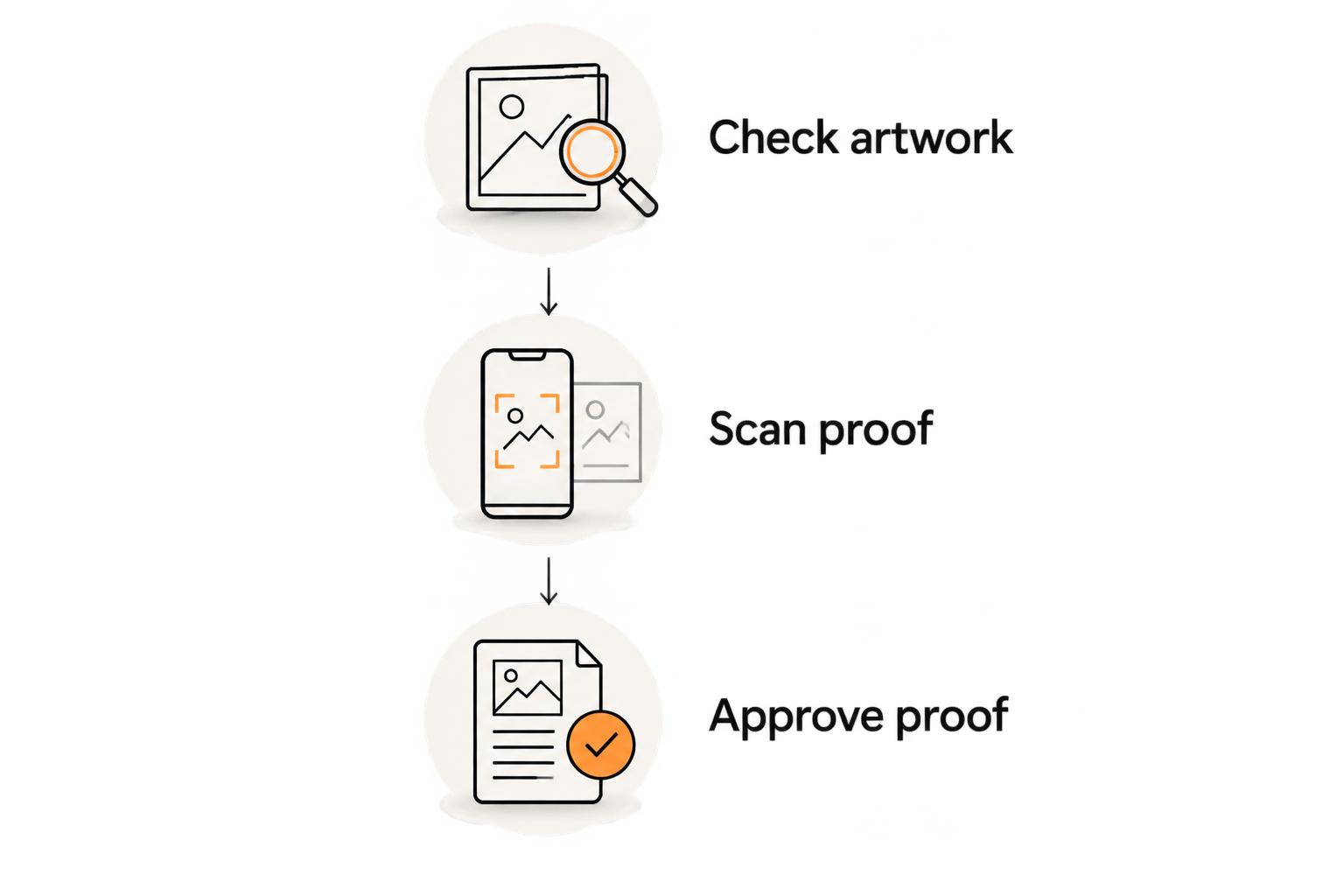
Proof approval is your checkpoint for the printed layout, not just spelling. Request a free online proof and human artwork check, then review the code, dimensions, cut line, and surrounding artwork together.
Vinylstatus QR-code sticker orders still need your destination check. An artwork review cannot decide whether a particular property page or showing form is the right business destination.
Use the artwork-to-approval ordering guide to organize the handoff. Print the proof at actual size and scan it; after delivery, repeat the test on the finished sticker in its intended position.
For a 2026 event deadline, distinguish production after proof approval from shipping time. Confirm both schedules for the actual order rather than treating approval day as dispatch day.
- Check artwork: verify dimensions, contrast, quiet zone, and cut line.
- Scan proof: test the actual-size layout with different phones.
- Follow destination: open the page and submit a test inquiry.
- Approve proof: save the approved file and destination record.
- Inspect delivery: scan finished stickers before applying the batch.
7. Calculate quantity from placements and listing turnover
Count where stickers will go before selecting a bulk quantity. As a planning example, 6 properties with 20 stickered brochures each require 120 stickers before any additional placements. Replace those figures with your actual distribution plan.
Do not apply that total to one property-specific design unless every brochure uses the same destination. Separate quantities by artwork version, property, and destination type so unused inventory does not become obsolete when a listing changes.
Keep sticker production separate from lawn sign printing costs when planning sign updates: a sticker changes the scan destination or instruction, while a replacement sign changes the wider printed message. Confirm which problem needs fixing before choosing either approach.
For your 2026 reorder record, save approved dimensions, artwork, destination ownership, and quantities used. Actual usage is a better starting point for the next order than the quantity you originally guessed.
- Count brochures, folders, signs, and event handouts separately.
- Split property-specific and reusable artwork into separate totals.
- Add extras only for a defined use or replacement need.
- Record unused stickers when a listing changes status.
- Base the next order on distribution and remaining inventory.
Compare QR sticker approaches for real estate
Choose the destination approach before committing to the batch. Each option solves a different inventory problem, and each leaves you with a maintenance responsibility.
| Option | Best for | Practical advantage | Key limitation |
|---|---|---|---|
| Property-specific stickers | Brochures and signs for one address | Sends visitors directly to the relevant listing | Remaining stickers depend on keeping that property destination useful |
| Evergreen agent stickers | Reusable folders, introductions, and giveaways | Keeps the printed message relevant across listings | Visitors still need a clear route to the property they want |
| Redirect-managed stickers | Campaigns requiring destination changes | Lets the owner change the landing page without reprinting the code | Requires continued control and maintenance of the redirect |
None of these approaches fixes weak placement or unreadable artwork. A maintained link and a scannable printed layout are separate requirements.
Common mistakes real estate agents make
Printing the property address into every reusable item
An address-specific sticker suits that listing, not every folder in your office. Keep reusable agent materials separate from property-specific batches so a sold listing does not strand otherwise usable supplies.
Treating a successful screen scan as print approval
A large code on a bright monitor is not the finished sticker. Test the actual-size proof, then test the delivered print on the brochure or sign where buyers will encounter it.
Ordering outdoor placements without checking the surface
A smooth folder and a textured sign panel are different applications. Confirm the intended surface, exposure, finish, and removal expectations rather than treating every vinyl sticker as interchangeable.
Sending every scan to a gated form
If the printed instruction promises property photos, show those photos at the destination. Make the next action clear without asking visitors to complete an unrelated process before receiving what the sticker promised.
Measuring scans instead of the intended outcome
Keep scan activity separate from showing requests or contact submissions. Where your destination supports measurement, record the completed action as well as visits; otherwise, you cannot distinguish curiosity from the inquiry the sticker was meant to support.
FAQ
What should a real estate QR code sticker link to?
A real estate QR code sticker should link to the page that fulfills its printed instruction. Use the relevant listing for property details or a maintained agent page for reusable contact materials.
What size QR code sticker should I put on a property sign?
Choose the size by testing the complete layout at the intended viewing distance. There is no single size that guarantees scanning across different code densities, phones, lighting conditions, and sign placements.
Can I change the listing after printing the QR code?
You can change the landing destination if the printed code uses a redirect you control, or update the content at the encoded address. A printed code containing a fixed URL does not change its encoded address.
Should I use matte or glossy QR code stickers?
Choose the finish by checking readability under the intended lighting. Reflections can interfere with scanning, but a matte finish does not replace testing the actual printed code and placement.
Can Vinylstatus print QR-code stickers from my artwork?
Vinylstatus accepts customer artwork for custom QR-code stickers. Prepare the working code, preserve its quiet zone, and review the complete layout before approving the order.
How many QR stickers should I order for an open house?
Count the brochures, signs, folders, and other items you actually plan to sticker. Keep address-specific quantities separate from reusable agent materials and add extras only for a defined need.
Does scanning a proof mean the finished sticker will work?
Scanning a proof checks that version of the layout, not every condition of the finished placement. Scan the delivered stickers again after application, including in the light and position buyers will encounter.
One last thing
Keep one finished sticker with the approved artwork record, and write down where its destination is managed. This creates a physical reference for reorders and gives the next person responsible for the listing a way to test the complete route.
Before distributing a fresh batch, scan an older sticker too. The print can remain readable while the destination becomes outdated. Maintaining the page is part of maintaining the sticker campaign.
Related guides
- QR code stickers for retail packaging, reviews, and reorders
- Die-cut versus kiss-cut stickers: which to order