
2-day turnaround
Production after proof approval.
Full-color transfers. Just your design.
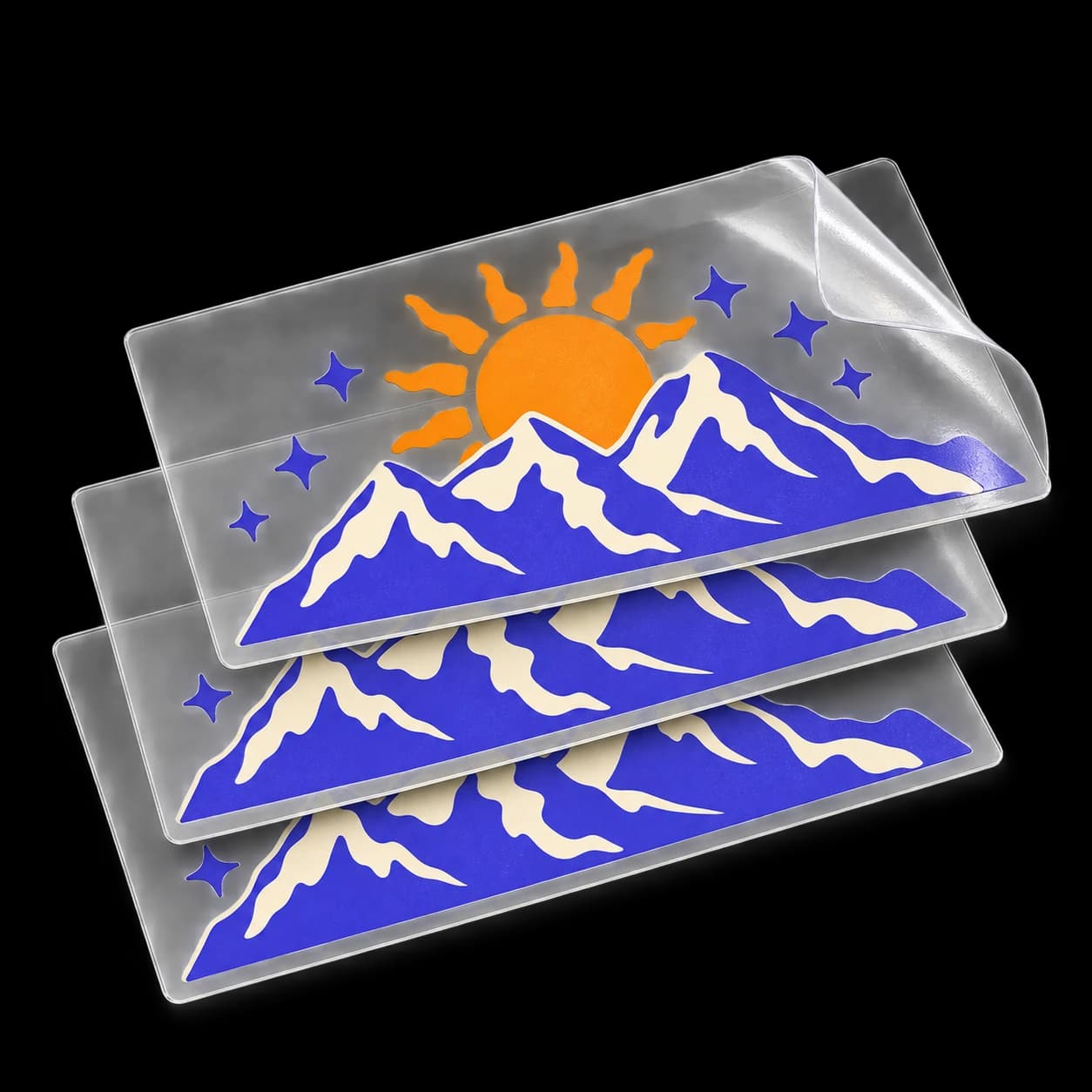
Your artwork arrives aligned on transfer film. Product mockup.
Loading size and quantity options…
Production after proof approval.
Review your design and request changes before we print.
The clear transfer film peels away.
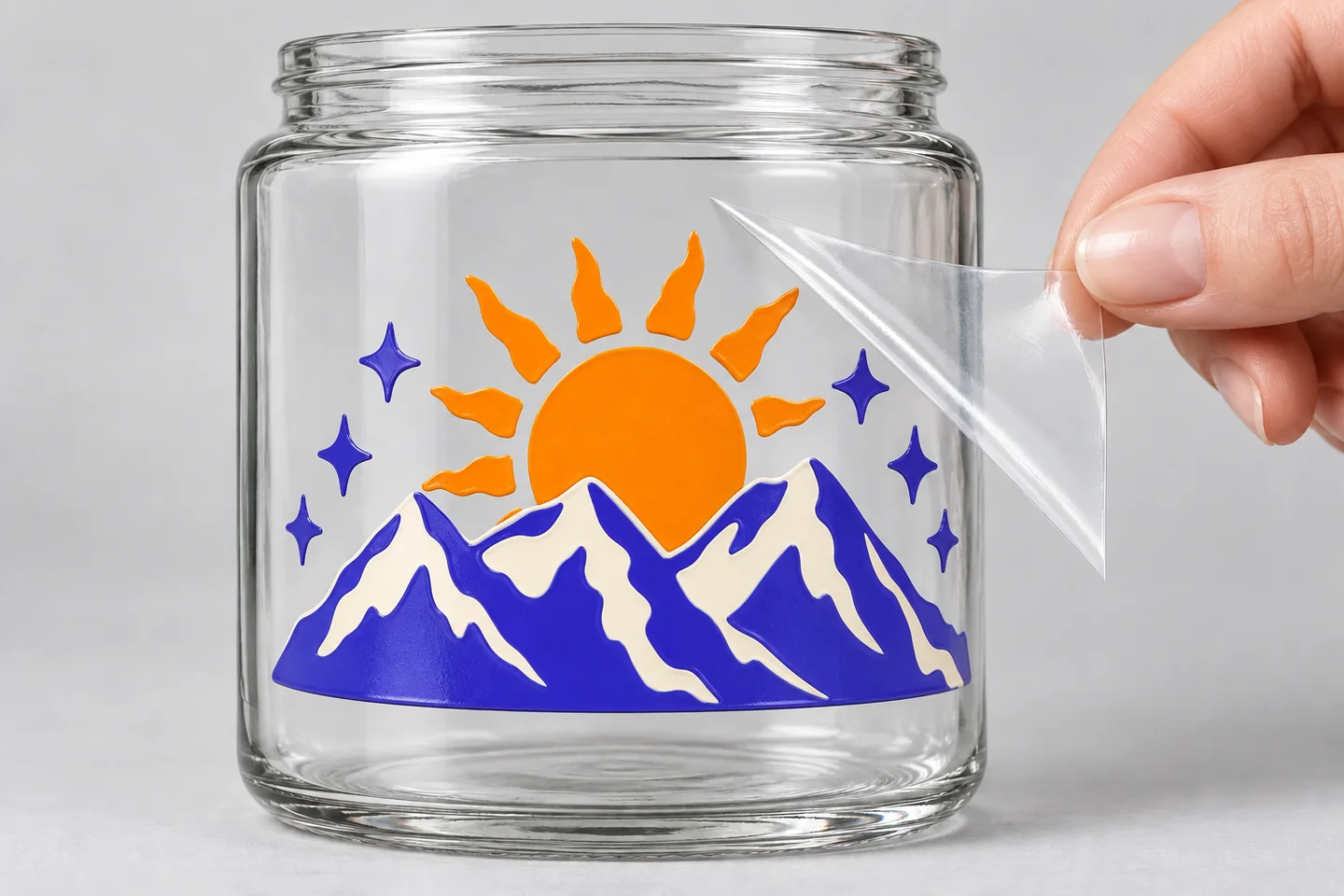
Remove the backing and position your transfer on a clean, dry, smooth hard surface. Rub firmly over every detail, then slowly peel away the clear film. Your artwork stays in place, with open space between the printed shapes.
Premium materials. Included as standard.
4.91 / 5 · 5,970 reviews across all products and store experiences · Powered by Yotpo
Showing saved reviews while the latest reviews reconnect.
Loved the magnets I got. Great deal too.
Vinyl Status · Store reviewHighly recommend!! I have been a customer for a while and they always deliver as promised
Vinyl Status · Store reviewFantastic as always. Quality products and service. Highly recommend
Incentivized reviewCustom Vinyl QR Code StickersShowing 3 of 5,970 reviews
UV DTF stands for ultraviolet direct-to-film. Your design is printed onto transfer film, then applied to a smooth hard surface. When you remove the clear film, the printed artwork stays on the item, including separate letters and small details.
No. The clear film holds the parts of your design in place during application and is peeled away afterward. Only the printed shapes remain. Background colors included in your artwork will still print, so check your proof carefully.
Clean and dry the surface. Peel off the backing, position the design, and rub firmly across every part of the transfer. Slowly peel the clear film back over itself. If a detail lifts, lay the film back down and press that area again before continuing.
Use smooth, hard surfaces such as glass, metal, and hard plastic. Surface coatings and texture can affect adhesion, so try a sample on your intended item before ordering in bulk. These are for hard goods rather than fabric.
Yes. Review your artwork and dimensions in a free online proof before we print. Request changes from our design team if you need help with the layout or background.
No. Continue to the next page to upload a design, generate or remix artwork with AI, or send your artwork later. We accept JPG, PNG, SVG, PDF, and EPS files. Use your original, highest-quality file.
Yes. Choose ‘Order samples’ to select 10 transfers at your chosen size. Then use Continue to choose your artwork. Samples let you check the print and application on your own surface.
Yes. Choose Custom Size and enter your width and height in inches, up to 10 inches in each direction. Measurements cover the complete design, including the spaces between separate elements. Check your dimensions in the proof before approving.
Production starts after your proof is approved. Shipping time depends on your destination and delivery method; production turnaround is separate from transit time.
Copyright 2026 Vinyl Status.
All rights reserved.
Full-color transfers. Just your design.
Your artwork arrives aligned on transfer film. Product mockup.
Loading size and quantity options…
Production after proof approval.
Review your design and request changes before we print.
The clear transfer film peels away.
Remove the backing and position your transfer on a clean, dry, smooth hard surface. Rub firmly over every detail, then slowly peel away the clear film. Your artwork stays in place, with open space between the printed shapes.
Premium materials. Included as standard.
4.91 / 5 · 5,970 reviews across all products and store experiences · Powered by Yotpo
Showing saved reviews while the latest reviews reconnect.
Loved the magnets I got. Great deal too.
Vinyl Status · Store reviewHighly recommend!! I have been a customer for a while and they always deliver as promised
Vinyl Status · Store reviewFantastic as always. Quality products and service. Highly recommend
Incentivized reviewCustom Vinyl QR Code StickersShowing 3 of 5,970 reviews
UV DTF stands for ultraviolet direct-to-film. Your design is printed onto transfer film, then applied to a smooth hard surface. When you remove the clear film, the printed artwork stays on the item, including separate letters and small details.
No. The clear film holds the parts of your design in place during application and is peeled away afterward. Only the printed shapes remain. Background colors included in your artwork will still print, so check your proof carefully.
Clean and dry the surface. Peel off the backing, position the design, and rub firmly across every part of the transfer. Slowly peel the clear film back over itself. If a detail lifts, lay the film back down and press that area again before continuing.
Use smooth, hard surfaces such as glass, metal, and hard plastic. Surface coatings and texture can affect adhesion, so try a sample on your intended item before ordering in bulk. These are for hard goods rather than fabric.
Yes. Review your artwork and dimensions in a free online proof before we print. Request changes from our design team if you need help with the layout or background.
No. Continue to the next page to upload a design, generate or remix artwork with AI, or send your artwork later. We accept JPG, PNG, SVG, PDF, and EPS files. Use your original, highest-quality file.
Yes. Choose ‘Order samples’ to select 10 transfers at your chosen size. Then use Continue to choose your artwork. Samples let you check the print and application on your own surface.
Yes. Choose Custom Size and enter your width and height in inches, up to 10 inches in each direction. Measurements cover the complete design, including the spaces between separate elements. Check your dimensions in the proof before approving.
Production starts after your proof is approved. Shipping time depends on your destination and delivery method; production turnaround is separate from transit time.